Introduction
If you’re like most small business owners, you’ve probably been there. You finally have a little time to work on your business instead of in it, and then you open your inbox. If you’re looking to automate customer email responses with AI, you’re not alone. More small businesses are using AI to answer routine customer emails, save time, and improve customer service without sacrificing the personal touch.
Suddenly you’re answering the same questions over and over again.
- How much does this cost?
- Do you have appointments available?
- When will my order ship?
- What’s your refund policy?
- Can you tell me more about your services?
Before you know it, an hour—or even two—is gone. That’s time you could have spent finding new customers, serving existing ones, or growing your business.
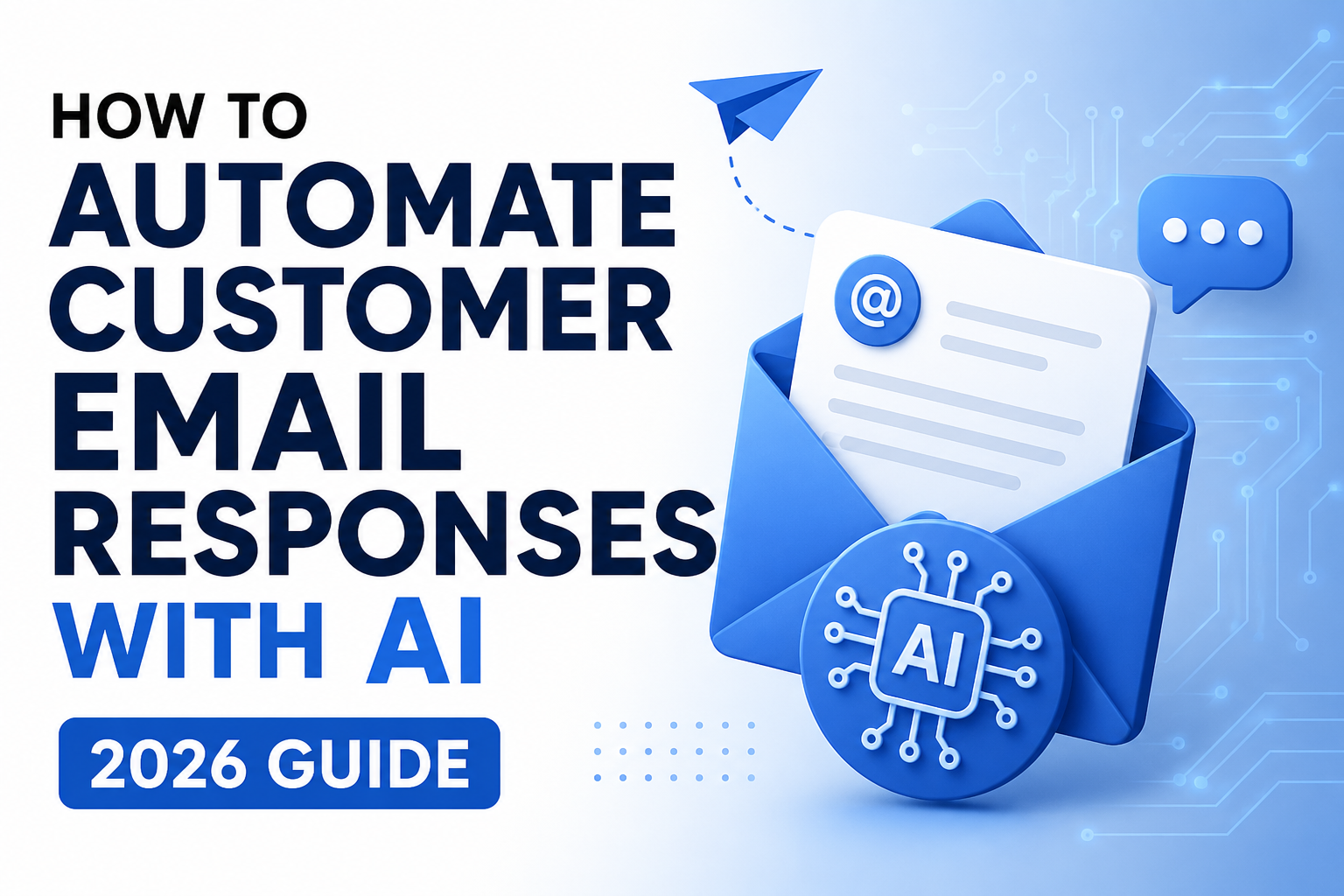
The good news is that you don’t have to answer every email yourself anymore. Learning how to automate customer email responses with AI can help you save time, improve customer service, and reduce repetitive work.
Today’s AI tools can read incoming emails, draft professional replies, answer common questions, and even send customers to the right person automatically. Your customers get faster responses, and you get your time back.
Learning how to automate customer email responses with AI is one of the easiest ways to eliminate repetitive tasks while still providing great customer service.
In this guide, I’ll show you how AI email automation works, the best tools for small businesses, and how to create a simple workflow that can save you hours every week—without losing the personal touch your customers appreciate.
Think about your own inbox for a minute.
Every day, customers send questions about pricing, appointments, products, shipping, refunds, and a dozen other things. Most of those questions are important—but many of them are also the same questions you answered yesterday.
The problem is that your customers expect a quick response. If they don’t hear back from you, there’s a good chance they’ll move on to someone else.
The challenge is that, as a small business owner, you’re wearing a lot of hats. You’re handling sales, marketing, bookkeeping, customer service, and everything else it takes to keep your business running. Spending hours every day answering emails simply isn’t the best use of your time.
That’s where AI can make a huge difference.
Instead of treating every email as another item on your to-do list, AI can help by:
- Instantly acknowledging customer emails.
- Answering common questions automatically.
- Drafting personalized replies for you to review and send.
- Identifying urgent messages that need your attention.
- Routing emails to the right person.
- Sending follow-up emails automatically when needed.
The goal isn’t to replace you. Your customers still want to connect with a real person when it matters.
The goal is to let AI handle the repetitive, everyday emails so you can spend more time growing your business, helping your customers, and doing the work that only you can do.
Quick Facts
- Many small business owners spend several hours each week answering the same customer questions over and over.
- AI can respond to routine emails in minutes—or even seconds—so your customers aren’t left waiting.
- Most AI email tools work seamlessly with Gmail and Outlook, so there’s no need to change how you already work.
- You don’t need to know how to code. Most basic AI email workflows can be set up with easy drag-and-drop tools.
- Faster response times often lead to happier customers, more inquiries turning into sales, and more time for you to focus on growing your business.
Common Customer Emails AI Can Handle for You
Here’s the good news—not every customer email needs your personal attention.
If you’ve been in business for any length of time, you’ve probably noticed that people ask the same questions over and over again. While every customer deserves a prompt response, that doesn’t mean you have to type the same answer twenty times a week.
That’s where AI really shines.
It can handle many of those routine emails quickly and professionally, giving your customers fast answers while freeing you up to focus on the parts of your business that actually need you.
Here are some of the most common emails AI can take off your plate.
1. Frequently Asked Questions
Think about how many times you’ve answered questions like:
- What are your business hours?
- How much does your service cost?
- Where are you located?
- Do you offer free shipping?
- How long will delivery take?
Instead of typing those same answers again and again, AI can respond automatically using the information you’ve already provided. Your customers get an immediate answer, and you get valuable time back.
2. Appointment Requests
If you’re a service-based business, scheduling appointments can turn into a long chain of emails.
AI can simplify the entire process by:
- Responding as soon as the inquiry comes in.
- Checking your available appointment times.
- Sending a scheduling link.
- Confirming the appointment.
- Sending reminder emails before the meeting.
Instead of spending your day going back and forth trying to find a time that works, AI handles the routine scheduling while you focus on serving your clients.
3. Order Status Updates
If you sell products, you’ve probably received plenty of emails asking:
“Where’s my order?”
Instead of answering each one manually, AI can connect with your order system and automatically send tracking information, shipping updates, and estimated delivery dates.
Your customers get answers right away, and your inbox stays a lot more manageable.
4. Qualifying New Leads
Not every inquiry is ready to become a customer—and that’s okay.
AI can ask a few simple questions before the conversation reaches you, such as:
- What service are you interested in?
- What’s your budget?
- When do you need the project completed?
- How did you hear about us?
By gathering this information upfront, you’ll spend less time chasing unqualified leads and more time talking with people who are ready to do business.
5. Following Up with Customers
Following up is one of those things every business owner knows they should do…but it’s also one of the easiest things to forget when life gets busy.
AI can automatically send:
- Thank-you emails
- Follow-ups after sending a quote
- Appointment reminders
- Customer satisfaction surveys
- Requests for online reviews
Those small touches help build stronger relationships with your customers without creating more work for you.
Why This Matters
The biggest benefit isn’t just answering emails faster.
It’s giving every customer a great experience.
Whether you’re helping another client, working on your business, out running errands, or finally taking a well-earned day off, your customers still receive prompt, professional responses.
And that’s really what AI is all about.
It handles the repetitive tasks so you can spend your time where it matters most—serving your customers, growing your business, and doing the work that only you can do.
How AI Email Automation Actually Works
If you’ve never used AI to help manage your customer emails, you might think it’s complicated or that you need to be some kind of tech expert to make it work.
The good news is…you don’t.
Today’s AI tools are designed for everyday small business owners, not programmers. Most of them are easy to set up using simple drag-and-drop tools, and many can be up and running in less than an hour.
So, what actually happens when a customer sends you an email?
Let’s walk through it.
Step 1: A Customer Sends You an Email
It all starts just like it always has.
A customer sends you a message asking something like:
- How much do your services cost?
- Can I schedule an appointment?
- Where’s my order?
- Do you offer consultations?
The email lands in your inbox, just like every other email you receive.
The difference is what happens next.
Step 2: AI Reads the Email
Instead of waiting for you to open the message, AI reads it almost instantly.
It figures out:
- What the customer is asking.
- How urgent the request is.
- Any important details like names, products, or order numbers.
- What information it needs to answer the question.
One of the things that’s so impressive about today’s AI is that it understands how people naturally communicate.
For example, these questions are all asking the same thing:
- How much do you charge?
- Can you send me your pricing?
- What’s the cost?
- I’d like a quote.
Even though they’re worded differently, AI understands they’re all looking for pricing information.
Step 3: AI Creates a Response
Once AI understands the question, it looks for the best answer using the information you’ve already provided.
Depending on how you’ve set things up, it might pull information from:
- Your frequently asked questions
- Your website
- Your pricing information
- Your product or service details
- Your company policies
- Your knowledge base
Instead of making something up, AI uses the information you’ve given it to create a professional, accurate response.
Step 4: You Decide How the Email Is Sent
This is one of my favorite parts because you’re always in control.
You can decide whether AI sends the email automatically or asks you to review it first.
For routine questions—like your business hours, appointment confirmations, pricing, or shipping updates—you may feel comfortable letting AI send the response automatically.
For more sensitive situations, such as complaints, refund requests, custom quotes, or important sales opportunities, AI can draft the email and wait for your approval before anything is sent.
Many small business owners start by reviewing every response. As they become more comfortable with the system, they gradually automate more of the routine emails.
Step 5: Your AI Gets Better Over Time
AI isn’t something you set up once and forget about.
As your business changes, you can update your pricing, add new FAQs, improve your instructions, and expand your knowledge base.
The better information you give AI, the better it performs.
Over time, your responses become more accurate, more consistent, and a better reflection of your business and the way you like to communicate with your customers.
Why This Matters
The biggest benefit isn’t just answering emails faster. When you automate customer email responses with AI, you reduce repetitive work while giving customers faster, more consistent service.
It’s knowing your customers are being taken care of—even when you’re busy helping another client, working on your business, or enjoying a well-deserved day off.
Instead of spending hours answering the same questions over and over again, AI handles the routine emails for you. That gives you more time to focus on building relationships, serving your customers, and growing your business.
And isn’t that the whole point? Let AI handle the repetitive tasks so you can spend your time doing the work that really matters.
Here’s a version that feels much more like your style. It reads like you’re teaching another small business owner over coffee instead of reading from a technical manual. It also keeps reinforcing the benefit: getting your time back.
Step-by-Step: Automate Customer Email Responses with AI
One of the biggest misconceptions about AI is that you need to know how to code to use it.
You don’t.
In fact, you may already have everything you need. If you use Gmail or Outlook, you’re halfway there. Pair that with an automation tool like Zapier or Make, and you can create a workflow that saves you hours every week.
Let’s walk through it one step at a time.
Step 1: Look for Repetitive Emails
Before you automate anything, spend a few minutes looking through your inbox.
Ask yourself:
- What questions do customers ask me over and over?
- Which emails do I seem to answer every day?
- What responses am I copying and pasting?
You’ll probably see the same topics coming up again and again, such as:
- Business hours
- Pricing
- Appointment scheduling
- Product availability
- Shipping information
- Refund policies
- Contact information
Those are the easiest emails to automate because you’re already giving the same answer every time.
Pro Tip: If you’re answering the same question five or more times a week, it’s probably a great candidate for AI.
Step 2: Write Your Standard Responses
AI works best when you give it good information.
Take a little time to write clear, friendly answers to the questions you get most often.
For example:
Customer: What are your business hours?
Response: Thank you for reaching out! Our office is open Monday through Friday from 9:00 a.m. to 5:00 p.m. Pacific Time. If you contact us after hours, we’ll get back to you as soon as we’re back in the office.
Do this for your most common questions.
Think of it as creating a library of answers that AI can use whenever someone asks those questions.
Step 3: Pick the Right AI Tool
There isn’t one perfect tool for every business. The best choice depends on what you want to automate.
Here are a few great options:
ChatGPT
Great for:
- Drafting email responses
- Improving grammar and tone
- Summarizing long email conversations
- Personalizing replies
If you like reviewing emails before they’re sent, ChatGPT is a great place to start.
Zapier
Zapier connects all the apps you already use.
It can:
- Watch your Gmail inbox
- Trigger AI when a new email arrives
- Route emails to the right place
- Send notifications
- Connect hundreds of other business apps
The best part? You don’t need to know how to code.
Microsoft Power Automate
If your business already uses Microsoft 365, Power Automate is worth a look.
It works seamlessly with:
- Outlook
- Teams
- SharePoint
- Excel
- Dynamics 365
Make
Make gives you even more flexibility if you want to build more advanced workflows using an easy visual interface.
It’s a great option as your automation needs grow.
Step 4: Build Your Workflow
A simple workflow might look something like this:
- A customer sends you an email.
- Gmail receives the message.
- Zapier notices the new email.
- ChatGPT reads the customer’s question.
- AI drafts a response.
- You review it and click Send.
Once you’re comfortable with the process, you can even let AI send routine replies automatically for simple questions.
Step 5: Test Before You Go Live
This is one step you don’t want to skip.
Before letting customers interact with your workflow, send yourself several test emails.
Try questions about:
- Pricing
- Appointments
- Shipping
- General information
- Emails with more than one question
As you test, make sure AI:
- Understands the customer’s question.
- Gives the correct information.
- Sounds professional and friendly.
- Doesn’t make up answers when it doesn’t know something.
A little testing now can save you a lot of headaches later.
Step 6: Keep Improving
Your first workflow doesn’t have to be perfect.
As you use it, you’ll discover ways to make it even better.
Ask yourself:
- Which emails am I still answering manually?
- Which AI responses could be improved?
- Are there new questions I should add to my knowledge base?
- What else could I automate?
Small improvements over time can make a big difference.
Remember, the goal isn’t perfection.
The goal is to spend less time answering repetitive emails and more time growing your business.
A Real-World Example
Let’s say you own a local accounting firm.
Every week you receive dozens of emails asking about tax appointments.
Instead of replying to each one yourself, you create a simple AI workflow.
Now, when someone emails about scheduling, AI can:
- Answer common questions.
- Share available appointment times.
- Provide basic pricing information.
- Include a scheduling link.
- Confirm the appointment automatically.
What used to take hours each week now happens in just a few minutes. Your customers get faster service, and you get more time to focus on helping your clients.
Why This Matters
AI isn’t here to replace you.
It’s here to take repetitive tasks off your plate.
Instead of spending your day answering the same emails over and over, you can focus on the work that really grows your business—serving your customers, solving problems, building relationships, and bringing in new clients.
That’s the real power of AI. It gives you back one thing every small business owner wishes they had more of…time.
The Best AI Tools for Customer Email Automation
One of the best things about AI today is that you don’t need expensive software or a huge IT department to use it.
There are plenty of affordable—and even free—tools that can help you spend less time answering emails and more time running your business.
Here are a few of my favorites.
1. ChatGPT
Best for: Writing email responses and creating personalized replies.
If you’re just getting started with AI, ChatGPT is an excellent place to begin.
It can help you:
- Draft replies to customer emails
- Rewrite messages so they sound more professional or friendlier
- Summarize long email conversations
- Translate emails into different languages
- Create reusable email templates
What I like about it:
- Easy to learn
- Produces natural, professional-sounding emails
- Can help with much more than just customer support
One thing to know:
By itself, ChatGPT doesn’t automatically send emails. If you want to automate the entire process, you’ll need to connect it with another tool like Zapier or Make.
Best for: Businesses already using Google Workspace.
If most of your work happens inside Gmail, Gemini is a natural choice.
Because it’s built right into Gmail, you can draft replies, summarize long email threads, and compose new emails without leaving your inbox.
What I like about it:
- Built directly into Gmail
- Very easy to use
- Works well with other Google Workspace apps
One thing to know:
Some of the more advanced features require a paid Google Workspace plan.
3. Microsoft Copilot for Outlook
Best for: Businesses using Microsoft 365.
If your business runs on Outlook, Copilot can become a real time-saver.
It can help you:
- Draft responses
- Summarize long email conversations
- Improve grammar and tone
- Suggest follow-up actions
- Highlight important messages
What I like about it:
- Fits naturally into Outlook
- Works well with Microsoft Teams and other Microsoft apps
- Easy to learn if you’re already using Microsoft 365
One thing to know:
It’s designed primarily for businesses that already use Microsoft’s ecosystem, and some features require additional licensing.
4. Zapier
Best for: Connecting all of your favorite apps.
Think of Zapier as the bridge between your business tools.
For example, it can:
- Watch your Gmail inbox for new emails
- Send those emails to ChatGPT
- Create a draft response
- Save the draft back into Gmail
- Let you know it’s ready to review
The best part is that you don’t need to know how to code.
What I like about it:
- Easy drag-and-drop setup
- Connects thousands of apps
- Great for beginners
- Saves a lot of manual work
One thing to know:
If you create lots of automations, you may eventually outgrow the lower-priced plans.
5. Make
Best for: Building more advanced workflows.
As your business grows, you may want automations that do more than simply answer emails.
That’s where Make really shines.
Its visual workflow builder lets you create powerful automations with multiple steps, conditions, and decision points.
What I like about it:
- Extremely flexible
- Great value for the money
- Visual workflow builder
- Perfect for more advanced automation
One thing to know:
There’s a little more of a learning curve compared to Zapier, but once you get comfortable with it, it’s incredibly powerful.
Which Tool Should You Choose?
If you’re just getting started, don’t overthink it.
I’d recommend starting with a simple combination of:
- ChatGPT
- Gmail (or Outlook)
- Zapier
That’s more than enough to automate many of the routine emails that fill up your inbox every day.
As your business grows, you can always add scheduling software, your CRM, customer support tools, or your online store to create even more powerful workflows.
Remember, you don’t have to automate everything at once.
Start with one repetitive task, get comfortable with the process, and then build from there.
Why This Matters
The goal isn’t to remove the personal touch from your business.
It’s to stop spending hours answering the same questions over and over again.
When AI handles the routine emails, you have more time to focus on your customers, build stronger relationships, and grow your business.
This sounds much more like an article written for a business magazine than by you. Your style is warmer, more encouraging, and you talk directly to the reader. You also tend to end sections by reminding readers that AI is simply a tool to help them reclaim their time.
Here’s how I’d rewrite it:
Common Mistakes to Avoid
AI can save you a tremendous amount of time—but like any tool, it works best when you use it wisely.
The good news is that most mistakes are easy to avoid. Here are a few things to keep in mind as you build your first AI email workflow.
Don’t Try to Automate Everything at Once
It’s tempting to automate every email that comes into your inbox, but don’t feel like you have to do it all on day one.
Start with the easy wins.
Think about the questions you answer over and over again, like business hours, pricing, appointment requests, or shipping information. Once you’re comfortable with those, you can gradually automate more of your workflow.
There’s no rush. The goal is progress, not perfection.
Keep Your Information Up to Date
AI can only work with the information you give it.
If your prices change, your office hours are updated, or you introduce a new product or service, be sure to update your AI as well.
Taking a few minutes every now and then to review your responses will help make sure your customers are always getting accurate information.
Know When a Real Person Should Step In
AI is incredibly helpful, but it isn’t meant to handle every situation.
Some conversations deserve a personal touch.
If a customer has a complaint, wants a refund, has a billing issue, or is dealing with something unique, those emails should come to you or someone on your team.
Let AI handle the routine questions so you can focus on the conversations that really need your expertise.
If you’re looking to reduce billing-related emails altogether, our How to Automate Invoice Processing with AI (2026 Guide) shows you how AI can automate invoice capture, approvals, and payment workflows before customers ever need to reach out.
Always Test Before You Go Live
Before you let AI respond to real customers, take it for a test drive.
Send yourself a few different emails and see how it responds.
Make sure it:
- Understands the question.
- Gives the correct information.
- Sounds like your business.
- Knows when to hand things off to a real person.
A little testing now can save you a lot of headaches later.
Make Sure It Sounds Like You
One of the biggest mistakes I see is businesses using AI responses that sound cold or robotic.
Your customers chose your business for a reason. They like working with real people.
Spend a little time customizing your AI so it sounds friendly, helpful, and true to your brand. The goal is for customers to feel like they’re hearing from your business—not a computer.
Frequently Asked Questions
Can AI answer customer emails automatically?
Yes! AI can read incoming emails, recognize common questions, and either draft a response for you to review or send it automatically. You’re in control of how much—or how little—you want AI to do. Many small businesses automate customer email responses with AI to improve response times and reduce repetitive tasks.
Is AI email automation a good fit for small businesses?
Absolutely.
In fact, I think small businesses have the most to gain. Many AI tools are affordable, easy to use, and don’t require any technical experience. Even automating a few routine emails can save you several hours every week.
Is AI going to replace customer service?
Not at all.
Think of AI as your assistant, not your replacement.
It takes care of the repetitive questions so you can spend your time helping customers with the conversations that really matter.
Is it expensive to get started?
Not necessarily.
Many AI tools offer free plans or inexpensive monthly subscriptions. You can start small, see what works for your business, and expand your automations as you grow.
How long does it take to set up?
You might be surprised.
A simple email workflow can often be up and running in less than an hour. More advanced automations will take a little longer, but you don’t have to build everything at once.
Final Thoughts
Your inbox doesn’t have to control your day.
By choosing to automate customer email responses with AI, you can spend less time answering the same questions over and over and more time focusing on the work that actually grows your business.
My advice is simple: start small.
Pick one repetitive task, build one workflow, and see how much time it saves you. Once you get comfortable, you can add another workflow, and then another.
Before you know it, you’ll have an AI assistant quietly working behind the scenes, helping your business run more smoothly while you focus on your customers.
At the end of the day, that’s what AI is really about.
It’s not replacing people.
It’s giving small business owners something we could all use a little more of—time.
Keep Learning
If you’re ready for the next step, here are a couple of articles I’d recommend: