Have you ever finished a meeting and then spent the next 30 minutes trying to remember everything that was discussed?
You’re digging through handwritten notes, replaying parts of the meeting in your head, and hoping you didn’t miss an important decision or action item. If you’ve ever done that, you’re definitely not alone.
The meeting may be over, but the work isn’t.
You still have to organize your notes, follow up with everyone, assign tasks, and make sure nothing falls through the cracks. Before you know it, you’ve spent almost as much time after the meeting as you did in the meeting itself.
That’s where AI can help.
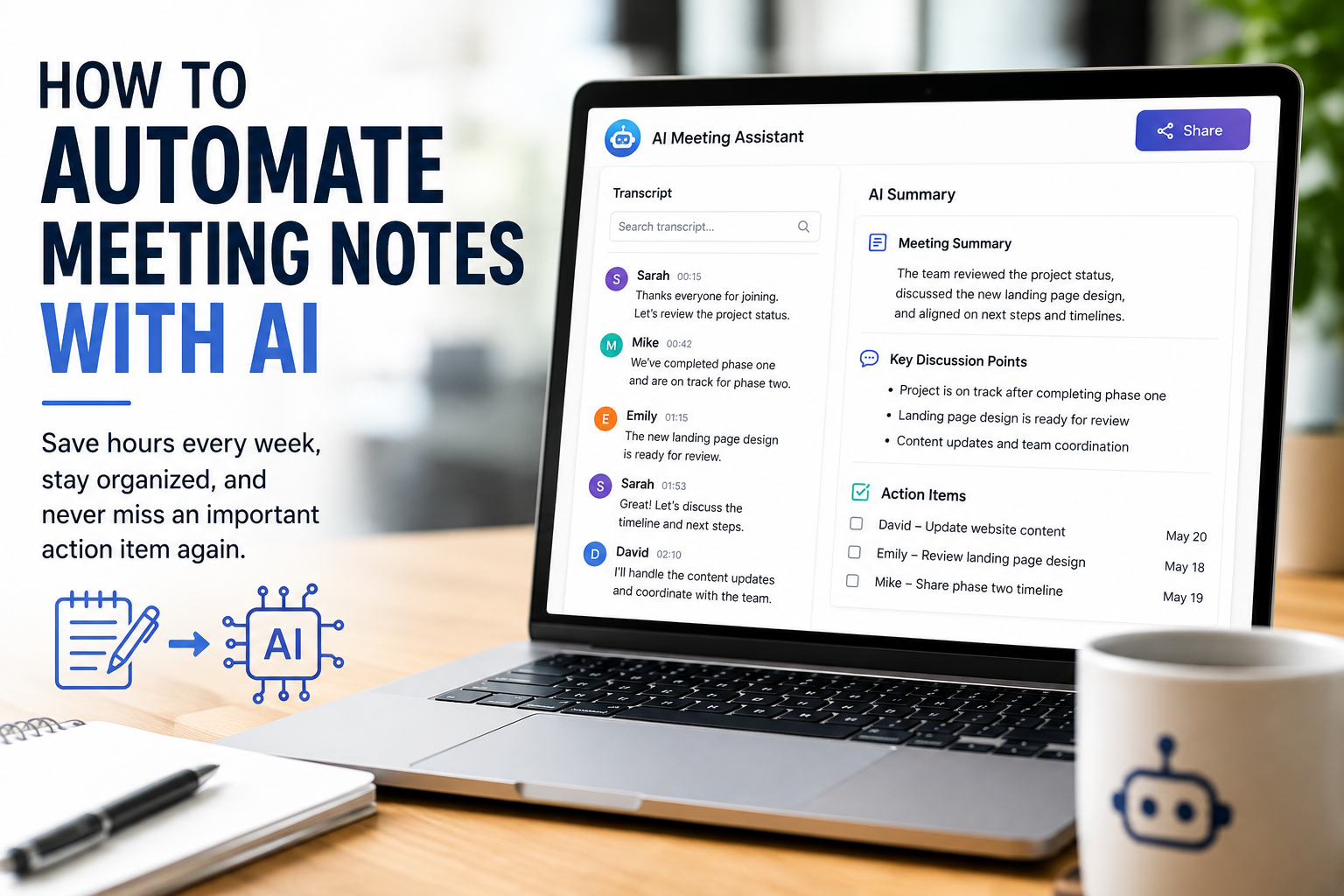
Today’s AI meeting assistants can automatically record conversations, create transcripts, summarize the discussion, identify action items, and even draft follow-up emails. Instead of spending your time writing notes, you can stay focused on the conversation, knowing the details are being captured for you.
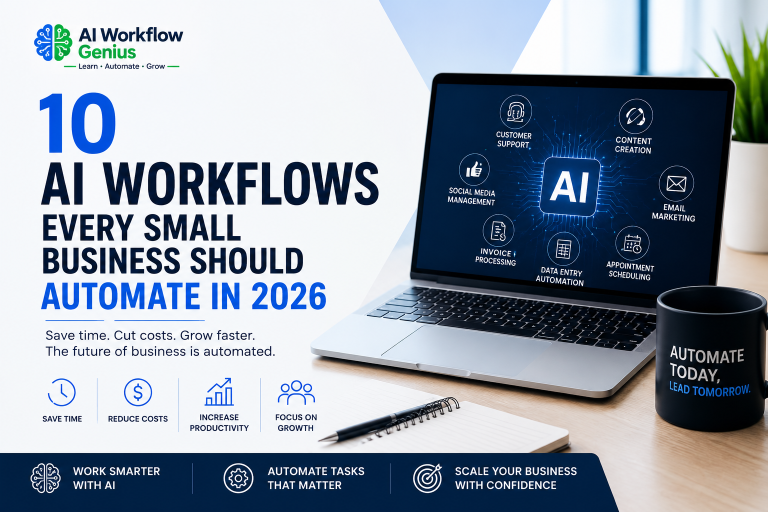
In this guide, I’ll show you how AI meeting note automation works, some of the best tools available in 2026, and how you can set up a simple workflow that saves time, keeps everyone organized, and lets you spend more time focusing on your business instead of paperwork. Meeting notes are just one of the many tasks you can simplify. You can also explore these AI workflows every small business should automate in 2026.
Why Traditional Meeting Notes Waste So Much Time
Have you ever walked out of a meeting thinking, “I’ll remember everything we talked about”?
Then a few hours later you’re trying to remember who was supposed to do what, what deadline everyone agreed on, or that one important idea someone mentioned before the meeting ended.
Before you know it, you’re digging through handwritten notes, searching your email, or asking someone else, “Do you remember what we decided?”
Sound familiar?
The truth is, the meeting itself usually isn’t the biggest time commitment. It’s everything that happens afterward.
Once the meeting is over, someone still has to:
- Organize their notes.
- Write a summary.
- Create a list of action items.
- Assign tasks.
- Send follow-up emails.
- Update project management software.
- Schedule the next meeting.
None of these tasks are difficult, but they all take time. And if you’re attending several meetings every week, those minutes quickly turn into hours that could be spent serving customers or growing your business.
There’s another challenge, too.
When you’re actively participating in a meeting, you’re focused on the conversation—not taking perfect notes. You’re asking questions, sharing ideas, solving problems, and making decisions. It’s easy to miss an important detail while you’re trying to stay engaged.
That’s where AI can make a huge difference.
Instead of trying to write everything down yourself, an AI meeting assistant listens to the conversation, creates a transcript, summarizes the discussion, identifies action items, and highlights the important decisions. When the meeting is over, your notes are already organized and ready to review.
AI isn’t there to replace you. It’s there to handle the note-taking so you can stay focused on the conversation instead of worrying about writing everything down.
The result is less administrative work, fewer things slipping through the cracks, and more time to focus on the work that really grows your business.
How AI Meeting Note Automation Works
If you’ve never used an AI meeting assistant before, you might be wondering how it all works.
The good news is that it’s much easier than you might think. You don’t have to be a tech expert, and you don’t have to change the way you run your meetings. Once it’s set up, the AI works quietly in the background while you focus on the conversation.
Here’s what a typical workflow looks like.
Step 1: The Meeting Begins
Whether you’re using Zoom, Microsoft Teams, Google Meet, or another meeting platform, the AI joins the meeting automatically or connects behind the scenes.
As the conversation begins, it starts creating a transcript in real time. The goal isn’t to interrupt the meeting—it’s simply to capture the discussion so you don’t have to worry about taking detailed notes.
Step 2: The AI Captures the Conversation
As everyone talks, the AI converts the conversation into text.
Many AI meeting tools can even recognize different speakers, making it easy to see who said what. Instead of trying to write everything down while you’re talking, asking questions, or sharing ideas, you can stay focused on the meeting, knowing the details are being captured for you.
Step 3: The AI Organizes Your Notes
When the meeting ends, the AI doesn’t just hand you a transcript. It organizes the information into something that’s actually useful.
Depending on the tool you’re using, it can automatically create:
- A meeting summary
- Key discussion points
- Decisions that were made
- Action items
- Tasks assigned to team members
- Important deadlines
- Questions that still need answers
Instead of sorting through pages of notes, you can review the highlights in just a few minutes.
Step 4: Share Everything with Your Team
Most AI meeting assistants make it easy to share your meeting notes with everyone who needs them.
You can email the summary, save it to Google Docs, Microsoft OneNote, or Notion, post it in Slack, or send it directly to your project management software. That way, everyone stays on the same page—even team members who couldn’t attend the meeting.
Why This Matters for Small Businesses
Large companies often have executive assistants or project managers who handle meeting notes and follow-up tasks.
Most small businesses don’t have that luxury.
If you’re like many business owners, you’re the one taking notes, assigning tasks, sending follow-up emails, and trying to remember everything that was discussed—all while running your business.
That’s where AI can make a real difference.
Instead of spending time organizing notes after every meeting, you can let AI handle the administrative work while you focus on the conversation, your customers, and the decisions that move your business forward.
Think of it as having a dependable assistant in every meeting—quietly taking notes, organizing the details, and making sure nothing slips through the cracks.
Best AI Meeting Note Tools for Small Businesses
There are a lot of AI meeting assistants available today, so the best one really depends on how you run your business and the tools you already use.
The good news is that you don’t have to spend weeks learning a new system. Most of these tools are easy to set up and can start saving you time right away.
Here are a few of the most popular options.
Otter.ai
Otter.ai is one of the best-known AI meeting assistants, and it’s a great place to start if you’re new to meeting automation.
It can automatically join your Zoom, Google Meet, or Microsoft Teams meetings, create a transcript, summarize the conversation, and identify action items. Instead of scrambling to take notes, you can stay focused on the discussion while Otter.ai captures the details.
Best for:
- Small businesses
- Consultants
- Sales calls
- Team meetings
Fireflies.ai
Fireflies.ai does more than just take meeting notes. It also connects with many of the business tools you probably already use, including CRM systems, project management software, and collaboration platforms.
If you want your meeting notes to automatically trigger other workflows, Fireflies.ai is definitely worth a look.
Best for:
- Sales teams
- Marketing agencies
- Businesses using CRM software
- Teams that want more advanced automation
Zoom AI Companion
If most of your meetings happen on Zoom, this is one of the easiest options because it’s built right into the platform.
Zoom AI Companion can summarize meetings, highlight action items, and help everyone quickly review what was discussed. Since it’s already part of Zoom, there’s very little setup required.
Best for:
- Businesses using Zoom
- Remote teams
- Companies that spend a lot of time in video meetings
Microsoft Copilot
If your business already uses Microsoft 365, Microsoft Copilot fits in naturally. It can summarize Microsoft Teams meetings, organize notes, and even help draft follow-up emails based on the conversation.
Because it works with Outlook, Word, Excel, and Teams, everything stays connected in one place.
Best for:
- Microsoft 365 users
- Professional service businesses
- Teams using Microsoft Teams
Google Gemini for Google Meet
If you’re already using Google Workspace, Google Gemini makes a lot of sense.
It can automatically create meeting summaries, transcripts, and action items directly from Google Meet. Since it works with Google Calendar, Gmail, Docs, and the rest of Google Workspace, it’s an easy way to keep everything organized.
Best for:
- Google Workspace users
- Small businesses
- Teams using Google Meet
Which One Should You Choose?
If you’re just getting started with AI meeting notes, don’t get caught up trying to find the “perfect” tool.
Instead, choose the one that works with the software you’re already using every day.
For example:
- If you use Zoom, start with Zoom AI Companion.
- If your business runs on Google Workspace, Google Gemini is a natural fit.
- If you spend your day in Microsoft Teams, Microsoft Copilot is an easy choice.
- If you need something that works across multiple meeting platforms, Otter.ai or Fireflies.ai are both excellent options.
The most important thing isn’t picking the perfect tool—it’s getting started.
Once you stop taking meeting notes by hand and let AI handle the administrative work, you’ll have more time to focus on the conversation, your customers, and growing your business. And after you’ve used it for a while, you’ll probably wonder how you ever managed meetings without it.
How to Set Up AI Meeting Note Automation
One of the best things about today’s AI meeting assistants is how easy they are to set up. You don’t have to be a tech expert, and in most cases, you can be up and running in about 15 minutes.
Let’s walk through it step by step.
Step 1: Choose the Right AI Tool
Start with the meeting platform you already use.
If most of your meetings are on Zoom, choose a tool that works with Zoom. If you use Microsoft Teams or Google Meet, it usually makes sense to stay within those platforms.
The goal isn’t to learn a whole new system. It’s simply to make the one you already use work a little smarter.
And don’t get caught up trying to find the “perfect” tool. Pick one that fits your business and get started. You can always change later if your needs change.
Step 2: Connect Your Calendar
Next, connect your Google Calendar or Microsoft Outlook calendar.
Once it’s connected, the AI knows when your meetings are scheduled and can automatically join the ones you want it to. You don’t have to remember to start recording or launch the meeting assistant every time.
That’s one less thing on your to-do list.
Step 3: Check Your Recording Settings
Before you start using AI during customer or team meetings, take a few minutes to review your recording preferences.
Depending on where you live and the type of meeting you’re having, you may need to let people know the meeting is being recorded or transcribed.
A simple comment like this is usually all it takes:
“Just a heads-up, I’m using an AI meeting assistant to take notes so I can focus on our conversation. It’ll create a summary for us after the meeting.”
Most people appreciate knowing you’re paying attention to them instead of trying to write down every word.
Step 4: Focus on the Conversation
Once the meeting starts, let the AI do its job.
Instead of worrying about taking detailed notes, focus on listening, asking questions, and participating in the discussion. The AI will capture the conversation, organize the notes, and identify the important action items for you.
You’ll probably find your meetings become more productive because you’re fully engaged instead of constantly looking down at your notebook.
Step 5: Review the Summary
When the meeting is over, take a few minutes to review the AI-generated notes.
AI is incredibly accurate, but it’s still a good idea to double-check things like:
- Names
- Dates and deadlines
- Numbers or pricing
- Customer requests
- Decisions that were made
- Action items
A quick review helps make sure everyone receives accurate information.
Step 6: Share the Notes
Once everything looks good, share the meeting summary with your team.
Most AI meeting assistants let you send notes directly to tools you may already be using, including:
- Slack
- Microsoft Teams
- Google Docs
- Notion
- Asana
- Trello
- ClickUp
Sharing the notes right away keeps everyone on the same page—even the people who couldn’t attend the meeting. Many AI meeting assistants can also help you draft and send follow-up emails after a meeting. If you’d like to automate that process too, check out our guide on How to Automate Customer Email Responses with AI.
Create a Simple Routine
One of the easiest ways to get the most value from AI meeting notes is to make it part of your routine.
After each meeting:
- Review the summary.
- Confirm the action items.
- Share the notes with your team.
- Schedule any follow-up work.
The whole process usually takes less than five minutes.
Compare that to the 20 or 30 minutes many business owners spend writing meeting summaries from scratch, and it’s easy to see how the time savings add up.
It may not seem like a huge change after one meeting, but over the course of a year, those saved minutes turn into hours. That’s time you can spend serving your customers, growing your business, or maybe even getting home a little earlier at the end of the day.
Benefits of Using AI for Meeting Notes
You might be wondering if AI meeting notes are really worth it.
Think about how much time you spend after every meeting organizing your notes, sending follow-up emails, assigning tasks, and trying to remember everything that was discussed. Those little tasks may not seem like much, but they add up quickly.
That’s where AI can make a real difference.
Stay Focused on the Conversation
Have you ever found yourself trying to listen and take notes at the same time?
It’s not easy.
When you’re busy writing everything down, it’s easy to miss an important detail or lose track of the conversation. With AI handling the note-taking, you can give the other person your full attention.
That often leads to better conversations, stronger relationships, and fewer misunderstandings.
Spend Less Time on Administrative Work
The meeting may be over, but the work usually isn’t.
Someone still has to organize the notes, send follow-up emails, assign tasks, and make sure everyone knows what they’re responsible for.
AI takes care of much of that work for you. Instead of spending 20 or 30 minutes creating a meeting summary, you can spend just a few minutes reviewing the one the AI has already prepared.
Those saved minutes really start to add up.
Keep Everyone on the Same Page
One of the biggest challenges after a meeting is making sure everyone remembers what was decided.
AI creates a clear summary that includes:
- Key decisions
- Action items
- Assigned tasks
- Deadlines
- Questions that still need answers
Instead of relying on memory, everyone has the same information, making it easier to stay organized and keep projects moving forward.
Don’t Let Important Details Slip Through the Cracks
We’ve all had it happen.
Someone shares a great idea during a meeting, everyone agrees it’s important…and then nobody remembers the details a few days later.
AI helps prevent that by capturing the conversation as it happens. It’s like having an extra set of ears in the meeting, making sure the important details don’t get lost.
Improve Customer Follow-Up
If you meet with clients, AI meeting notes can make a big difference.
Before your next conversation, you can quickly review exactly what was discussed, what questions were asked, and what commitments were made. That helps you follow through, provide better service, and show your customers you’re paying attention.
Sometimes it’s the little details that leave the biggest impression.
Get Back More of Your Time
This may be the biggest benefit of all.
Too many business owners finish a full day of meetings and then spend another hour catching up on notes after everyone else has gone home.
AI won’t eliminate every follow-up task, but it can dramatically reduce the time you spend on repetitive administrative work.
And those extra minutes matter.
Maybe it’s spending more time with your family. Maybe it’s working on growing your business instead of catching up on paperwork. Or maybe it’s simply finishing your day a little earlier.
At the end of the day, that’s what AI is really about—not replacing people, but giving you back time to focus on the work that matters most.
Common Mistakes to Avoid
AI meeting assistants can save you a lot of time, but like any tool, you’ll get the best results if you use them the right way.
Here are a few common mistakes to avoid:
Assuming AI Is Always Right
Today’s AI meeting assistants are incredibly accurate, but they’re not perfect.
Background noise, people talking at the same time, or poor audio quality can sometimes cause mistakes in the transcript or meeting summary.
That’s why it’s always a good idea to spend a few minutes reviewing the notes before sharing them with your team or your customers.
Think of the AI summary as a great first draft. A quick review helps make sure everything is accurate.
Not Letting People Know
Depending on where you live or the type of meeting you’re having, you may need to let participants know the meeting is being recorded or transcribed.
Even when it’s not required, it’s simply good business practice.
A quick comment like this is usually all you need:
“Just a heads-up, I’m using an AI meeting assistant to take notes so I can focus on our conversation. I’ll review everything before sharing the summary.”
Most people appreciate knowing they have your full attention instead of watching you type notes throughout the meeting.
Recording Every Conversation
Not every conversation needs an AI meeting assistant.
A quick chat in the hallway, a casual brainstorming session, or a discussion involving sensitive information may be better without recording.
Use AI where it adds value, not just because you can.
Forgetting to Follow Up
One of the biggest benefits of AI meeting notes is the list of action items at the end.
Don’t let those tasks sit there.
Review them, assign responsibilities, set deadlines, and follow up. That’s where the real value comes from.
After all, a meeting isn’t finished until something actually happens because of it.
Thinking AI Replaces Good Communication
AI can take notes.
It can’t build relationships, answer tough questions, or lead your team.
That’s still your job.
Think of AI as your assistant. It handles the repetitive administrative work so you can focus on the conversations, decisions, and leadership that really matter.
Trying to Automate Everything at Once
This is probably one of the biggest mistakes people make.
They discover AI and immediately want to automate every part of their business.
Don’t do that.
Start with one workflow—like meeting notes. Use it for a few weeks until it feels natural. Then move on to another task, such as appointment scheduling, customer emails, or follow-up reminders.
Small improvements, made one step at a time, are much easier to manage—and they’re far more likely to stick.
The Bottom Line
The businesses that get the most out of AI aren’t the ones using the most tools.
They’re the ones using the right tools consistently.
If AI saves you just 20 minutes after every meeting, those minutes add up over time. That’s more time you can spend serving your customers, working on your business, or simply wrapping up your day a little earlier.
At the end of the day, that’s what AI is really about—making your workday easier so you can spend more time on the parts of your business that matter most.
Frequently Asked Questions
Can AI really take meeting notes automatically?
Yes! Once it’s set up, an AI meeting assistant can join your online meetings, create a transcript, summarize the discussion, and identify action items automatically. Most tools also let you review and edit the summary before you share it with your team.
What’s the best AI meeting note tool?
There isn’t one tool that’s right for every business. The best choice depends on the software you already use.
- If most of your meetings are on Zoom, Zoom AI Companion is a great option.
- If your business uses Google Workspace, Google Gemini works seamlessly with Google Meet.
- If you’re already using Microsoft 365, Microsoft Copilot is a natural fit.
- If you want something that works across multiple meeting platforms, Otter.ai and Fireflies.ai are both excellent choices.
The best tool is the one that fits into the way you already work.
Are AI meeting notes accurate?
Most AI meeting assistants are very accurate, especially when the audio quality is good. That said, AI isn’t perfect.
Before sharing your meeting notes, take a few minutes to review the summary and double-check names, dates, deadlines, and action items. A quick review helps make sure everything is accurate.
Can AI summarize in-person meetings?
Yes. Many AI meeting tools can record and summarize in-person conversations using your phone, tablet, or laptop.
Just remember to let everyone know the meeting is being recorded if it’s required by your local laws or company policies.
Are AI meeting assistants secure?
Most reputable AI meeting tools use encryption and other security measures to help protect your meeting data.
Before choosing a platform, review its privacy policy and security features. If you work with sensitive customer information, make sure the tool meets your business or industry requirements.
Do AI meeting tools work with Zoom, Microsoft Teams, and Google Meet?
Yes. Most AI meeting assistants work with one or more of these platforms.
Some are built directly into Zoom, Microsoft Teams, or Google Meet, while others work across multiple meeting platforms. Before you choose a tool, make sure it integrates with the software you already use.
Can AI create action items from meetings?
Absolutely. One of the biggest benefits of AI meeting assistants is that they automatically identify action items, deadlines, and follow-up tasks.
Many tools can even send those action items to your project management software, helping everyone stay organized and accountable.
Is AI meeting note software worth it for a small business?
For most small businesses, the answer is yes.
If you’re spending time organizing meeting notes, writing summaries, and sending follow-up emails, AI can take much of that work off your plate. Even saving 15 or 20 minutes after each meeting can add up to dozens of hours over the course of a year.
Final Thoughts
When you run a small business, you’re already juggling a lot. You’re meeting with customers, managing projects, leading your team, and making decisions all day long. The last thing you need is spending even more time organizing pages of meeting notes after everyone has gone home.
That’s where AI can help.
Instead of trying to capture every detail yourself, you can stay focused on the conversation while an AI meeting assistant takes care of the note-taking. When the meeting is over, you’ll have a clear summary, organized action items, and a record of everything that was discussed.
The goal isn’t to replace the personal side of your business. It’s to take repetitive administrative work off your plate so you have more time to focus on your customers, your team, and growing your business.
If you’re just getting started, keep it simple.
You can save even more time by combining AI meeting notes with automated appointment scheduling. Together, they reduce the administrative work before, during, and after every meeting. Learn more in our guide on How to Automate Appointment Scheduling with AI.
Choose one AI meeting tool that works with the software you’re already using and try it in your next few meetings. Once you see how much time it saves, you can always add more AI workflows as your business grows.
You don’t have to automate everything overnight. Start with one small change, build from there, and before long you’ll wonder how you ever managed without it.