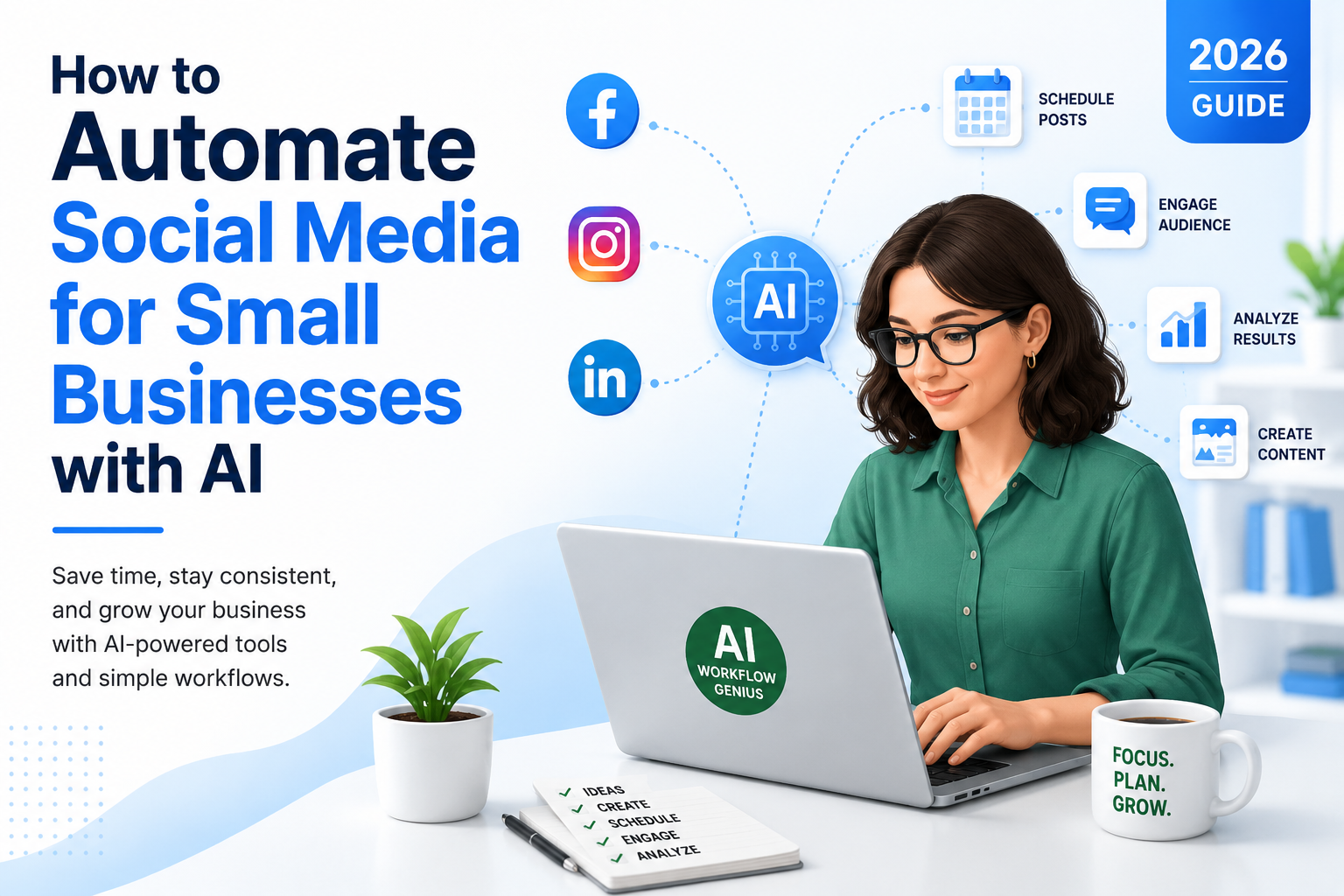
If you’re like most small business owners, social media is one of those things you know you should be doing, but somehow it always ends up at the bottom of the to-do list.
You start the week with every intention of posting regularly. Maybe you’ve even jotted down a few ideas or saved an article you wanted to share. Then real life happens.
A customer calls with an urgent problem. A new project lands on your desk. Your inbox fills up. You spend the afternoon putting out fires, and before you know it, it’s five o’clock and another day has gone by without posting a single thing.
Sound familiar?
You’re not alone.
One of the biggest frustrations I hear from small business owners is that they simply don’t have enough time to market their business consistently. They’re busy doing the work, serving customers, managing employees, sending invoices, answering phones, and trying to keep everything running smoothly. Social media often becomes an afterthought—not because they don’t believe it’s important, but because there are only so many hours in the day.
The problem is that when you disappear from social media for weeks or months at a time, your business becomes less visible. Out of sight often means out of mind. Potential customers don’t see your expertise, existing customers stop hearing from you, and opportunities to build trust quietly slip away.
What’s the Solution?
The good news is that staying active on social media no longer has to feel overwhelming. Today’s AI tools can help you organize your ideas, create content more efficiently, and keep your business visible—even during your busiest weeks.
Artificial Intelligence is changing the way small businesses create and manage content.
Today’s AI-powered tools can help you brainstorm ideas, write captions, create eye-catching graphics, suggest hashtags, schedule posts, and even recommend the best times to publish. Instead of starting from scratch every day, you can create a week’s—or even a month’s—worth of content in one sitting and let automation handle the repetitive work.
Think of AI as your marketing assistant rather than your replacement.
It doesn’t replace your experience, your personality, or your relationship with your customers. Instead, it takes care of the repetitive tasks that consume so much time, allowing you to focus on the parts of your business that only you can do.
In this guide, we’ll look at what AI social media automation is, how it works, the benefits it offers small businesses, and the best AI tools available in 2026.
Most importantly, you’ll learn how to build a simple workflow that saves time while helping your business maintain a consistent and professional online presence.
You don’t have to become a marketing expert or spend hours online every day to make social media work for your business. With the right tools and a little planning, you can build a system that keeps your business visible, engages your audience, and frees up more time to do what you do best—serve your customers and grow your business.
Why Social Media Management Is So Time-Consuming
At first glance, posting on social media doesn’t seem like it should take very long. After all, it’s just writing a quick post and clicking “Publish,” right?
If only it were that simple.
Creating quality content that represents your business well involves much more than typing a few sentences. Before you ever hit that publish button, you’ve probably gone through a whole series of decisions without even realizing it.
What should I post today?
Will my customers find this interesting?
Do I have a good photo to go with it?
Which platforms should I post on?
Should I post now or wait until later?
Then there’s the actual work of writing the caption, creating or finding an image, choosing hashtags, and posting it across Facebook, LinkedIn, Instagram, or wherever your customers spend their time.
And once the post is live, your work isn’t finished.
People comment. Someone sends a direct message. A customer asks a question. You check to see how many people viewed your post. Then it’s time to start thinking about tomorrow’s content.
When you add it all together, what seems like a five-minute task can easily turn into several hours every week.
Some of the biggest time-consuming tasks include:
- Brainstorming fresh content ideas.
- Writing captions that people actually want to read.
- Creating graphics or finding images that grab attention.
- Posting consistently across multiple social media platforms.
- Choosing the best times to publish.
- Responding to comments and direct messages.
- Reviewing your analytics to see what’s working.
None of these tasks are especially difficult on their own. The challenge is that they all compete for your attention alongside everything else you’re responsible for.
Why Consistency Is So Difficult
As a small business owner, you’re already wearing a dozen different hats. You’re managing customers, handling finances, solving problems, supervising employees, and trying to grow your business. Marketing often gets squeezed into whatever time is left—and sometimes there isn’t any.
That’s one of the reasons so many business owners start strong on social media, post regularly for a few weeks, and then quietly disappear. It isn’t because they don’t care. It’s because life gets busy.
This is exactly where AI can make a real difference.
Instead of sitting in front of a blank screen wondering what to write, AI can help generate content ideas in seconds. It can draft captions, suggest hashtags, help create graphics, recommend posting times, and even schedule weeks’ worth of content in advance.
One of my favorite things about AI is that it lets you work in batches.
Rather than interrupting your day to create one post at a time, you can set aside an hour or two each month, create all of your content at once, schedule it, and let automation take care of the routine work.
Imagine sitting down on the first Monday of the month, creating four weeks of social media posts, scheduling them, and then not having to think about posting again until next month. Instead of scrambling every day for something to say, your marketing is already working in the background while you’re focused on serving your customers.
That’s not only less stressful—it’s far more efficient.
Instead of trying to do everything yourself, AI helps simplify the content creation process. Rather than wondering what to post each day, you can build a repeatable workflow that keeps your marketing moving forward, even during your busiest weeks.
Key Takeaway
Managing social media isn’t difficult—it’s just time-consuming. AI helps eliminate many of the repetitive tasks by generating ideas, writing first drafts, creating graphics, scheduling posts, and tracking results. Instead of spending a little time every day on marketing, you can work more efficiently, stay consistent, and focus your energy where it’s needed most—running your business.
What Is AI Social Media Automation?
When people first hear the term AI social media automation, it can sound a little intimidating. It brings to mind complicated software, technical setups, and a steep learning curve.
The reality is much simpler.
At its core, AI social media automation is simply using artificial intelligence to handle many of the repetitive tasks involved in managing your social media accounts. Instead of doing everything manually, AI becomes an assistant that helps you work faster and more efficiently.
Think about how most business owners handle social media today.
You decide you should post something. Then you spend several minutes trying to think of an idea. Once inspiration strikes, you write a caption, look for a photo, wonder whether you should add hashtags, log into Facebook, publish the post, and then repeat the entire process for LinkedIn, Instagram, or any other platform where your business has a presence.
It doesn’t seem like much until you realize you’re repeating that same routine several times every week.
How AI Changes the Process
That’s where AI changes the game.
Instead of starting with a blank screen every time, AI can help you brainstorm ideas, write captions, create graphics, suggest hashtags, recommend the best time to post, and schedule your content weeks—or even months—in advance.
The important thing to remember is that AI isn’t making business decisions for you.
You’re still deciding what message you want to share. You’re still the expert. AI simply helps you create and publish that message much more efficiently.
I like to think of it this way…
Imagine hiring a marketing assistant whose job is to prepare the first draft of everything. They organize your ideas, write a rough version of your post, suggest a photo, and place it on your calendar for review.
Before anything goes out, you look it over, make a few changes, add your own personality, and approve it.
That’s exactly how AI should be used.
What Tasks Can AI Handle?
Here’s what a typical AI social media workflow looks like:
- Decide what you want to share.
- Ask AI to generate one or more social media posts.
- Review the content and edit it so it sounds like you.
- Create or select an image to go with the post.
- Schedule it to publish automatically.
- Review the results after it’s been published.
- Use what you’ve learned to create even better content next time.
Notice something?
You’re still involved in every important decision.
AI isn’t replacing your creativity or your experience. It’s simply removing much of the repetitive work that slows you down.
That’s one of the biggest misconceptions people have about artificial intelligence. They think it’s supposed to replace people.
I don’t see it that way at all.
The best use of AI is to eliminate repetitive administrative work so you can spend more time doing the things that actually require human judgment—building relationships, serving customers, solving problems, and growing your business.
For small business owners, that’s a huge advantage.
Instead of spending hours every week trying to keep up with social media, you can spend that time meeting with customers, improving your products or services, networking, or simply enjoying a little more balance in your life.
That’s what automation is really about.
It’s not about posting more often just for the sake of posting.
It’s about creating a simple, repeatable system that keeps your business visible without consuming your day.
Key Takeaway
AI social media automation isn’t about replacing your marketing or your creativity. It’s about giving you a smarter, more efficient way to create content, schedule posts, and stay active online. You remain in control of your message while AI handles many of the repetitive tasks that normally take up so much of your time.
Benefits of AI Social Media Automation
Most small business owners don’t avoid social media because they don’t see its value.
They avoid it because they’re busy.
When you’re focused on serving customers, managing employees, paying bills, and keeping your business moving forward, finding time to create social media content can feel almost impossible. Marketing is important, but it rarely feels as urgent as the customer standing in front of you or the phone that’s ringing.
That’s where AI can make a real difference.
Instead of asking you to work harder, AI helps you work smarter. It removes many of the repetitive tasks that take up your time so you can stay visible online without feeling like you’re adding another full-time job to your schedule.
Let’s look at some of the biggest benefits.
Save Hours Every Week
Time is one of the few resources you can never get back. Every minute you spend staring at a blank screen trying to decide what to post is a minute you’re not serving customers, improving your business, or enjoying time with your family.
Think about how much time you spend trying to decide what to post, writing captions, searching for images, creating graphics, and logging into multiple social media platforms.
Now imagine cutting that time in half—or even more.
AI can generate ideas in seconds, draft captions, suggest hashtags, and help create graphics much faster than starting from scratch every time. Instead of spending thirty minutes creating one post, you might spend just five or ten minutes reviewing and personalizing what AI has already created.
Those time savings add up quickly.
Even saving three hours a week gives you more than 150 hours back over the course of a year. That’s almost four full workweeks you can spend serving customers, improving your business, or simply enjoying more personal time.
Stay Consistent
Consistency is one of the biggest challenges with social media.
Most businesses don’t fail because they post bad content.
They struggle because they post regularly for a few weeks, get busy, and then disappear for a month.
We’ve all seen business pages where the last post was six months ago. It doesn’t leave a great impression on potential customers.
AI makes it much easier to maintain a consistent presence by allowing you to create and schedule content in advance. Consistency also builds confidence. When potential customers visit your Facebook page or LinkedIn profile, regular activity reassures them that your business is active, engaged, and continuing to serve customers. Even simple weekly updates can make a positive impression.
Even when you’re on vacation, attending conferences, meeting with clients, or simply having an exceptionally busy week, your social media continues working for you.
Eliminate Writer’s Block
One of the hardest parts of creating content is figuring out what to say.
You sit down at your computer with every intention of posting something helpful…and suddenly your mind goes blank.
AI gives you a place to start.
It can generate topic ideas, suggest different angles, or write several versions of a post based on a simple prompt. You don’t have to use the first draft exactly as it’s written, but having something in front of you is much easier than staring at a blank screen waiting for inspiration.
Sometimes all you need is a spark to get your own ideas flowing.
Get More Value From the Content You’ve Already Created
This is one of my favorite ways to use AI.
Many business owners think they have to create brand-new content every time they post. In reality, one piece of content can become many.
For example, a single blog article can be transformed into several Facebook posts, a LinkedIn article, an Instagram caption, a handful of quick tips, an email newsletter, or even a short video script.
Instead of constantly creating from scratch, you’re getting more mileage from the work you’ve already done.
That’s not working harder—it’s working smarter.
Keep Your Business Top of Mind
People do business with companies they remember.
Every helpful post, customer success story, educational tip, or behind-the-scenes photo reminds people that your business is active and engaged.
Maybe someone doesn’t need your services today.
But when they do, they’ll be much more likely to remember the business they’ve been seeing consistently in their social media feed.
Social media isn’t always about making immediate sales. Often, it’s about being remembered. When someone eventually needs your product or service, the businesses they’ve seen regularly are often the first ones they think of.
Staying visible builds familiarity.
And familiarity builds trust.
Make Better Marketing Decisions
Learn What Your Customers Care About
One of the hidden advantages of AI-powered social media tools is the data they provide.
Most platforms track which posts receive the most views, comments, shares, and clicks.
Over time, you’ll begin to notice patterns.
Maybe your audience loves educational tips.
Perhaps behind-the-scenes photos receive more engagement than promotional posts.
Or maybe customer success stories generate the most conversations.
Those insights help you create better content because you’re no longer guessing what people want—you have real data to guide your decisions.
Grow Without Adding More Work
As your business grows, your marketing needs grow with it.
Without automation, that usually means spending more time creating content.
With AI, you can scale your marketing without dramatically increasing your workload.
Whether you’re managing one social media account or several, automation allows you to stay organized and consistent without feeling overwhelmed.
That’s one of the biggest reasons AI has become such a valuable tool for small businesses.
It helps you accomplish more without requiring more hours in your day.
Key Takeaway
AI social media automation isn’t just about saving time—although that’s certainly one of its biggest advantages. It’s about helping you build a consistent online presence, making better use of the content you already create, learning what your audience responds to, and freeing yourself to focus on the work that truly grows your business. Used wisely, AI becomes less of a technology tool and more of a reliable marketing assistant that’s working behind the scenes every day.
How AI Social Media Automation Works
By now, you might be thinking, “This sounds great, but how does it actually work?”
The good news is that you don’t need to be a marketing or technology expert to build an effective social media workflow. Once you understand the basic process, you’ll have a simple system you can use over and over again. AI simply helps make each step easier. Think of it as building a system.
Instead of starting from scratch every time you want to create a post, you’ll follow the same simple process each time. AI simply helps you complete that process more quickly and consistently.
Here’s what that process looks like.
Step 1: Decide What You Want to Share
Everything starts with an idea.
One of the biggest mistakes business owners make is thinking they have to come up with something completely new every day.
You don’t.
Some of the best social media content comes from the things you’re already doing in your business.
Ask yourself questions like:
- What questions do customers ask me most often?
- What problem did I solve for a client this week?
- What’s a common mistake people make in my industry?
- Is there a tip that would save my customers time or money?
- Have I introduced a new product or service?
- Is there something happening behind the scenes that people would enjoy seeing?
Your business creates content every single day—you simply need to recognize it.
Step 2: Let AI Create the First Draft
Once you know what you want to talk about, let AI do the heavy lifting.
Give it a simple prompt describing your topic, your audience, and the tone you’re looking for.
Within seconds, AI can create:
- A Facebook post
- A LinkedIn update
- An Instagram caption
- Multiple headline ideas
- Suggested hashtags
- Different versions of the same message
Instead of staring at a blinking cursor wondering what to write, you now have a solid starting point.
And that’s exactly how you should think about AI.
It’s your first draft—not your final draft.
Step 3: Make It Sound Like You
This may be the most important step in the entire process.
AI can write good content.
But it doesn’t know your customers the way you do.
It hasn’t spent years building your business or learning your industry. It doesn’t know your stories, your sense of humor, or the lessons you’ve learned along the way.
That’s why every AI-generated post should be reviewed before it’s published.
Add your own experiences.
Share a customer success story.
Include something you’ve learned from working with clients.
Adjust the wording until it sounds like something you would naturally say.
Those personal touches are what transform a generic post into one that builds trust and connects with your audience.
Step 4: Add an Image That Supports Your Message
Social media is a visual platform.
Even the best-written post is more likely to be noticed when it’s paired with a strong image.
The good news is that you don’t have to be a graphic designer.
AI-powered design tools can help you create attractive graphics in just a few minutes. Better yet, use real photos whenever possible.
Pictures of your team, completed projects, happy customers (with permission), or behind-the-scenes moments often perform better than generic stock images because they feel authentic.
People like doing business with real people.
Don’t be afraid to let your personality shine through.
Step 5: Schedule Everything in Advance
Here’s where the real time savings begin.
Rather than creating one post every day, set aside a block of time each week—or even once a month—to create your content in batches.
Once your posts are ready, load them into your scheduling software and choose when you’d like them to be published.
Now your marketing keeps working, even while you’re:
- Meeting with customers
- Working on projects
- Traveling
- Taking a day off
- Spending time with your family
Your social media stays active without demanding your attention every single day.
Step 6: Review Your Results
After your posts have been published, spend a few minutes looking at the numbers.
Pay attention to things like:
- Which posts received the most likes?
- Which generated comments or shares?
- Which topics brought people to your website?
- What time of day produced the most engagement?
These insights help you understand what your audience enjoys so you can create more content they’ll actually want to read.
Instead of guessing, you’re making decisions based on real data.
Step 7: Improve as You Go
Here’s something that surprises a lot of people.
Your first AI workflow doesn’t have to be perfect.
In fact, it probably won’t be.
And that’s okay.
The goal isn’t perfection.
The goal is progress.
Each month you’ll learn a little more about what works for your audience. You’ll refine your prompts, improve your scheduling, and become more efficient.
Before long, creating a month’s worth of social media content becomes something you can accomplish in just a couple of hours instead of squeezing it into your already busy schedule every day.
Review Before You Publish
Before your posts go live, take a few minutes to review everything. Make sure the content reflects your business, sounds natural, and includes any personal experience or insights you want to share. AI provides an excellent starting point, but your final review helps ensure every post represents your brand accurately.
Putting It All Together
When you look at the entire workflow, it’s actually very straightforward.
- Decide what you want to share.
- Use AI to create a first draft.
- Personalize the content.
- Add an image.
- Schedule your posts.
- Review the results.
- Make small improvements over time.
That’s it.
Each step builds on the one before it, creating a simple system that helps you stay visible online without spending hours every week managing social media.
Key Takeaway
AI social media automation isn’t about turning your marketing over to a computer. It’s about creating a simple, repeatable workflow that helps you stay consistent, remain visible to your customers, and market your business with confidence. AI handles many of the repetitive tasks, but your knowledge, personality, and experience are what make your content truly valuable.
Best AI Social Media Tools in 2026
One of the first questions people ask is, “Which AI social media tool should I use?”
The honest answer is…it depends.
There isn’t one platform that’s perfect for every business. The best choice depends on your budget, the social media platforms you use, and how much of your marketing you want to automate.
The good news is that you don’t need to spend weeks researching every option before you get started.
In fact, I’d encourage you not to.
Choose one tool that fits your current needs, learn how to use it well, and expand from there. As your business grows, you can always add more features or switch to a different platform if your needs change.
Let’s look at a few of the most popular AI-powered tools available in 2026.
Choosing the Right Tool
Buffer
If you’re looking for something simple and easy to learn, Buffer is a great place to start.
Buffer has been around for years and has earned a reputation for being one of the easiest social media scheduling tools available. You can manage multiple social media accounts, organize your content calendar, schedule posts in advance, and review basic performance statistics—all from one dashboard.
Best for:
- Small businesses
- Solopreneurs
- Consultants
- Businesses new to social media automation
What I like about Buffer:
- Very easy to learn.
- Clean, uncluttered interface.
- Schedule content weeks in advance.
- Supports multiple social media platforms.
- Makes it easy to stay organized.
Keep in mind:
If your marketing becomes more sophisticated over time, you may eventually want additional reporting or automation features. But for many small businesses, Buffer offers everything they need.
Publer
If you’re posting more frequently or managing several social media accounts, Publer is worth a look.
It offers more advanced scheduling features while still remaining relatively easy to use. One feature I particularly like is the ability to recycle evergreen content, allowing your best-performing posts to continue working for you over time.
Publer also includes AI-assisted caption writing, link shortening, and tools for managing multiple brands or accounts from a single dashboard.
Best for:
- Growing businesses
- Marketing agencies
- Businesses with multiple social media accounts
- Companies posting several times each week
What I like about Publer:
- AI-assisted caption writing.
- Schedule content months in advance.
- Recycle evergreen posts automatically.
- Manage several accounts from one place.
Keep in mind:
Because it offers more features than Buffer, there is a slightly steeper learning curve. Fortunately, most users become comfortable with it fairly quickly.
Canva Magic Studio
Most people think of Canva as a graphic design program.
Today, it’s much more than that.
Canva’s AI-powered Magic Studio makes it incredibly easy to create professional-looking graphics for social media—even if you’ve never designed anything before.
You can generate images, remove backgrounds, resize graphics for different platforms, write text for your designs, and maintain consistent branding with templates.
If visual content is important to your business, Canva can become one of your most valuable marketing tools.
Best for:
- Businesses creating their own graphics
- Retail stores
- Service businesses
- Anyone who wants polished, professional visuals
What I like about Canva:
- AI-assisted graphic design.
- Brand templates.
- Quick resizing for different platforms.
- Extremely easy to use.
Keep in mind:
Canva focuses on creating content. You’ll still need another tool if you want to schedule your posts automatically.
ChatGPT
If writing social media posts feels overwhelming, ChatGPT can quickly become one of your favorite business tools.
I use it constantly for brainstorming ideas, creating first drafts, rewriting content, expanding articles, and turning one piece of content into many different formats.
For example, one blog article can become:
- Several Facebook posts
- A LinkedIn article
- Multiple Instagram captions
- An email newsletter
- Short educational tips
- Video script ideas
That’s an incredible amount of value from a single piece of content.
Best for:
- Brainstorming ideas
- Writing captions
- Repurposing existing content
- Overcoming writer’s block
What I like about ChatGPT:
- Produces content in seconds.
- Generates multiple versions of the same message.
- Adapts to different writing styles.
- Helps you create significantly more content in less time.
Keep in mind:
AI should always be your starting point—not your ending point.
Always review what it creates, personalize it, and make sure it sounds like you before you publish it.
Metricool
If you’re someone who enjoys measuring results and making decisions based on data, Metricool is an excellent choice.
In addition to scheduling posts, it provides detailed analytics that help you understand which content performs best, when your audience is most active, and how your engagement changes over time.
Rather than guessing what works, you’ll have data to guide your decisions.
Best for:
- Businesses focused on growth
- Marketing professionals
- Companies managing several social media platforms
What I like about Metricool:
- Detailed performance reports.
- Audience analytics.
- Competitor tracking.
- Scheduling and reporting in one platform.
Keep in mind:
Some of its more advanced reporting tools are only available with paid plans.
Which Tool Should You Choose?
If you’re just beginning your AI journey, don’t get stuck trying to find the “perfect” platform.
I’ve seen too many people spend weeks comparing software instead of actually creating content.
Here’s a much better approach.
If you want something simple, start with Buffer.
Need professional-looking graphics? Canva Magic Studio is an excellent choice.
Struggling to write captions? ChatGPT can save you hours every week.
Managing several social media accounts? Publer offers additional flexibility.
And if you enjoy tracking data and continuously improving your results, Metricool is an outstanding choice.
The important thing isn’t choosing the perfect software.
The important thing is getting started.
Once you begin creating content in batches and scheduling your posts ahead of time, you’ll probably wonder how you ever managed social media one day at a time.
Key Takeaway
The best AI social media tool is the one you’ll actually use consistently. Start with a platform that fits your current needs, learn it well, and build your workflow one step at a time. As your business grows, you can always expand your toolkit, but the biggest step is simply getting started.
How to Set Up AI Social Media Automation
One of the biggest misconceptions about AI is that it takes weeks to set up and requires a lot of technical knowledge.
It doesn’t.
In fact, most small business owners can have a simple AI-powered social media system up and running in less than an hour.
You don’t need to automate everything on day one, either. The best approach is to start small, become comfortable with the process, and build from there.
Let’s walk through it together.
Build Your Workflow One Step at a Time
Step 1: Choose the Right Social Media Management Tool
The first step is selecting a scheduling platform that fits your business.
Don’t get caught up trying to compare dozens of different platforms. Analysis paralysis keeps a lot of business owners from ever getting started.
Instead, ask yourself a few simple questions:
- Do I only manage one or two social media accounts?
- Do I want something that’s easy to learn?
- Am I more concerned with scheduling posts or tracking detailed analytics?
- Will I eventually have someone else helping with my marketing?
If you’re just starting out, simplicity is usually the best choice.
Remember, the goal isn’t to buy the platform with the most features—it’s to choose one you’ll actually use consistently.
Step 2: Connect Your Social Media Accounts
Once you’ve selected your scheduling tool, it’s time to connect the accounts you want to manage.
Most platforms allow you to connect several accounts from one dashboard, including:
- X
- Google Business Profile
Having everything in one place is a huge time saver.
Instead of logging into each platform separately every time you want to publish a post, you’ll manage everything from a single dashboard.
It’s a small change that makes a big difference.
Step 3: Create a Simple Content Plan
Before you ask AI to write anything, spend a few minutes thinking about what your audience actually wants to hear.
One mistake I see businesses make is posting only promotional content.
Every post doesn’t have to be about selling something.
In fact, some of your best-performing content will simply educate, inform, or entertain your audience.
Think about questions your customers ask every day.
Consider sharing:
- Frequently asked questions.
- Customer success stories.
- Before-and-after projects.
- Helpful industry tips.
- Seasonal reminders.
- New products or services.
- Behind-the-scenes moments.
- Employee spotlights.
- Community involvement.
If you’ve ever answered a customer’s question more than once, chances are it would make a great social media post.
Step 4: Let AI Help You Create Your Content
Now it’s time to let AI do what it does best.
Provide a simple prompt describing your topic, who your audience is, and the tone you’d like to use.
Within seconds, AI can generate:
- Social media captions.
- Hashtag suggestions.
- Multiple versions of the same post.
- Calls to action.
- Content ideas for different platforms.
This is where you’ll begin to notice just how much time AI can save.
Instead of creating everything from scratch, you’re simply reviewing and refining what AI has already prepared.
Think of AI as your assistant—not your replacement.
Step 5: Make Every Post Sound Like You
This is probably the most important step in the entire process.
No matter how good AI becomes, your customers still want to hear from a real person.
Before scheduling your content, take a few minutes to personalize each post.
Ask yourself:
- Does this sound like something I would actually say?
- Could I add a personal story?
- Can I include a recent customer experience?
- Is there an example from my business that would make this more helpful?
Those small personal touches make a tremendous difference.
They’re what separate generic content from content that builds relationships.
Step 6: Schedule Your Content
Now comes my favorite part.
Instead of worrying about social media every day, schedule everything in advance.
Many business owners find it helpful to dedicate one afternoon each month to creating content.
Imagine spending just two or three hours planning an entire month’s worth of posts.
Once they’re scheduled, your marketing continues working automatically while you’re focused on running your business.
Whether you’re helping customers, attending conferences, taking a vacation, or simply enjoying a weekend off, your social media remains active.
That’s the beauty of automation.
Step 7: Review What’s Working
After your posts have been live for a few weeks, spend a little time reviewing the results.
Look beyond likes.
Pay attention to questions such as:
- Which posts generated the most comments?
- Which topics received the most shares?
- Which posts brought visitors to my website?
- What time of day produced the best engagement?
These insights are incredibly valuable because they help you stop guessing and start creating more of the content your audience actually enjoys.
Step 8: Keep Improving
One of the best things about AI is that your workflow doesn’t have to be perfect right away.
Every month you’ll learn something new.
You may discover that your audience responds better to educational posts than promotional ones.
You might also find that behind-the-scenes photos outperform stock graphics.
In some cases, short videos generate more engagement than written posts.
Use what you learn to make small improvements.
Over time, those small improvements add up to a much stronger social media strategy.
Don’t strive for perfection.
Strive for consistency.
A business that consistently shares helpful, authentic content will almost always outperform one that posts occasionally but tries to make every post perfect.
Key Takeaway
Setting up AI social media automation is easier than most people think. Start with one scheduling tool, connect your social media accounts, create content that genuinely helps your audience, and let AI handle many of the repetitive tasks. As you gain confidence, you’ll refine your workflow, save even more time, and build a social media strategy that keeps your business visible without taking over your day.
Common Mistakes to Avoid
Like any business tool, AI delivers the best results when it’s used wisely.
I’ve seen business owners get excited about the possibilities of artificial intelligence and then expect it to do everything for them. Others become so focused on automation that they lose the personal touch that made customers want to do business with them in the first place.
The truth is, AI is incredibly powerful—but it’s still just a tool.
When you combine AI with your own experience, knowledge, and personality, that’s when the real magic happens.
Here are some of the most common mistakes to avoid.
Mistake #1: Letting AI Do All the Talking
This is probably the biggest mistake I see.
AI can write a good first draft, but it doesn’t know your business the way you do.
It hasn’t worked with your customers.
Nor has it learned the lessons you’ve learned over the years.
Most importantly, it doesn’t know the stories behind your successes or the challenges you’ve overcome.
That’s why every post should be reviewed before you publish it.
Ask yourself:
- Does this sound like me?
- Would I actually say this to a customer?
- Can I add a personal story or example?
- Is there something I can include that only I would know?
Those small edits make your content feel authentic instead of automated.
Remember, people don’t build relationships with artificial intelligence.
They build relationships with people.
Mistake #2: Posting the Exact Same Content Everywhere
It might seem like a time saver to copy one post and publish it across every platform.
Sometimes that’s perfectly fine.
But remember that each social media platform has its own audience and personality.
A professional business tip that performs well on LinkedIn might need a friendlier, more conversational tone on Facebook.
Instagram users may respond better to a strong image and a shorter caption.
The message can stay the same—you simply want to present it in a way that feels natural for each audience.
A few small adjustments can make a noticeable difference in engagement.
Mistake #3: Choosing Quantity Over Quality
Many business owners believe they need to post every single day.
You really don’t.
I’d rather see one thoughtful, helpful post each week than seven posts that don’t provide any value.
Every piece of content should answer a question, solve a problem, inspire someone, or teach something useful.
When your audience consistently learns something from your posts, they’ll begin looking forward to hearing from you.
That’s much more valuable than simply filling their newsfeed.
Mistake #4: Forgetting That Social Media Is Social
Automation makes publishing easier.
It doesn’t replace conversations.
When someone comments on your post, take a minute to respond.
If you receive a direct message, answer it.
And, when someone shares your content, thank them.
These simple interactions build trust and strengthen relationships.
AI can schedule your posts, but only you can create genuine connections with your customers.
That’s one thing technology will never replace.
Mistake #5: Ignoring Your Analytics
One of the biggest advantages of using AI-powered social media tools is that they collect valuable information for you.
Don’t ignore it.
Spend a few minutes every couple of weeks looking at your results.
Ask yourself:
- Which posts received the most engagement?
- Which topics generated the most comments?
- What content encouraged people to visit my website?
- What types of posts fell flat?
You don’t need to become a data analyst.
Just look for patterns.
Over time, those patterns will help you create content that better serves your audience.
Mistake #6: Trying to Automate Everything
This is another trap that’s easy to fall into.
Not every post should be automated.
Routine educational posts, blog promotions, industry tips, and seasonal reminders are all excellent candidates for automation.
But when something personal happens—whether it’s celebrating a company milestone, recognizing an employee, thanking customers, responding to a community event, or addressing an important issue—those posts deserve your personal attention.
Your audience can usually tell the difference.
Some messages should come directly from you.
Mistake #7: Giving Up Too Soon
This may be the most common mistake of all.
Many business owners try AI for a week or two, don’t immediately see dramatic results, and decide it isn’t worth the effort.
Building a strong social media presence takes time.
You’re building relationships, not just collecting likes.
Helpful posts builds credibility.
Educational content positions you as an expert in your field.
Regular activity reminds potential customers that your business is active and trustworthy.
The results may not happen overnight, but they do add up.
Stay consistent.
Keep learning.
Keep improving.
The businesses that succeed with AI aren’t necessarily the ones using the most advanced tools.
They’re the ones who consistently show up and provide value.
Key Takeaway
AI should enhance your social media strategy—not replace the human side of your business. Use automation to save time and handle repetitive tasks, but never lose sight of what makes your business unique: your experience, your personality, and the relationships you’ve built with your customers. When you combine those strengths with AI, you’ll create content that’s both efficient and genuinely engaging.
Frequently Asked Questions
Is AI social media automation difficult to set up?
Not at all.
One of the biggest surprises for most business owners is how easy it is to get started. Today’s AI-powered tools are designed with beginners in mind, and many of them walk you through the setup process step by step.
In most cases, you can connect your social media accounts, generate your first post, and schedule it in less than an hour.
My advice is to keep it simple. Choose one platform, learn how it works, and get comfortable with the process before adding more tools or automating additional tasks.
Remember, you don’t have to do everything at once. Small, consistent improvements usually produce the best long-term results.
Will AI replace my social media manager?
No—and I don’t believe that’s what AI was designed to do.
AI is excellent at handling repetitive tasks like brainstorming ideas, writing first drafts, suggesting hashtags, scheduling posts, and analyzing performance. Those are all things that can save you a tremendous amount of time.
But AI can’t replace creativity, experience, or genuine human relationships.
It doesn’t know your customers the way you do. It doesn’t understand your company’s history, values, or personality unless you teach it.
Whether you manage your own social media or have someone helping you, AI should be viewed as an assistant that makes everyone’s job easier—not as a replacement for the people behind your business.
Which social media platforms can AI help manage?
Most AI social media management tools work with the major social media platforms, including:
- X
- Google Business Profile
Many scheduling platforms also allow you to publish to several accounts at the same time.
That means you can create your content once, make small adjustments for each platform if needed, and schedule everything from one dashboard instead of logging into multiple accounts throughout the day.
It’s a much more efficient way to manage your online presence.
Can AI create all of my social media content?
Technically, yes.
But I wouldn’t recommend it.
Think of AI as your first-draft writer rather than your final author.
AI can generate ideas, write captions, create outlines, and even suggest images. That’s a huge time saver.
Before publishing anything, however, take a few minutes to make it your own.
Add a personal story.
Share an experience from your business.
Mention something you’ve recently learned.
Those small details are what make your content feel authentic—and authenticity is what builds trust with your audience.
Is AI social media automation worth it for a small business?
For most small businesses, absolutely.
If you’re spending several hours each week trying to create social media content, AI can dramatically reduce the amount of time required while helping you maintain a much more consistent online presence.
Even saving two or three hours every week adds up to well over one hundred hours a year.
Imagine what you could do with that extra time.
You could spend it serving customers, improving your products or services, networking, learning new skills, or simply enjoying a little more balance in your life.
That’s the real value of AI.
It isn’t just about creating social media posts faster.
It’s about giving you back one of your most valuable resources—your time.
Do I need to be tech-savvy to use AI?
Not at all.
If you can send an email, browse the internet, or post on Facebook, you can learn to use AI tools.
Most platforms are designed to be user-friendly, and many offer tutorials, videos, and built-in guidance to help you get started.
Don’t let technology intimidate you.
The goal isn’t to become an AI expert.
The goal is simply to learn enough to make your business run a little more efficiently.
Like any new skill, it becomes easier the more you use it.
How often should I post on social media?
This is one of the questions I hear most often.
The truth is, consistency matters much more than frequency.
It’s better to publish one or two helpful posts every week than to post every day for two weeks and then disappear for a month.
Choose a schedule that fits your business and that you can realistically maintain.
As you become more comfortable using AI and automation, you’ll probably find that posting consistently becomes much easier than you ever imagined.
Key Takeaway
AI social media automation isn’t just for large companies with dedicated marketing teams. It’s an affordable, practical solution that can help businesses of every size save time, stay consistent, and strengthen their online presence. Start small, learn as you go, and remember that the goal isn’t perfection—it’s building a sustainable system that works for you.
Final Thoughts
Managing social media doesn’t have to become another full-time job.
For many small business owners, that’s exactly what it feels like. Between serving customers, managing employees, paying bills, and handling the day-to-day responsibilities of running a business, marketing often gets whatever time is left over. Unfortunately, that usually isn’t much.
The good news is that it doesn’t have to be that way.
AI has made it possible to simplify many of the repetitive tasks that once consumed hours every week. Instead of struggling to come up with ideas, writing every post from scratch, and remembering to publish content every day, you can build a system that works for you—even when you’re busy focusing on other areas of your business.
But here’s something that’s important to remember.
AI isn’t what makes your marketing successful.
You do.
Your knowledge, your experience, your personality, and the relationships you’ve built with your customers are things that no technology can replace.
AI simply helps you share those strengths more consistently and more efficiently.
Start Small and Build from There
If you’re just getting started, don’t feel like you have to automate everything overnight.
Start with one platform.
Choose one AI tool.
Create a handful of posts.
Schedule them for the week ahead.
Once you’re comfortable with that process, expand a little more. Before long, you’ll have a workflow that saves you hours every month while helping you maintain a consistent and professional online presence.
Focus on Consistency, Not Perfection
The goal isn’t to flood social media with endless content.
The goal is to show up consistently, provide value, and remind your audience why they should do business with you.
One helpful post that answers a customer’s question can be more valuable than a dozen promotional posts that don’t offer anything useful.
Start by educating your audience.
Then build trust through consistent, helpful content.
Above all, serve your audience rather than simply trying to sell to them.
When you combine those principles with the efficiency of AI, you’ve created a marketing system that works for your business instead of becoming another item on your to-do list.
Technology will continue to evolve, and AI tools will become even more capable in the years ahead. Businesses that learn how to use these tools wisely will be in a stronger position to save time, improve productivity, and stay connected with their customers without sacrificing the personal touch that sets them apart.
At the end of the day, that’s what AI social media automation is really about.
It’s not replacing people.
It’s helping people work smarter.
And for busy small business owners, that may be one of the greatest advantages AI has to offer.
The best time to start wasn’t six months ago.
The second-best time is today.
Take that first step today. Choose one AI tool, automate one part of your social media workflow, and build from there. Small improvements made consistently can transform the way you market your business.
Related Articles
Ready to automate more of your business?
These guides will help you discover other ways AI can save time and simplify your day-to-day operations:
- 10 AI Workflows Every Small Business Should Automate in 2026
- How to Automate Customer Email Responses with AI (2026 Guide)
- How to Automate Appointment Scheduling with AI (2026 Guide)
- How to Automate Meeting Notes with AI (2026 Guide)
- How to Automate Invoice Processing with AI (2026 Guide)
Each guide walks you through another practical way to reduce repetitive work, improve productivity, and give you more time to focus on what matters most—running and growing your business.