If you’re like most small business owners, you’ve probably dealt with the frustration of trying to schedule an appointment. You send a few available times, wait for a response, and then find out none of those times work anymore. Before you know it, you’re starting the whole process over again.
It may seem like a small task, but all that back-and-forth can take up a surprising amount of time.
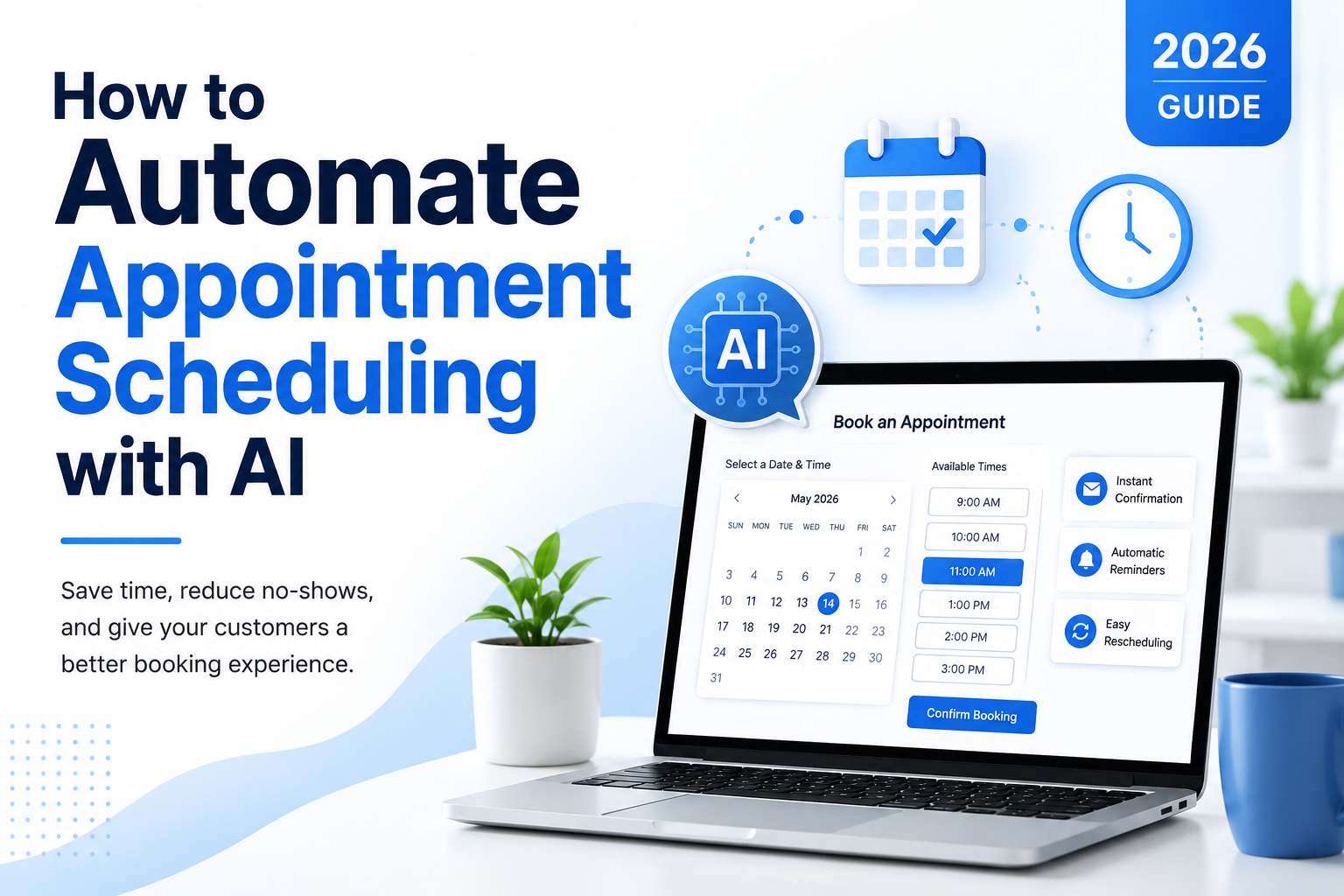
If you’re looking to automate appointment scheduling with AI, you’re certainly not alone. More businesses are using AI-powered scheduling tools to book appointments, manage calendars, send confirmations, and remind customers about upcoming meetings. Instead of spending your time coordinating schedules, you can let the technology handle the routine work while you focus on your customers and your business.
Whether you’re a consultant, healthcare provider, real estate agent, coach, or local business owner, automating your appointment scheduling can help you stay organized, reduce no-shows, and make the booking process easier for everyone.
In this guide, we’ll look at how AI scheduling works, some of the best tools available in 2026, and how you can create your own automated scheduling workflow step by step.
Why Appointment Scheduling Is So Time-Consuming
Scheduling appointments may seem like a small part of running your business, but it can easily eat up several hours every week. Between answering emails, checking your calendar, sending confirmations, reminding customers, and handling cancellations or schedule changes, it all adds up.
Some of the most common scheduling headaches include:
- Sending multiple emails just to find a time that works.
- Keeping different calendars in sync.
- Handling cancellations and last-minute rescheduling.
- Avoiding double bookings.
- Sending confirmation and reminder emails.
- Coordinating appointments with customers in different time zones.
None of these tasks are difficult, but they do take time—and they’re the kind of repetitive work that AI does really well.
Instead of spending your day going back and forth trying to schedule appointments, you can let AI handle the routine tasks for you. Your customers can book a time that works for them, receive automatic confirmations and reminders, and even reschedule if needed without you having to lift a finger.
The result is less administrative work, fewer missed appointments, happier customers, and more time for you to focus on running and growing your business.
How AI Appointment Scheduling Works
The good news is that AI appointment scheduling is much simpler than it sounds. Once you set it up, the system does most of the work for you.
Instead of checking your calendar, replying to emails, and trying to find a time that works for everyone, AI handles the entire scheduling process automatically.
Here’s what a typical workflow looks like:
- A customer requests an appointment through your website, email, or online booking page.
- The AI checks your calendar for available times.
- The customer chooses the time that works best for them.
- The appointment is automatically added to your calendar.
- A confirmation email and calendar invitation are sent immediately.
- Reminder emails or text messages are sent before the appointment.
- If the customer needs to cancel or reschedule, the system updates your calendar and sends new confirmations automatically.
Most AI scheduling tools also connect with the software you’re probably already using, including Google Calendar, Microsoft Outlook, Zoom, Microsoft Teams, and many popular CRM systems. That means your calendar, meetings, and customer information all stay in sync without you having to update everything manually.
The result is fewer scheduling headaches, fewer missed appointments, and less time spent on administrative work. Your customers get a simple, professional booking experience, and you get more time to focus on serving them instead of managing your calendar.
Benefits of Automating Appointment Scheduling with AI
Automating your appointment scheduling does a lot more than simply make your calendar easier to manage. It saves time, creates a better experience for your customers, and takes one more repetitive task off your plate.
Here are some of the biggest benefits.
Save Time Every Week
Think about how much time you spend answering emails, checking your calendar, and trying to find a time that works for everyone. AI can handle all of that automatically, giving you more time to focus on your customers and the parts of your business that actually make you money.
Reduce No-Shows
Most AI scheduling tools automatically send confirmation emails and appointment reminders by email or text. Those simple reminders can dramatically reduce missed appointments and help keep your day running smoothly.
Make Booking Easy for Your Customers
Today’s customers expect convenience. Instead of waiting for you to respond to an email or return a phone call, they can book an appointment whenever it’s convenient for them—even after business hours. They receive an instant confirmation, and the appointment is on your calendar in seconds.
Avoid Double Bookings
We’ve all been there. Two appointments accidentally get scheduled at the same time, and suddenly you’re trying to figure out how to make everyone happy. AI checks your calendar before confirming a booking, helping prevent scheduling conflicts before they happen.
Stay Organized
Your calendar, meeting links, reminders, and customer information stay synchronized automatically. That means less manual updating, fewer mistakes, and one less thing to worry about.
Grow Without Adding More Administrative Work
As your business grows, so does the number of appointment requests. Instead of spending more and more time managing your calendar—or hiring someone to do it—AI lets you handle more bookings with the same amount of effort.
At the end of the day, AI appointment scheduling isn’t about replacing the personal touch. It’s about eliminating the repetitive administrative work so you can spend more time doing what you do best—serving your customers and growing your business.
How to Automate Appointment Scheduling with AI
The best part is you don’t have to be a tech expert to get started. Most AI scheduling tools are easy to set up, and you can usually have everything running in less than an hour.
Let’s walk through it step by step.
Step 1: Choose an AI Scheduling Tool
Start by choosing a scheduling platform that fits your business. Look for features like calendar integration, online booking, automatic reminders, and AI-powered scheduling.
Some popular options include Calendly, Microsoft Bookings, Acuity Scheduling, and several other AI scheduling platforms.
Step 2: Connect Your Calendar
Next, connect the calendar you already use, such as Google Calendar or Microsoft Outlook.
This allows the scheduling tool to see when you’re available and prevents customers from booking times you’re already committed.
Step 3: Set Your Availability
Now decide when you want to accept appointments.
You can customize things like:
- Your business hours
- Buffer time between appointments
- Lunch breaks or other blocked times
- The maximum number of appointments you’ll accept each day
- Different schedules for different services
Taking a few minutes to set this up now can save you a lot of headaches later.
Step 4: Create Your Booking Rules
Next, decide how customers can schedule appointments.
For example, you can set:
- Appointment length
- How far in advance customers can book
- Daily booking limits
- Your cancellation policy
- Rules for rescheduling appointments
These settings help keep your calendar organized while making it easy for customers to book with you.
Step 5: Automate Confirmations and Reminders
One of the biggest time-savers is letting the system automatically send confirmation emails and reminder messages.
Customers immediately know their appointment is scheduled, and reminder emails or text messages help reduce no-shows without you having to remember to send them yourself.
Step 6: Test Everything
Before you start sharing your booking link, schedule a few test appointments.
Make sure:
- Appointments appear correctly on your calendar.
- Confirmation emails are sent.
- Reminder messages are working.
- Customers can reschedule if needed.
- Calendar invitations include all the right information.
A few minutes of testing now can save you from problems later.
Step 7: Fine-Tune Your Workflow
Once everything is up and running, check in every so often to see how it’s working.
Ask yourself:
- Are customers booking without any problems?
- Have your no-shows decreased?
- Are you spending less time scheduling appointments?
- Are customers asking the same questions over and over?
- Is there anything that could make the booking process even easier?
The nice thing about AI is that you don’t have to get everything perfect the first time. Make small improvements as you go, and before long you’ll have a scheduling system that saves you time, keeps your calendar organized, and gives your customers a smooth, professional booking experience.
Popular AI Appointment Scheduling Tools
There are a lot of scheduling tools available, so the best one really depends on your business and the software you already use. The good news is that most of them handle the basics—letting customers book appointments, preventing double bookings, and sending automatic confirmations and reminders.
Here are a few of the most popular options.
Calendly
Calendly is one of the best-known scheduling tools, and for good reason. It’s easy to set up, works with the major calendar platforms, and makes it simple for customers to book appointments online. It also helps prevent double bookings by checking your calendar before offering available time slots.
Best for: Consultants, coaches, freelancers, and other service-based businesses.
Microsoft Bookings
If your business already uses Microsoft 365, Outlook, or Microsoft Teams, Microsoft Bookings is worth a look. Everything works together, making it easy to manage appointments without adding another system to learn.
Best for: Businesses already using Microsoft 365.
Google Calendar Appointment Schedule
If you live in Google Calendar, this can be one of the easiest options. Customers can see your available appointment times and book directly from your calendar, making scheduling quick and straightforward.
Best for: Small businesses using Google Workspace.
Acuity Scheduling
Acuity Scheduling includes some extra features beyond basic scheduling. You can collect payments, have customers complete intake forms, and send automatic reminders—all from one platform. It’s a great option if appointments are a major part of your business.
Best for: Healthcare providers, salons, fitness professionals, coaches, and other appointment-based businesses.
Zapier
Zapier is a little different because it isn’t actually a scheduling tool. Instead, it connects your scheduling software with thousands of other business applications. For example, when someone books an appointment, Zapier can automatically add them to your CRM, send a follow-up email, update a spreadsheet, or trigger dozens of other automated workflows.
Best for: Businesses that want to automate more than just appointment scheduling.
At the end of the day, the “best” scheduling tool is the one that fits your business and the way you already work. Start with a solution that’s easy to use, then add more automation as your business grows. You don’t have to automate everything on day one to start saving time.
Real-World Examples of AI Appointment Scheduling
Sometimes it’s easier to see how something works with a few real-world examples. Here are a few ways businesses are using AI appointment scheduling to save time and make life easier for both their customers and themselves.
Business Consultant
A consultant lets clients book strategy sessions directly from their website. The AI checks the consultant’s calendar, offers available appointment times, sends a confirmation email, creates the video meeting link, and reminds the client before the meeting.
The consultant spends less time scheduling appointments and more time working with clients.
Dental Office
A dental practice uses AI to schedule routine cleanings and checkups. Patients automatically receive reminder emails or text messages before their appointments, helping reduce no-shows. If someone cancels, the system can even notify patients on a waiting list and fill the open appointment.
Real Estate Agent
Instead of going back and forth trying to find a time for a property showing, buyers simply choose an available appointment online. The AI checks the agent’s calendar, confirms the appointment instantly, and updates everyone’s calendars if the showing needs to be rescheduled.
Fitness Coach
A personal trainer allows clients to schedule sessions online, complete a health questionnaire before their first appointment, and receive automatic reminders. Less time is spent on administrative work, leaving more time for coaching clients.
Financial Advisor
A financial advisor meets with clients both in person and online. AI scheduling lets clients choose the type of appointment they need and book an available time without exchanging multiple emails. Everything is automatically added to the advisor’s calendar.
As you can see, AI appointment scheduling isn’t just for large companies with big budgets. Even a one-person business can automate the scheduling process, reduce administrative work, and give customers a smooth, professional booking experience.
The less time you spend managing your calendar, the more time you have to serve your customers and grow your business—and that’s what AI is really all about.
Common Mistakes to Avoid
AI scheduling can save you a lot of time, but like any tool, it works best when it’s set up correctly. Here are a few common mistakes to avoid.
Scheduling Appointments Back-to-Back
It might seem like a good idea to fill every available time slot, but that usually leads to running behind and feeling rushed. Give yourself a little breathing room by adding 10 to 15 minutes between appointments whenever possible.
Forgetting About Time Zones
If you work with clients in different parts of the country—or even around the world—make sure your scheduling tool automatically displays appointment times in your customer’s time zone. It only takes one mix-up to create a frustrating experience for everyone.
Skipping Appointment Reminders
One of the biggest benefits of AI scheduling is that it can automatically send confirmation emails and reminder messages. Don’t skip this step. A simple reminder can significantly reduce no-shows and save everyone time.
Booking Too Many Appointments
Just because your calendar has open time doesn’t mean you should fill every minute of it. Leave yourself enough time to catch up, handle unexpected issues, or simply take a break. You’ll do better work, and your customers will notice the difference.
Not Testing Your Booking Process
Before you share your booking link with customers, test it yourself.
Make sure:
- Appointments appear correctly on your calendar.
- Confirmation emails are sent.
- Reminder messages are working.
- Customers can cancel or reschedule without any problems.
A few minutes of testing now can save you a lot of headaches later.
Picking the Wrong Tool
There isn’t one scheduling platform that’s perfect for every business. Take a little time to compare features, pricing, integrations, and ease of use before making your decision. The best tool is the one that fits the way you already work.
Taking a little extra time to set everything up correctly will pay off in the long run. You’ll spend less time managing your calendar, your customers will have a better booking experience, and you’ll have one less thing to worry about every day.
Frequently Asked Questions
Can AI schedule appointments automatically?
Yes! Once it’s set up, AI can handle most of the scheduling process for you. It can check your availability, offer customers open appointment times, confirm bookings, send reminder emails or text messages, and even manage cancellations or rescheduling. That means less time spent going back and forth and more time focusing on your business.
Does AI work with Google Calendar?
Yes. Most AI scheduling tools work seamlessly with Google Calendar. When someone books an appointment, it’s automatically added to your calendar, helping prevent double bookings and keeping your schedule up to date across all your devices.
Is AI appointment scheduling secure?
In most cases, yes. Reputable scheduling platforms use security measures such as encryption to help protect your information and your customers’ data. Before choosing a platform, take a few minutes to review its privacy policy and security features to make sure it meets your business needs.
What’s the best AI appointment scheduling tool?
There’s no one-size-fits-all answer. The best tool is the one that fits the way you work. Calendly is a great choice for many consultants and service businesses. Microsoft Bookings works well if you’re already using Microsoft 365, while Google Calendar Appointment Schedule is a simple option for businesses using Google Workspace.
Can small businesses benefit from AI scheduling?
Absolutely! In fact, small businesses often see the biggest benefits. When you’re wearing multiple hats, every hour counts. Automating your appointment scheduling reduces repetitive administrative work, makes booking easier for your customers, and gives you more time to focus on growing your business.
Final Thoughts
AI appointment scheduling isn’t just about making your calendar easier to manage. It’s about saving time, cutting down on repetitive administrative work, and giving your customers a better experience from the moment they book an appointment.
If you’re new to AI, don’t feel like you have to automate everything at once. Start with one scheduling tool, connect your calendar, and let it handle your appointments. Once you see how much time you’re saving, you can gradually add other automations like appointment reminders, follow-up emails, CRM updates, and more.
The goal isn’t to replace the personal touch—it’s to spend less time on routine tasks and more time doing the work that grows your business and serves your customers.
If you’re looking for more ways to use AI in your business, be sure to check out these guides:
- 10 AI Workflows Every Small Business Should Automate in 2026
- How to Automate Customer Email Responses with AI (2026 Guide)
- How to Automate Invoice Processing with AI (2026 Guide)
Each small automation may only save you a few minutes, but those minutes add up quickly. Before long, you’ll have more time to focus on what you do best—building your business and taking care of your customers.