If you’re still entering invoice information by hand, you’re definitely not alone.
Many small business owners spend hours every week opening emails, downloading invoices, typing the details into accounting software, and double-checking every number. None of it is especially difficult, but it takes time—and it’s time that could be spent serving customers or growing the business.
That’s where AI can help.
Today’s AI invoice processing tools can read invoices, pull out important information, catch possible errors, send invoices for approval, and even add the information directly into your accounting software. What used to require a lot of manual data entry can now be handled in just a few seconds.
Whether you receive a few invoices each month or hundreds every week, automating this process can help you reduce mistakes, speed up approvals, and keep your finances more organized.
And the good news is that you don’t need a large accounting department or a complicated system to get started. Many of these tools are designed for small businesses and can work with the software you’re already using.
In this guide, we’ll look at what AI invoice processing is, how it works, the biggest benefits, some of the best tools available in 2026, and how you can set up your own workflow step by step.
What Is AI Invoice Processing?
AI invoice processing is simply a way to automate one of the most repetitive tasks in your business—entering invoice information.
Instead of opening every invoice, typing the details into your accounting software, and checking everything by hand, AI does most of the work for you.
Think about the traditional process. You receive an invoice by email, download it, open your accounting software, enter the supplier’s information, invoice number, due date, payment amount, and then double-check to make sure everything is correct.
There’s nothing wrong with that process, but it takes time. And as your business grows and you receive more invoices, that time really starts to add up.
That’s where AI can make a big difference.
Using technologies like Optical Character Recognition (OCR), AI can read invoices, pull out the important information, and enter it into your accounting software automatically. Even better, many AI tools learn from your business over time, becoming more accurate the more you use them.
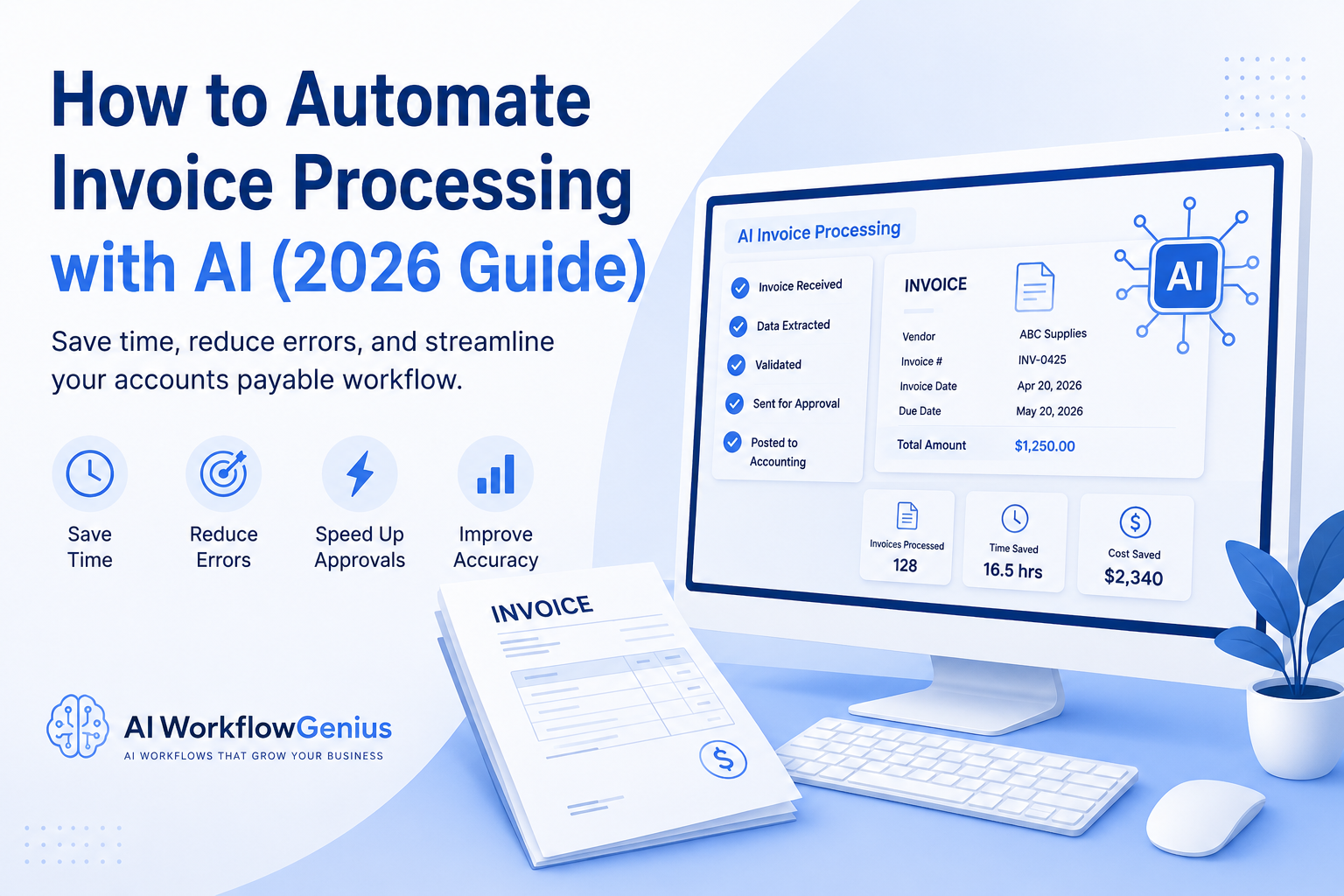
Here’s what a typical AI invoice workflow looks like:
- An invoice arrives by email.
- The AI reads the invoice automatically.
- It pulls out important details like the supplier’s name, invoice number, invoice date, due date, and total amount due.
- It checks for missing information or possible duplicate invoices.
- If approval is needed, it sends the invoice to the right person.
- Once approved, the information is added directly to your accounting software.
Instead of spending several minutes entering every invoice by hand, you simply review the information and approve it. The AI takes care of the repetitive work for you.
For most small businesses, that’s really what AI invoice processing is all about. It’s not replacing your bookkeeping or accounting team. It’s taking repetitive administrative work off their plate so they can spend more time focusing on cash flow, budgeting, serving customers, and helping the business grow.
Key Takeaway
AI invoice processing takes one of the most repetitive tasks in your business and automates it. By reducing manual data entry, catching errors, and speeding up the approval process, you can save time, improve accuracy, and spend less time on paperwork and more time growing your business.
Benefits of AI Invoice Processing
For many small business owners, processing invoices is just part of the job. It has to get done, but it can also take up a surprising amount of time. As your business grows and you start working with more vendors, the paperwork only increases.
That’s where AI can make a real difference.
Instead of spending hours entering invoice information by hand, AI can handle much of the repetitive work for you. Here are some of the biggest benefits.
Save Time on Data Entry
One of the biggest advantages is the amount of time you’ll save.
Instead of manually typing invoice information into your accounting software, AI reads the invoice and pulls out the important details automatically.
What used to take several minutes for each invoice can often be done in just a few seconds.
Reduce Costly Mistakes
We’ve all made data entry mistakes. A wrong invoice number, an incorrect payment amount, or the wrong due date can create unnecessary problems.
AI helps reduce those errors by reading invoices consistently and flagging anything that doesn’t look right before it gets entered into your accounting system.
Speed Up Approvals
Invoices often sit in someone’s inbox waiting for approval.
AI can automatically route invoices to the right person, helping approvals happen faster and making it easier to pay vendors on time.
That’s good for your cash flow—and it’s good for your vendor relationships.
Get a Better Handle on Your Cash Flow
When you know exactly what invoices are due and when they’re due, it’s much easier to manage your business finances.
Many AI invoice processing tools give you a clear view of upcoming payments, overdue invoices, and spending trends so there are fewer surprises.
Stay Organized
No more digging through emails or searching for a missing invoice.
AI keeps everything organized and easy to find. Whether you’re looking for an invoice by vendor, date, invoice number, or payment status, it’s all right there when you need it.
That can be a huge help during tax season or if you’re ever audited.
Grow Without Creating More Paperwork
As your business grows, so does the number of invoices you receive.
The nice thing about AI is that it grows with you. Whether you’re processing 20 invoices a month or 200, the system can handle the extra workload without adding hours of administrative work to your week.
Improve Accuracy Over Time
One of the things I like most about AI is that it gets better the more you use it.
Many AI invoice processing tools learn from your corrections and preferences. Over time, they become better at recognizing vendors, categorizing expenses, and spotting exceptions, which means less manual reviewing for you.
A Real-World Example
Let’s say you receive 50 invoices every month.
If it takes about five minutes to enter each one into your accounting software, that’s more than four hours every month spent doing repetitive data entry.
Now imagine letting AI handle most of that work.
The invoices are read automatically, the important information is entered for you, and all you have to do is review the results and approve them. Instead of spending hours typing, you can spend those hours serving customers, growing your business, or working on the projects that really move your business forward.
Key Takeaway
AI invoice processing isn’t just about entering invoices faster. It’s about reducing repetitive work, minimizing mistakes, staying organized, and creating a smoother financial workflow.
The less time you spend on paperwork, the more time you have to focus on your customers, your finances, and growing your business. That’s what AI is really all about.
How AI Invoice Processing Works
At first, AI invoice processing might sound a little intimidating, but it’s actually much simpler than you might think.
Once everything is set up, the software handles most of the repetitive work for you. Instead of spending your time entering invoice information by hand, you’re simply reviewing the information and approving it when needed.
Here’s what a typical workflow looks like.
Step 1: The Invoice Arrives
Everything starts when an invoice comes into your business.
It might arrive by email, through a vendor portal, from cloud storage, or even as a scanned paper invoice.
Most AI invoice processing tools automatically watch these locations and import new invoices as soon as they arrive. That means no more downloading files and uploading them somewhere else.
Step 2: AI Reads the Invoice
Once the invoice is received, the AI reads it automatically.
Using Optical Character Recognition (OCR), it pulls out the important information, including:
- Supplier name
- Invoice number
- Invoice date
- Due date
- Purchase order number (if there is one)
- Line items
- Tax amount
- Total amount due
The nice thing is that it doesn’t matter if every vendor uses a different invoice format. Modern AI tools can usually recognize the information no matter how the invoice is laid out.
Step 3: The AI Checks Everything
Next, the AI reviews the information for possible problems.
Depending on the software you’re using, it can automatically:
- Compare the invoice to a purchase order
- Check for duplicate invoices
- Verify tax calculations
- Look for missing information
- Flag unusual charges or pricing differences
If something doesn’t look right, the system lets you know before the invoice moves any further.
Step 4: Send the Invoice for Approval
Once everything has been reviewed, the invoice is automatically sent to the right person for approval.
For example:
- Office expenses might go to your office manager.
- Marketing invoices might be routed to your marketing department.
- Larger purchases can automatically be sent to you or your finance manager for approval.
Instead of forwarding emails and chasing people down, the workflow happens automatically.
Step 5: Update Your Accounting Software
After the invoice is approved, the information is sent directly to your accounting software.
Many AI invoice processing tools work with popular accounting programs, so there’s no need to enter the same information twice.
That saves time and helps keep your financial records accurate and up to date.
Step 6: Keep Everything Organized
Finally, the invoice is stored automatically in a secure digital filing system.
Instead of searching through email folders or stacks of paper, you can quickly find invoices by:
- Supplier
- Invoice number
- Date
- Payment status
- Purchase order
- Amount
When tax season rolls around—or if you ever need to find an old invoice—you’ll know exactly where to look.
What the Workflow Looks Like
Here’s the process from start to finish:
- An invoice arrives.
- AI reads the invoice and extracts the important information.
- The system checks for errors or missing information.
- The invoice is sent through your approval process.
- The approved information is added to your accounting software.
- The invoice is stored securely for future reference.
What used to take several manual steps can now happen automatically, with you only stepping in when something needs your attention.
Key Takeaway
AI invoice processing doesn’t replace you or your accountant. It simply takes the repetitive paperwork off your plate.
By automating data entry, checking for errors, routing invoices for approval, and keeping everything organized, you can process invoices faster, reduce mistakes, and spend more time focusing on your customers and growing your business.
Best AI Invoice Processing Tools in 2026
There are a lot of AI invoice processing tools available today, so the best one really depends on your business, your budget, and the accounting software you’re already using.
The good news is that you don’t have to find the “perfect” solution. Start with a tool that fits the way you already work. As your business grows, you can always move to a more advanced platform if you need additional features.
Here are a few of the most popular options.
Vic.ai
If your business processes a large number of invoices every month, Vic.ai is worth a look. It’s designed to automate much of the accounts payable process, from capturing invoice information to detecting unusual transactions and routing invoices for approval.
Best for: Medium to large businesses with a high volume of invoices.
What it does well:
- Reads and processes invoices automatically
- Detects duplicate invoices and unusual activity
- Automates coding and approval workflows
- Learns and improves over time
Keep in mind: It’s a powerful platform, but it may offer more features than a small business needs.
Dext
Dext is a favorite with many small business owners and accountants because it’s simple to use. You can upload invoices, forward them by email, or even snap a picture with your phone, and Dext extracts the important information for you.
Best for: Small businesses, freelancers, and bookkeepers.
What it does well:
- Captures invoices and receipts
- Reads invoice information automatically
- Works with many popular accounting programs
- Easy to learn and use
Keep in mind: If you’re looking for more advanced approval workflows, you may eventually outgrow it.
Stampli
If several people need to approve invoices before they’re paid, Stampli can make that process much easier.
It combines AI invoice processing with collaboration tools, making it easy for everyone involved to review and approve invoices without endless email chains.
Best for: Businesses with multiple approvers.
What it does well:
- Automates invoice capture
- Routes invoices for approval
- Matches invoices to purchase orders
- Keeps everyone updated throughout the approval process
BILL
BILL is designed to automate both accounts payable and accounts receivable, making it a popular choice for growing businesses.
It can capture invoice information, send invoices through your approval process, and even schedule payments—all from one platform.
Best for: Small and growing businesses.
What it does well:
- Automates invoice processing
- Manages approval workflows
- Schedules vendor payments
- Provides better visibility into your cash flow
QuickBooks
If you’re already using QuickBooks, you may not need a separate invoice processing system right away.
QuickBooks includes several automation features that can reduce manual data entry while keeping your accounting records organized.
Best for: Businesses already using QuickBooks.
What it does well:
- Captures invoice information
- Categorizes expenses
- Reconciles bank transactions
- Creates financial reports
Keep in mind: While QuickBooks offers helpful automation, dedicated AI invoice processing platforms generally provide more advanced features.
Xero
Xero is another excellent cloud-based accounting platform with built-in invoice management and integrations with many AI automation tools.
If you’re already using Xero, adding AI invoice processing can be a natural next step.
Best for: Small businesses using cloud accounting.
What it does well:
- Manages invoices and expenses
- Reconciles payments
- Connects with many third-party AI tools
- Keeps your financial records organized
Which Tool Should You Choose?
If you’re just getting started, don’t overthink it.
Instead, ask yourself a few simple questions:
- How many invoices do I process each month?
- Does the software work with my current accounting system?
- Can it automate my approval process?
- Does it fit my budget?
- Will it still meet my needs as my business grows?
If you’re only processing a handful of invoices each week, you probably don’t need the most advanced platform on the market. A simple solution may be all you need.
As your business grows and the number of invoices increases, you can always move to a more powerful AI solution.
Key Takeaway
There isn’t one AI invoice processing tool that’s right for every business.
The best choice is the one that fits the way you already work, solves your biggest headaches, and saves you time. Start with a solution that works for your business today, and build from there.
After all, the goal isn’t to have the most complicated system. It’s to spend less time entering invoices and more time serving your customers and growing your business.
Step-by-Step: How to Automate Invoice Processing with AI
The idea of automating your invoice process might sound like a big project, but it doesn’t have to be.
The good news is that most AI invoice processing tools are designed for business owners—not IT professionals. In many cases, you can have your first workflow up and running in just a few hours.
The key is to keep it simple and build one step at a time.
Step 1: Look at How You Process Invoices Today
Before you automate anything, take a few minutes to look at your current process.
Ask yourself:
- How do invoices come into my business?
- Who approves them?
- Where are they stored?
- How do they get entered into my accounting software?
- Which part of the process takes the most time?
Once you know where the bottlenecks are, you’ll have a much better idea of where AI can make the biggest difference.
Step 2: Choose the Right AI Tool
There are plenty of AI invoice processing tools available, so choose one that fits your business—not necessarily the one with the longest list of features.
Look for a solution that offers:
- AI-powered invoice capture
- OCR technology to read invoices automatically
- Approval workflows
- Duplicate invoice detection
- Integration with your accounting software
- Secure cloud storage
Most platforms offer a free trial, so don’t be afraid to test a few before making your decision.
Step 3: Connect Your Accounting Software
Once you’ve chosen your AI tool, connect it to your accounting software.
Most popular platforms integrate with programs like QuickBooks, Xero, and other accounting systems, allowing invoice information to flow directly into your books.
Depending on the software you choose, you may also be able to sync:
- Vendors
- Expense categories
- Purchase orders
- Payment information
- Tax settings
The less information you have to enter manually, the more time you’ll save.
Step 4: Set Up Your Approval Process
Now it’s time to decide how invoices should move through your business.
For example:
- Smaller invoices can be approved automatically.
- Mid-sized purchases can be sent to a department manager.
- Larger purchases can be routed to you or your finance manager for final approval.
Once those rules are in place, the software handles the routing automatically, so you don’t have to chase people down for approvals.
Step 5: Start Small
This is probably my biggest piece of advice—don’t try to automate everything on day one.
Instead, start with a small group of invoices from a few trusted vendors.
Watch how the AI:
- Reads the invoice
- Extracts the information
- Categorizes expenses
- Routes approvals
- Flags anything that needs your attention
Starting small gives you time to make adjustments before rolling it out across your entire business.
Step 6: Review the Results
During the first few weeks, keep an eye on how everything is working.
Check that:
- Vendor names are being recognized correctly.
- Invoice amounts are accurate.
- Tax calculations are correct.
- Approval workflows are running smoothly.
- Information is being entered correctly into your accounting software.
The nice thing about many AI tools is that they learn from your corrections. The more you use them, the more accurate they become.
Step 7: Expand as You Grow
Once you’re comfortable with the process, you can begin automating more of your financial workflow.
Many businesses eventually use AI for:
- Matching purchase orders
- Managing expenses
- Processing receipts
- Scheduling payments
- Financial reporting
- Cash flow forecasting
You don’t have to automate everything at once. Build your system one step at a time, and you’ll end up with a workflow that saves time without disrupting your business.
A Real-World Example
Let’s say your business receives invoices from 15 regular vendors every month.
Without AI, someone has to download each invoice, enter the information into your accounting software, send it to the right person for approval, and then file it away.
With AI invoice processing, much of that happens automatically. The software imports the invoice, pulls out the important information, checks for duplicate invoices, routes it through your approval process, and updates your accounting software.
Instead of spending your time on data entry, you’re simply reviewing exceptions and approving invoices when needed.
That’s a much better use of your time.
Key Takeaway
The easiest way to get started with AI invoice processing is to start small.
Automate one part of your workflow, make sure it’s working the way you want, and then build from there. Before long, you’ll spend less time entering invoices, fewer mistakes will slip through the cracks, and you’ll have more time to focus on running and growing your business.
That’s really what AI is all about—taking repetitive administrative work off your plate so you can focus on what matters most.
Common Mistakes to Avoid When Using AI Invoice Processing
AI can save you a lot of time when it comes to processing invoices, but it’s important to remember that it’s still a tool. It works best when you take the time to set it up properly and check the results, especially in the beginning.
The good news is that most of these mistakes are easy to avoid.
1. Assuming AI Is Always Right
AI is incredibly accurate, but it’s not perfect.
When you’re first getting started, take a few minutes to review each invoice before approving it. Make sure the vendor information, invoice amount, due date, and other details are correct.
The more you review and correct the results, the better many AI systems become over time.
Tip: Review every invoice until you’re confident the system is consistently getting it right.
2. Using Poor-Quality Invoices
AI can only read what it can see.
If invoices are blurry, cropped, or difficult to read, the software may not capture the information correctly.
Whenever possible:
- Use PDF invoices.
- Scan paper invoices clearly.
- Avoid blurry or incomplete images.
The better the invoice quality, the more accurate your results will be.
3. Skipping the Approval Process
It might be tempting to automate every invoice from day one, but that’s usually not the best approach.
Instead, set up approval rules that make sense for your business.
For example:
- Smaller invoices can be approved automatically.
- Larger purchases can be routed to a manager or business owner.
- Certain vendors may always require approval.
This gives you the best of both worlds—you save time while still maintaining control over your finances.
4. Ignoring Duplicate Invoices
Every now and then, a vendor accidentally sends the same invoice twice.
Many AI invoice processing tools can detect duplicate invoices, but you’ll want to make sure that feature is turned on and that you pay attention to any warnings.
A quick review can save you from making an unnecessary payment.
5. Choosing Software That Doesn’t Work with Your Accounting System
Before you invest in an AI invoice processing tool, make sure it integrates with the accounting software you already use.
Otherwise, you could end up moving information manually between systems, which defeats much of the purpose of automating the process in the first place.
6. Trying to Automate Everything at Once
This is probably the biggest mistake I see.
You don’t have to automate your entire accounts payable process on day one.
Start with a few vendors or one part of your workflow. Once you’re comfortable with the results, you can gradually expand from there.
Starting small makes it much easier to spot problems, make adjustments, and build confidence in the system.
7. Never Checking In Again
Once everything is running smoothly, don’t just forget about it.
Every month or so, take a few minutes to review how your automation is performing.
Ask yourself:
- Is the information still accurate?
- Are invoices moving through approvals quickly?
- Is the software catching duplicate invoices?
- Is everything syncing correctly with my accounting software?
- Am I actually saving time?
A quick review helps make sure your AI continues to work the way you expect as your business grows.
Key Takeaway
AI invoice processing can save you hours of repetitive work, but it’s not something you simply turn on and forget about.
Start small, review your results, and let the system learn as you go. Before long, you’ll have a process that’s faster, more accurate, and much easier to manage.
The goal isn’t to remove people from the process. It’s to remove the repetitive paperwork so you can spend more time serving your customers and growing your business.
Best Practices for AI Invoice Processing
Once you’ve set up AI invoice processing, there are a few simple things you can do to get even better results.
The goal isn’t just to automate invoices—it’s to create a workflow that’s accurate, organized, and saves you time every month.
Here are a few best practices that can help.
Keep Your Process Consistent
AI can work with all kinds of invoice formats, but a consistent process makes everything run more smoothly.
Whenever possible:
- Ask vendors to send invoices as PDFs.
- Use one dedicated email address for invoices.
- Keep your vendor information up to date.
- Follow the same approval process each time.
The more organized your process is, the easier it is for AI to do its job.
Keep Vendor Information Up to Date
Businesses change, and so do your vendors.
They may update their contact information, payment terms, or banking details. Taking a few minutes to review your vendor records every so often can help prevent processing errors and payment delays.
It’s a small task that can save you a lot of headaches later.
Start Small
If you’ve read my other articles, you’ve probably noticed this is one of my favorite pieces of advice.
You don’t have to automate everything at once.
Start with a few vendors or one part of your invoice process. Once you’re happy with the results, you can gradually expand your automation.
Starting small makes it easier to learn the system and fix any issues before they become bigger problems.
Pay Attention to Exceptions
AI is great at handling routine invoices, but every now and then it’s going to find something that needs your attention.
It might flag:
- Missing information
- Duplicate invoices
- Unexpected price changes
- Incorrect tax calculations
- Unusual payment amounts
When that happens, review it promptly so your invoices keep moving through the approval process.
Make Sure Your Team Knows the Process
If more than one person approves invoices, make sure everyone understands how your new workflow works.
Show your team how to:
- Review AI suggestions
- Approve invoices
- Handle exceptions
- Report any problems
A little training upfront can save a lot of confusion later.
Check Your Results
Every month or so, spend a few minutes reviewing how your automation is performing.
You might look at things like:
- How many invoices were processed
- How long approvals are taking
- How accurate the system is
- How many exceptions were flagged
- How much time you’re saving
These numbers will help you see what’s working and where you might want to make improvements.
Protect Your Financial Information
Invoices contain sensitive business information, so security should always be a priority.
Choose a platform that offers features like:
- Data encryption
- Secure cloud storage
- Multi-factor authentication
- User permissions
- Regular security updates
It’s also a good idea to limit access so only the people who need to see financial information can view or approve invoices.
Keep Looking for Ways to Improve
AI isn’t something you set up once and never think about again.
As your business grows, you’ll probably find new ways to automate and improve your workflow.
You might decide to:
- Automate additional approval steps
- Connect more business software
- Update your approval rules
- Improve vendor processes
- Eliminate even more repetitive tasks
Small improvements over time can make a big difference.
A Real-World Example
Let’s say you start by automating invoices from just five of your regular vendors.
After a couple of months, the system is processing those invoices accurately, approvals are moving faster, and you’re spending much less time entering data by hand.
Now you’re confident enough to add more vendors, fine-tune your approval process, and automate additional financial tasks.
Before you know it, what used to take hours every month has become a smooth, organized workflow that requires very little manual effort.
That’s why I always recommend starting small. It gives you time to build confidence while letting your business enjoy the benefits of automation along the way.
Key Takeaway
The best AI invoice processing systems aren’t built overnight.
Start with one process, make sure it’s working well, and then continue improving it as your business grows. Before long, you’ll spend less time on paperwork, reduce costly mistakes, and have a financial workflow that’s faster, more organized, and much easier to manage.
At the end of the day, that’s what AI is really about—taking repetitive administrative work off your plate so you can spend more time serving your customers and growing your business.
Frequently Asked Questions (FAQs)
Can AI process handwritten invoices?
Sometimes.
Some AI invoice processing tools can read handwritten invoices, but the results depend on how neat and readable the handwriting is. In general, AI works best with printed or digital invoices. If your business receives handwritten invoices on a regular basis, it’s a good idea to test a few different platforms before deciding which one works best for you.
Is AI invoice processing secure?
Yes—provided you choose a reputable provider.
Most AI invoice processing platforms use security features like data encryption, secure cloud storage, multi-factor authentication, and user permissions to help protect your financial information.
Before signing up, take a few minutes to review the company’s security features and make sure they meet your business’s needs.
Will AI work with QuickBooks or Xero?
In many cases, yes.
Most AI invoice processing tools integrate with popular accounting programs like QuickBooks and Xero. That means invoice information can be transferred automatically, saving you from entering the same data twice and helping keep your books up to date.
How accurate is AI invoice processing?
Modern AI tools are surprisingly accurate, especially when they’re working with clear, digital invoices.
That said, no system is perfect. When you’re first getting started, I recommend reviewing your invoices until you’re confident everything is being processed correctly. As many AI systems learn from your corrections, they often become even more accurate over time.
Is AI invoice processing a good fit for a small business?
Absolutely.
You don’t have to be a large company to benefit from AI. If you’re spending hours every month entering invoice information by hand, AI can help reduce that workload and give you more time to focus on running your business.
Will AI replace my accountant or bookkeeper?
No.
AI is great at handling repetitive tasks like reading invoices, entering data, and routing approvals. Your accountant or bookkeeper is still an important part of your business, helping with financial reports, tax planning, compliance, and providing advice that AI simply can’t replace.
How much does AI invoice processing cost?
It depends on the software you choose and the number of invoices you process each month.
Some platforms are very affordable for small businesses, while others are designed for larger companies with more advanced automation needs.
The best approach is to compare a few options and choose the one that fits your budget and the way your business operates.
How long does it take to get started?
For many small businesses, you can have a basic AI invoice processing workflow up and running in just a few hours.
If your approval process is more complex or you need custom integrations, it may take a little longer. That’s one of the reasons I recommend starting with a small pilot project. Once everything is working the way you want, you can gradually expand your automation.
Key Takeaway
AI invoice processing isn’t just for large companies anymore. It’s an affordable and practical solution for businesses of all sizes.
Start small, choose a tool that fits your business, and build from there. Before long, you’ll spend less time entering invoices, reduce costly mistakes, and have a smoother, more organized workflow.
And that’s really the goal—letting AI handle the repetitive administrative work so you can spend more time serving your customers and growing your business.
Conclusion
If you’ve been entering invoice information by hand, you know how quickly it can eat up your day. Between typing data into your accounting software, checking for mistakes, tracking approvals, and keeping everything organized, invoice processing can become a job all by itself.
The good news is that it doesn’t have to stay that way.
AI invoice processing can take much of that repetitive work off your plate. Instead of spending hours on data entry and paperwork, you can automate many of those routine tasks while still staying in control of your finances.
If you’re just getting started, don’t feel like you have to automate everything at once. Pick one part of your invoice process, choose a tool that works with your accounting software, and give it a try. As you become more comfortable with the technology, you can gradually expand your workflow and automate even more of your accounts payable process.
Remember, AI isn’t here to replace you, your bookkeeper, or your accountant. It’s here to handle the repetitive administrative work so you can spend more time making good business decisions, serving your customers, and growing your business.
Even saving a few hours every month can make a real difference. That’s time you can invest in improving your business instead of spending it entering invoice data.
The goal isn’t just to process invoices faster. It’s to build a business that’s more organized, more efficient, and better prepared for future growth.
Related Articles
Ready to automate more of your business?
These guides will help you discover other ways AI can save time and simplify your day-to-day operations:
- 10 AI Workflows Every Small Business Should Automate in 2026
- How to Automate Customer Email Responses with AI (2026 Guide)
- How to Automate Appointment Scheduling with AI (2026 Guide)
- How to Automate Meeting Notes with AI (2026 Guide)
Each guide walks you through another practical way to reduce repetitive work, improve productivity, and give you more time to focus on what matters most—running and growing your business.