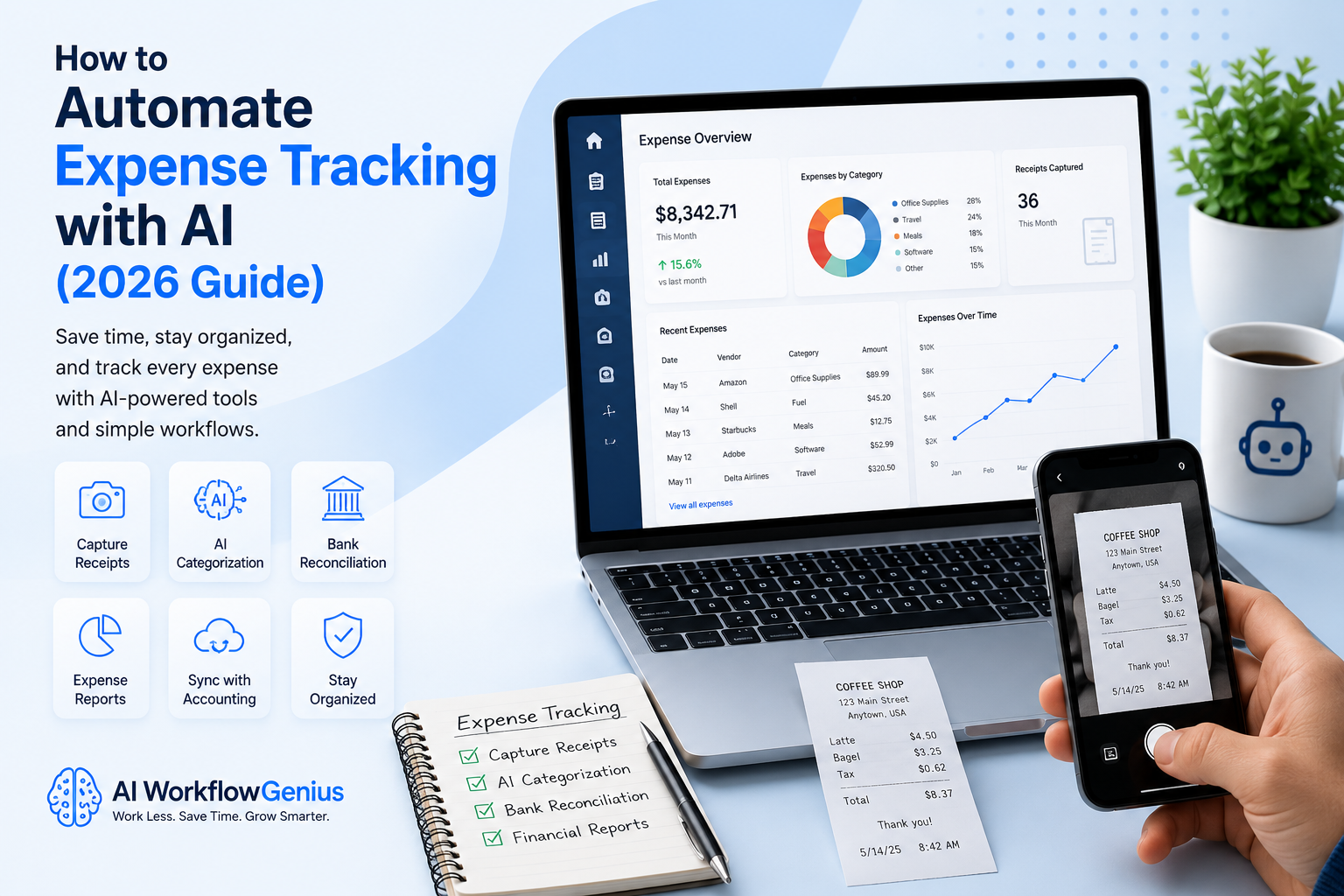
If you’re like most small business owners, expense tracking probably isn’t your favorite part of running a business. Let’s be honest—it’s one of those jobs that’s easy to put off because there’s always something that feels more important. The good news is that you can automate expense tracking with AI and eliminate much of the repetitive work.
You stick a receipt in your wallet, toss another one on your desk, or tell yourself you’ll enter everything into your accounting software later. Then “later” turns into next week…and next week turns into next month. Before you know it, you’re digging through piles of receipts, searching your email for invoices, and trying to remember what that mystery charge on your credit card was actually for.
Sound familiar?
If this sounds familiar, you’re not alone.
How AI Makes Expense Tracking Easier
Most business owners are focused on serving customers, completing projects, managing employees, and growing their business. Expense tracking often gets pushed to the bottom of the list. Unfortunately, waiting too long to organize your expenses can make reconciling your accounts, running financial reports, or preparing for tax season far more stressful than it needs to be.
The good news is that tracking business expenses has become much easier thanks to Artificial Intelligence.
Today’s AI-powered expense tracking tools can scan receipts, read invoices, categorize expenses, match transactions to your bank account, and organize your financial records automatically. Instead of spending hours entering information by hand, you can capture an expense in seconds while AI handles much of the repetitive work behind the scenes.
Think of AI as your bookkeeping assistant—not your accountant.
It isn’t there to replace your financial expertise or the advice of your CPA. Instead, it helps you stay organized, reduces manual data entry, and keeps your records accurate so you always know where your business stands financially.
In this guide, we’ll explore how AI expense tracking works, the benefits it offers small businesses, the best AI tools available in 2026, and how you can build a simple workflow that saves time, reduces stress, and lets you spend less time chasing receipts and more time growing your business.
Why Expense Tracking Is So Time-Consuming
At first glance, tracking business expenses doesn’t seem like it should be all that difficult.
You make a purchase, save the receipt, and record it in your accounting software.
Simple enough, right?
If only it worked that way.
The reality is that business expenses come at you from every direction. You stop for office supplies on your lunch break, fill up the company vehicle with gas, order materials for a customer, subscribe to a new software program, or take a client to lunch. Before you know it, you’ve made dozens of purchases, and each one needs to be tracked.
Some receipts are printed. Others arrive by email. Some purchases show up on your bank statement before you’ve even had a chance to save the receipt.
Sound familiar?
Then comes the part that really slows you down.
You have to remember what each purchase was for. Was it business or personal? Which customer or project should it be assigned to? Is it tax deductible? Did you already enter it into QuickBooks? And where did that receipt disappear to?
Individually, none of those questions take very long to answer. But when you’re trying to sort through weeks—or even months—of transactions, they quickly become overwhelming.
Why Expenses Are So Easy to Put Off
Like many business owners, you may tell yourself you’ll organize everything at the end of the week. Then the week turns into a month, and suddenly tax season arrives. Now you’re digging through receipts, searching your email for invoices, and trying to piece everything together from memory.
The good news is that it doesn’t have to be that way.
Today’s AI-powered expense tracking tools can scan receipts, read invoices, categorize expenses, match transactions to your bank account, and automatically organize your records. Instead of relying on your memory, you create a system that keeps everything up to date throughout the year.
That means fewer missing receipts, fewer last-minute headaches, and far less stress when it’s time to reconcile your accounts or prepare your taxes.
Key Takeaway
Expense tracking isn’t difficult because it’s complicated—it’s difficult because it’s repetitive, time-consuming, and easy to postpone. AI helps eliminate much of the manual work by capturing receipts, organizing transactions, and keeping your financial records up to date automatically. Instead of scrambling to catch up later, you can stay organized all year long and spend more time focusing on running your business.
What Is AI Expense Tracking?
When people hear the term AI expense tracking, they sometimes picture complicated software that’s only designed for large companies with accounting departments.
The truth is, it’s much simpler than that.
AI expense tracking is simply a smarter way to organize your business expenses. Instead of entering every receipt by hand, AI helps capture the information, organize it, and keep everything in one place for you.
Think about your typical day.
You stop for gas on the way to a customer. During lunch, you grab office supplies. Later, you might order materials online for a project or purchase a new software subscription for your business.
Every one of those purchases creates another receipt that needs to be tracked.
In the past, that meant saving the receipt, logging into your accounting software, typing in the vendor, entering the amount, choosing the correct expense category, and hopefully remembering where you put the receipt when tax season rolled around.
Now imagine doing something much easier.
You simply take a picture of the receipt with your phone.
Within seconds, AI reads the receipt, identifies the vendor, captures the date and total, suggests the correct expense category, and stores a digital copy for your records.
It’s really that simple.
The same thing happens with digital receipts. Instead of searching through your email trying to find purchase confirmations, many AI expense tracking tools can recognize those receipts automatically and add them to your expense records.
I like to think of AI as your bookkeeping assistant.
It isn’t replacing your accountant or making financial decisions for you. It’s simply taking care of many of the repetitive tasks that used to consume hours every month, leaving you with organized records and one less thing to worry about.
How AI Fits Into Your Daily Workflow
One of the things I like most about AI expense tracking is that you don’t have to completely change the way you work.
Instead, AI fits into the routine you already have.
As you make purchases throughout the day, you simply snap a picture of the receipt or forward a digital receipt by email. From there, AI goes to work behind the scenes.
It reads the receipt, pulls out the important information, categorizes the expense, and stores everything electronically. Many platforms can even match the receipt to the transaction that appears on your bank or credit card statement.
That means your records stay organized as you go instead of piling up until the end of the month.
When it’s time to reconcile your accounts or prepare information for your CPA, most of the hard work has already been done.
You’re still in control every step of the way.
You review the information, make any necessary changes, and decide how expenses should ultimately be handled.
AI isn’t replacing your judgment.
It’s simply helping you spend less time entering data and more time running your business.
Key Takeaway
AI expense tracking isn’t about replacing bookkeeping—it’s about making bookkeeping easier. By automatically capturing receipts, organizing expenses, and keeping your records up to date, AI helps reduce paperwork, save time, and eliminate much of the stress that comes with managing business expenses. Instead of chasing receipts and entering data by hand, you can focus on what you do best—growing your business.
Benefits of AI Expense Tracking
Let’s be honest—most small business owners don’t put off tracking expenses because they enjoy working in chaos.
They put it off because they’re busy.
When you’re focused on serving customers, completing projects, managing employees, and growing your business, entering receipts usually isn’t at the top of your priority list. There’s always one more email to answer, one more customer to help, or one more project to finish.
Unfortunately, those receipts don’t organize themselves.
The longer you wait, the more work you create for yourself. Before you know it, you’re sorting through piles of receipts, searching your email for invoices, and trying to remember purchases you made weeks ago.
The good news is that AI can take much of that work off your plate.
Instead of spending hours entering data by hand, AI helps capture receipts, organize expenses, and keep your records up to date automatically. The result is less paperwork, fewer errors, and a much clearer picture of where your business is spending money.
Let’s take a look at some of the biggest benefits.
Save Time on Routine Bookkeeping
One of the biggest advantages of AI expense tracking is the amount of time it can save.
Think about everything that’s involved in entering just one receipt. You have to find it, enter the vendor, type in the amount, choose the correct expense category, attach the receipt, and make sure everything was entered correctly.
Now multiply that by dozens—or even hundreds—of expenses every month.
Those few minutes quickly turn into hours.
With AI, much of that work happens automatically. You simply snap a picture of the receipt or forward the email, and the software extracts the information for you. Instead of typing everything yourself, you’re simply reviewing the information before it’s saved.
That’s a much better use of your time.
Stay Organized Throughout the Year
One of my favorite things about AI expense tracking is how organized everything becomes.
Every receipt is stored digitally, making it easy to find whenever you need it. No more digging through desk drawers, glove compartments, file folders, or stacks of paper hoping you’ll find the receipt you’re looking for.
Need a receipt from three months ago?
Simply search by vendor, date, amount, or expense category.
Having your records organized throughout the year also makes month-end bookkeeping, financial reporting, and tax preparation much easier because everything is already where it belongs.
Reduce Data Entry Errors
Let’s face it—manual data entry isn’t perfect.
It’s easy to enter the wrong amount, choose the wrong category, or accidentally skip a receipt altogether.
AI helps reduce those mistakes by reading the receipt directly and pulling out the important information automatically.
You’ll still want to review everything before it’s finalized, but you’ll spend far less time fixing simple errors that can create bigger problems later.
Accurate records also give you more confidence when you’re reviewing your financial reports or making business decisions.
Capture Receipts Before They Disappear
We’ve all been there.
You stick a receipt in your pocket and tell yourself you’ll enter it later.
A few days pass…then a week…and suddenly the receipt is nowhere to be found.
The same thing happens with emailed receipts that get buried under hundreds of other messages.
AI makes it easy to capture receipts while the purchase is still fresh in your mind.
A quick photo or forwarded email is usually all it takes.
Once it’s saved digitally, you don’t have to worry about losing it again.
See Where Your Money Is Going
One of the biggest benefits of staying current with your expenses is having a clear picture of your business finances.
When expenses are recorded as they happen, you always know where your money is going.
Instead of waiting until the end of the month to discover you’ve gone over budget, you can spot spending trends early and make adjustments before they become bigger problems.
That’s valuable information for any business owner.
Make Tax Season Much Less Stressful
Ask almost any small business owner what they dread most, and tax season is usually near the top of the list.
Not because filing taxes is difficult—but because gathering everything can be.
When AI keeps your expenses organized throughout the year, much of that work has already been done.
Your receipts are attached to the correct transactions, expenses are categorized, and your records are ready when your accountant needs them.
Instead of scrambling to find paperwork, you can focus on reviewing your numbers and planning for the year ahead.
Grow Without Creating More Bookkeeping
As your business grows, you’ll naturally have more expenses to manage.
Without automation, that usually means more paperwork and more hours spent on bookkeeping.
With AI, your system grows with you.
Whether you’re processing twenty expenses a month or two hundred, the workflow stays much the same.
That’s one of the reasons so many growing businesses are turning to AI—it helps them become more efficient without adding more administrative work.
Key Takeaway
AI expense tracking isn’t just about saving time—although that’s certainly one of its biggest advantages. It’s about creating a system that keeps your business organized, improves the accuracy of your financial records, and gives you a clearer picture of where your money is going. By automating repetitive tasks like capturing receipts and categorizing expenses, you can spend less time on paperwork and more time focusing on what really matters—serving your customers and growing your business.
How to Automate Expense Tracking with AI
By now, you may be thinking, “This sounds great, but how does it actually work?”
The good news is that AI expense tracking is much easier than most people expect.
You don’t have to be an accountant, bookkeeper, or technology expert to use it. Once everything is set up, AI handles many of the repetitive tasks for you while you stay in control of reviewing and approving your expenses.
Think of it as creating a simple system instead of another task on your to-do list.
Rather than letting receipts pile up until the end of the week—or worse, until tax season—you capture each expense as it happens. AI organizes the information behind the scenes, so your records stay current all year long.
Let’s walk through what that process looks like.
Step 1: Make the Purchase
Every workflow starts with a business expense.
Maybe you’re filling up your work truck with gas, picking up office supplies, buying materials for a customer project, taking a client to lunch, or signing up for a new software subscription.
In the past, that purchase usually meant one more receipt to keep track of.
Now, the goal is simply to capture it while it’s still fresh.
The sooner you record the expense, the less likely you are to lose the receipt or forget what the purchase was for.
It’s a small habit that can save you a lot of frustration later.
Step 2: Capture the Receipt
This is where AI starts doing the heavy lifting.
Most expense tracking apps let you take a quick picture of a paper receipt with your phone. If you receive a receipt by email, you can usually forward it directly into the system.
That’s it.
You don’t have to type everything into your accounting software or worry about hanging onto a stack of paper receipts.
Everything is stored digitally from the moment you make the purchase, making it easy to find whenever you need it.
Step 3: Let AI Do the Work
Once you’ve uploaded the receipt, AI takes over.
Within seconds, it reads the receipt and pulls out the important details for you, including the vendor, purchase date, total amount, sales tax, and other key information.
Instead of spending your time entering everything manually, you’re simply reviewing what AI has already captured.
One of the things I like most about this process is that it removes the repetitive work without taking away your control.
You still decide if everything looks right—but AI gets you there much faster.
Step 4: Categorize the Expense
After the receipt has been read, AI suggests the most appropriate expense category.
It might recognize the purchase as office supplies, fuel, travel, meals, advertising, software, or another common business expense.
The more you use the system, the smarter it becomes.
Many AI tools learn from the choices you make, so routine expenses are categorized more accurately over time.
You’ll always have the opportunity to make changes, but you’ll probably find yourself making fewer and fewer corrections as the software learns your business.
Step 5: Match the Transaction
If you’ve connected your business bank account or credit card, AI can often match the receipt with the transaction automatically.
That’s a huge time saver.
Instead of wondering whether you’ve already entered an expense—or trying to match receipts during month-end reconciliation—the software connects everything for you.
If something doesn’t match or a receipt is missing, you’ll know right away instead of discovering the problem weeks later.
Step 6: Sync Everything Together
Once you’ve reviewed the expense, AI sends the information to your accounting software.
That means you aren’t entering the same information twice.
Whether you use QuickBooks, Xero, or another accounting platform, your financial records stay current with very little effort.
It’s one more step that happens quietly in the background while you focus on running your business.
Step 7: Review Your Records
Even though AI is incredibly accurate, I still recommend spending a few minutes each week reviewing your expenses.
Look over the categories, make sure every receipt was captured, and confirm that everything looks correct.
That quick review can prevent much bigger headaches later.
I’d much rather spend five minutes each week reviewing my records than spend an entire weekend trying to fix problems before tax season.
Putting It All Together
When you look at the process from beginning to end, it’s actually very simple.
- Make a business purchase.
- Capture the receipt.
- Let AI read the information.
- Review and categorize the expense.
- Match it with your bank or credit card transaction.
- Sync it with your accounting software.
- Review your records regularly.
That’s it.
Once the workflow is in place, AI handles much of the repetitive work while you stay in control of your financial information.
Instead of chasing receipts and entering data by hand, you have a simple system that keeps your books organized throughout the year.
Key Takeaway
AI expense tracking doesn’t replace good bookkeeping—it makes good bookkeeping easier. By capturing receipts, organizing expenses, matching transactions, and syncing your accounting records automatically, AI helps you spend less time on paperwork and more time running your business. It’s a simple workflow that saves time, improves accuracy, and keeps your finances organized all year long.
Best AI Expense Tracking Tools in 2026
One of the first questions I hear from small business owners is, “Which AI expense tracking tool should I use?”
The answer really depends on how you run your business.
Are you already using accounting software? Do you have employees who submit expense reports? Are you simply looking for an easier way to keep track of receipts?
The good news is that you don’t have to buy the most expensive software to take advantage of AI. Many of today’s expense tracking tools include features like receipt scanning, automatic expense categorization, bank transaction matching, and integrations with popular accounting programs. Those features alone can save you hours every month.
Let’s take a look at a few of the best options available in 2026.
Dext
If your biggest challenge is keeping up with receipts, Dext is definitely worth a look.
It was built to simplify bookkeeping by collecting receipts, reading invoices, extracting the important information, and preparing everything for your accounting software. Instead of typing data into your books by hand, you simply upload your receipts and let AI do the work.
Best for:
- Small businesses
- Bookkeepers
- Accountants
- Businesses processing a large number of receipts
What I like about Dext:
- Excellent receipt scanning.
- Very accurate data extraction.
- Matches receipts with bank transactions.
- Works well with leading accounting software.
- Saves a tremendous amount of manual data entry.
Keep in mind:
Dext focuses on expense management rather than full accounting. You’ll still want accounting software like QuickBooks or Xero to manage the rest of your business finances.
Expensify
Expensify has been around for quite a while, and it’s easy to see why it’s remained so popular.
Its SmartScan technology reads receipts automatically, extracts the important details, and prepares expense reports with very little manual work. If you have employees who travel or regularly submit expenses, this can save everyone a lot of time.
Best for:
- Growing businesses
- Companies with employee expense reports
- Consultants
- Sales teams
What I like about Expensify:
- Fast and accurate receipt scanning.
- Automatic expense categorization.
- Built-in mileage tracking.
- Employee reimbursement tools.
- Simple expense reporting.
Keep in mind:
Some of the more advanced features require a higher-tier subscription, so it’s worth comparing plans before you sign up.
QuickBooks Online
If you’re already using QuickBooks for your accounting, this may be the easiest option of all.
One of the things I like about QuickBooks is that everything stays together in one place. You can capture receipts, categorize expenses, reconcile your bank accounts, and generate financial reports without moving information between different programs.
That makes bookkeeping much simpler.
Best for:
- Existing QuickBooks users
- Small businesses
- Service businesses
- Contractors
What I like about QuickBooks:
- Built-in receipt capture.
- Automatic expense categorization.
- Strong bank integrations.
- Excellent financial reporting.
- Everything stays in one system.
Keep in mind:
If you don’t already use QuickBooks, you may find that it offers more accounting features than you currently need.
Xero
Xero is another excellent accounting platform that’s become very popular with small businesses.
It combines receipt capture, bank reconciliation, expense tracking, and financial reporting in one easy-to-use system. Many accountants like working with Xero because it makes collaboration simple and keeps financial records well organized.
Best for:
- Small businesses
- Service companies
- Businesses working closely with an accountant
- Companies wanting cloud-based accounting
What I like about Xero:
- Easy bank reconciliation.
- Receipt capture.
- Automatic expense categorization.
- Great collaboration with accountants.
- Clean, user-friendly interface.
Keep in mind:
Depending on the features you need, you may want to add third-party applications to expand its capabilities.
Zoho Expense
If managing employee expenses is becoming more time-consuming, Zoho Expense is another platform worth considering.
It was designed specifically for expense management and includes AI-powered receipt scanning, mileage tracking, approval workflows, and detailed reporting. If you’re already using other Zoho applications, it fits in especially well.
Best for:
- Growing businesses
- Companies with employees
- Businesses already using Zoho
- Organizations with approval workflows
What I like about Zoho Expense:
- AI-powered receipt scanning.
- Automated approval workflows.
- Mileage tracking.
- Detailed reporting.
- Excellent value for the money.
Keep in mind:
If you’re new to the Zoho ecosystem, there may be a bit of a learning curve while you become familiar with the platform.
Which Tool Should You Choose?
If you’re just getting started, don’t overthink it.
I’ve seen too many business owners spend weeks comparing software instead of actually solving the problem.
Start with the accounting system you’re already using whenever possible.
If you’re a QuickBooks user, begin there.
Does your accountant prefer Xero? Take advantage of the tools it already offers.
For businesses struggling to manage receipts, Dext is an excellent choice. And if you’re handling employee expense reports, Expensify or Zoho Expense may be a better fit.
The most important thing isn’t choosing the “perfect” software.
It’s choosing a tool you’ll actually use consistently. Once you have a simple workflow in place, you’ll spend less time chasing receipts and more time focusing on running your business.
Key Takeaway
The best AI expense tracking tool is the one that fits naturally into the way you already work. Start with a solution that integrates with your accounting software, learn one feature at a time, and let AI take care of the repetitive bookkeeping tasks. Before long, you’ll have a system that keeps your expenses organized year-round while giving you more time to focus on growing your business.
How to Set Up AI Expense Tracking
One of the biggest myths about AI expense tracking is that it’s difficult to set up.
Here’s the good news—it really isn’t.
Most AI expense tracking tools are designed for busy business owners, not accountants or IT professionals. In many cases, you can have a simple system up and running in less than an hour.
The key is to keep it simple.
You don’t have to automate every part of your bookkeeping on day one. Start with one piece of the process, get comfortable using it, and then add more features as you go. Before long, you’ll have a workflow that saves you time without feeling overwhelming.
Let’s walk through it together.
Step 1: Choose the Right Expense Tracking Tool
The first step is choosing an expense tracking platform that works for your business.
If you’re already using QuickBooks or Xero, it often makes sense to start with the expense tracking features that are already built into those programs. If your biggest challenge is keeping up with receipts, a dedicated tool like Dext or Expensify may be a better fit.
Don’t get caught up trying to find the “perfect” software.
I’ve seen too many business owners spend weeks comparing programs instead of actually solving the problem.
Choose a tool that fits the way you already work and one you’ll use consistently. You can always change platforms later if your needs change.
Step 2: Connect Your Bank and Credit Card Accounts
Once you’ve chosen your software, the next step is connecting your business bank accounts and credit cards.
Most AI expense tracking platforms make this process quick and secure.
Once your accounts are connected, your transactions begin importing automatically. Instead of entering every purchase by hand, you’ll simply review the imported transactions and match them with your receipts.
It’s a small change, but it can save you a tremendous amount of time while helping you maintain more accurate financial records.
Step 3: Capture Receipts as You Go
This is where your new habit begins.
Every time you make a business purchase, capture the receipt while it’s still fresh.
Take a picture of a paper receipt with your phone. Forward emailed receipts directly into your expense tracking system. Upload PDF invoices when needed.
The important thing is to do it right away.
Waiting until the end of the week usually leads to misplaced receipts and forgotten purchases.
One of the biggest benefits of AI is that it allows you to deal with expenses in seconds instead of trying to remember everything later.
Step 4: Review the Categories
After your receipts have been uploaded, AI will suggest an expense category for each purchase.
Most routine expenses—like office supplies, fuel, travel, software subscriptions, meals, or advertising—are recognized automatically.
Take a few moments to review those suggestions before approving them.
The more you use the system, the more it learns how your business operates. Over time, you’ll find yourself making fewer corrections because the software becomes more accurate.
Step 5: Connect Your Accounting Software
Now it’s time to connect your expense tracking software with your accounting system.
Whether you use QuickBooks, Xero, or another bookkeeping platform, syncing the two systems helps eliminate duplicate data entry and keeps your financial records current.
Instead of entering the same information multiple times, everything flows together automatically.
That’s one less administrative task on your plate.
Step 6: Create a Weekly Review Habit
Even though AI handles much of the work, I still recommend spending ten or fifteen minutes each week reviewing your records.
Look for missing receipts, uncategorized expenses, duplicate transactions, or anything that doesn’t look quite right.
That small investment of time can prevent much bigger bookkeeping headaches later.
I’d much rather spend a few minutes each week reviewing my expenses than several hours trying to straighten everything out at the end of the month.
Step 7: Improve Your Workflow Over Time
One of the best things about AI is that you don’t have to automate everything at once.
Start with the basics.
As you become more comfortable, you can explore additional features like mileage tracking, project-based expenses, approval workflows, or integrations with other business software.
The goal isn’t to automate everything overnight.
It’s to make small improvements that save you time and make running your business a little easier every month.
Key Takeaway
Setting up AI expense tracking is much easier than most business owners expect. Start with one platform, connect your financial accounts, and make it a habit to capture receipts as you receive them. As you become more comfortable with the process, let AI take over more of the repetitive bookkeeping tasks so you can spend less time on paperwork and more time serving your customers and growing your business.
Common Mistakes to Avoid
AI can make expense tracking so much easier, but it isn’t a magic button that fixes everything.
Like any business tool, you’ll get the best results when you combine AI with a few good habits.
The good news is that most bookkeeping mistakes are completely avoidable. In fact, many of them come from the same simple habits that almost every small business owner struggles with at one time or another.
Let’s look at some of the most common mistakes—and, more importantly, how you can avoid them.
Mistake #1: Waiting Too Long to Capture Receipts
This is probably the biggest mistake I see.
You make a purchase, stick the receipt in your wallet or your pocket, and tell yourself you’ll enter it later.
We’ve all done it.
Then later turns into tomorrow. Tomorrow turns into next week. Before you know it, the receipt has disappeared, or you’re staring at it wondering what you actually bought.
One of the biggest advantages of AI is that it only takes a few seconds to capture a receipt.
Take the picture while you’re still standing at the checkout counter or as soon as the receipt hits your email inbox.
That one small habit can save you hours of frustration later.
Mistake #2: Assuming AI Is Always Right
AI is incredibly accurate.
But it isn’t perfect.
Sometimes a receipt is difficult to read. A merchant’s name may be abbreviated, or the software may suggest the wrong expense category.
That’s why I always recommend taking a few minutes each week to review your expenses.
Think of AI as your bookkeeping assistant.
It does the heavy lifting.
You make the final decisions.
That combination gives you the best of both worlds—speed and accuracy.
Mistake #3: Mixing Business and Personal Purchases
This is one of those mistakes that seems harmless at the time but can create a lot of extra work later.
Whenever possible, keep your business and personal spending separate.
Use a dedicated business credit card or business checking account for company purchases.
Not only does that make your bookkeeping much cleaner, but it also helps AI categorize your expenses more accurately because it isn’t trying to sort through personal purchases.
When tax season rolls around, you’ll be glad you took the extra step.
Mistake #4: Ignoring Missing Receipts
Most AI expense tracking platforms will let you know when a transaction doesn’t have a matching receipt.
Don’t ignore those reminders.
A missing receipt today can become a frustrating mystery a few months from now.
If you get an alert, take a minute to find the receipt while it’s still easy to locate.
Your future self—and probably your accountant—will thank you.
Mistake #5: Not Paying Attention to Expense Categories
AI is very good at suggesting expense categories.
But it doesn’t always know why you made a purchase.
For example, a trip to an office supply store could include printer paper, office furniture, cleaning supplies, or computer equipment. Each one may belong in a different category.
Before approving an expense, take a quick look to make sure the category makes sense.
Those few seconds can lead to much more accurate financial reports and make tax preparation a whole lot easier.
Mistake #6: Never Looking at Your Financial Reports
Recording expenses is only half the story.
The real value comes from understanding what those expenses are telling you.
Take a little time each month to review your financial reports.
Look at where your money is going, identify areas where spending may be increasing, and watch for trends that could affect your cash flow.
Those reports aren’t just for your accountant.
They’re valuable tools that can help you make smarter business decisions.
Mistake #7: Trying to Do Everything at Once
When people first discover AI, it’s easy to get excited and want to automate every part of their bookkeeping.
You don’t have to.
Start with one simple habit.
Capture every receipt.
Once that becomes second nature, connect your bank accounts. Then add automatic categorization. After that, explore other features as you become comfortable.
Small improvements made consistently usually produce much better results than trying to change everything overnight.
Mistake #8: Giving Up Too Soon
Like any new habit, AI expense tracking takes a little time to get used to.
The first week may feel different.
The second week gets easier.
Before long, snapping a picture of a receipt becomes as natural as checking your email.
Don’t give up if it doesn’t feel perfect right away.
Give yourself time to build the habit.
I think you’ll be surprised at how quickly it becomes part of your normal routine—and how much time you’ll save once it does.
Key Takeaway
AI can make expense tracking faster, easier, and far less stressful, but it’s still important to build good habits. Capture receipts as soon as you receive them, review your expenses regularly, and don’t be afraid to start small. A few simple habits, combined with the power of AI, can save you hours of bookkeeping and help keep your business finances organized all year long.
Frequently Asked Questions
Is AI expense tracking difficult to set up?
Not at all.
One of the biggest surprises for many business owners is how easy it is to get started. Most AI expense tracking tools are designed with small businesses in mind, so you don’t have to be an accountant or a technology expert to use them.
In many cases, you can connect your bank account, scan your first receipt, and begin tracking expenses in less than an hour.
My advice is to start simple. Capture your receipts consistently, review your expenses each week, and let AI take care of much of the repetitive data entry. As you become more comfortable, you can always explore additional features.
Will AI replace my bookkeeper or accountant?
No—and that’s not what it’s designed to do.
AI is there to make bookkeeping easier, not replace the people who help you make important financial decisions.
Think of AI as your bookkeeping assistant. It can organize receipts, categorize expenses, match transactions, and keep your records up to date. Your bookkeeper or accountant can then spend less time cleaning up paperwork and more time helping you understand your numbers and plan for the future.
The best results come when AI and financial professionals work together.
What kinds of expenses can AI track?
One of the things I like about AI expense tracking is that it works with just about any everyday business expense.
That includes things like:
- Office supplies
- Fuel
- Travel
- Meals
- Software subscriptions
- Equipment purchases
- Advertising
- Professional services
- Utilities
- Vehicle expenses
Many platforms can even track business mileage automatically, making it much easier to document travel for tax purposes.
Do I still need to keep paper receipts?
In many cases, you don’t.
Most AI expense tracking platforms store a digital copy of every receipt after it’s been scanned or uploaded. That means you can usually find what you need with a quick search instead of digging through folders or boxes full of paper.
That said, it’s always a good idea to check with your accountant or tax professional to make sure you’re meeting any recordkeeping requirements that apply to your business.
Can AI categorize expenses automatically?
Yes—and that’s one of the biggest time-saving features.
After scanning a receipt, AI looks at the vendor, the type of purchase, and even your previous activity to suggest the correct expense category.
You’ll still want to review the suggestions, especially when you’re first getting started, but many platforms become more accurate over time as they learn how you categorize your expenses.
Is AI expense tracking worth it for a small business?
For most small businesses, I believe the answer is yes.
If you’re spending hours every month organizing receipts, entering expenses, or getting ready for tax season, AI can dramatically reduce the amount of manual work involved.
Even more importantly, it helps you stay organized all year long instead of trying to catch up at the last minute.
That means less stress, fewer missing receipts, and more confidence that your financial records are accurate when you need them.
Do I still need to review my expenses?
Absolutely.
AI can do an amazing job organizing information, but it’s still important to review your records on a regular basis.
I recommend setting aside a few minutes each week to make sure receipts were captured correctly, expense categories make sense, and there aren’t any unusual transactions that need your attention.
Think of AI as your first set of eyes—not your final decision-maker.
Your review helps keep everything accurate.
Key Takeaway
AI expense tracking can save you a tremendous amount of time, but it works best when it’s paired with good bookkeeping habits. Capture receipts as you receive them, review your expenses regularly, and let AI handle the repetitive work while you stay in control of your business finances.
Final Thoughts
Keeping track of business expenses doesn’t have to be one of those jobs you dread at the end of every month.
With the help of AI, you can capture receipts as purchases happen, organize your expenses automatically, and keep your financial records current without spending hours entering everything by hand.
The important thing to remember is this…
AI isn’t replacing good bookkeeping.
It’s making good bookkeeping easier.
By handling repetitive tasks like reading receipts, categorizing expenses, and matching transactions, AI gives you more time to focus on serving your customers, growing your business, and making informed financial decisions.
If you’re just getting started, don’t feel like you have to automate everything overnight.
Start with one tool.
Build one new habit.
Capture every receipt.
Spend a few minutes each week reviewing your expenses.
As those habits become part of your routine, you can gradually add more features and continue improving your workflow.
The goal isn’t simply to process receipts faster.
The goal is to create a financial system that keeps your business organized throughout the year, reduces stress at tax time, and gives you a clear picture of where your money is going.
Small improvements, practiced consistently, often produce the biggest long-term results.
The best time to get your business finances organized may have been months ago.
The second-best time is today.
Take that first step. Try one AI expense tracking tool, build a simple workflow that works for you, and keep improving as you go.
I think you’ll be surprised how much time you save—and how much less stressful bookkeeping becomes.
Related Articles
Ready to automate even more of your business?
If you found this guide helpful, here are a few more articles that will show you how AI can simplify other time-consuming tasks:
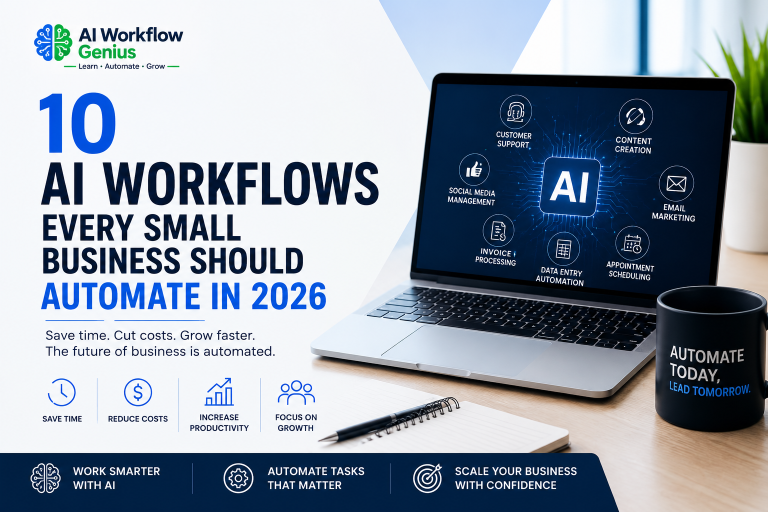
- 10 AI Workflows Every Small Business Should Automate in 2026
- How to Automate Customer Email Responses with AI (2026 Guide)
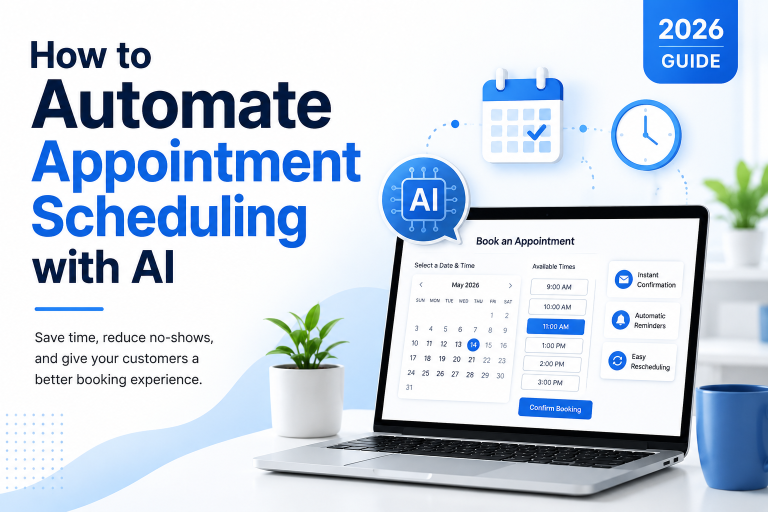
- How to Automate Appointment Scheduling with AI (2026 Guide)
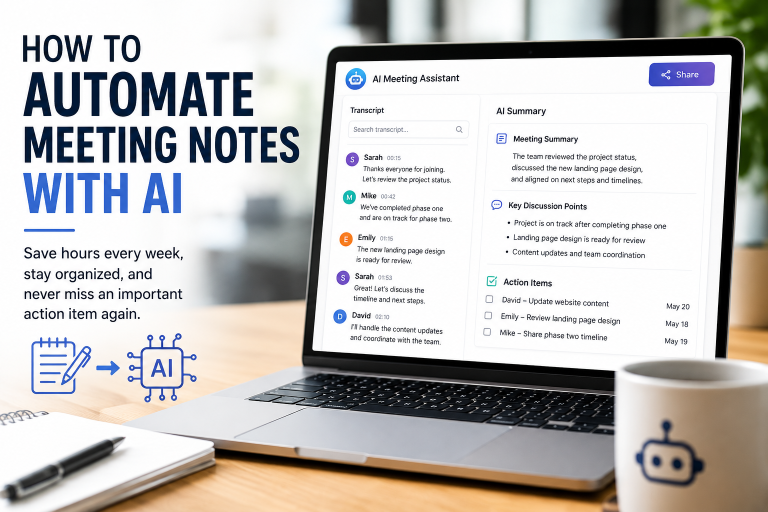
- How to Automate Meeting Notes with AI (2026 Guide)
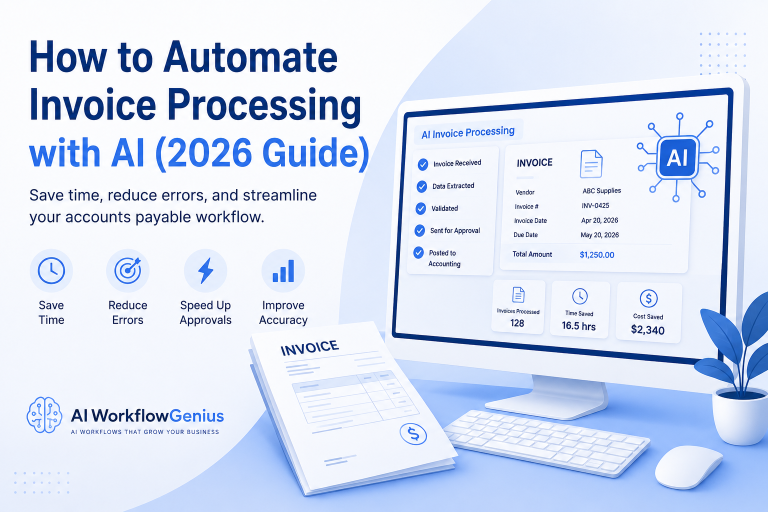
- How to Automate Invoice Processing with AI (2026 Guide)
- How to Automate Social Media for Small Businesses with AI (2026 Guide)
Each guide walks you through another practical way to use AI to reduce repetitive work, improve productivity, and give you more time to focus on what matters most—serving your customers and growing your business.