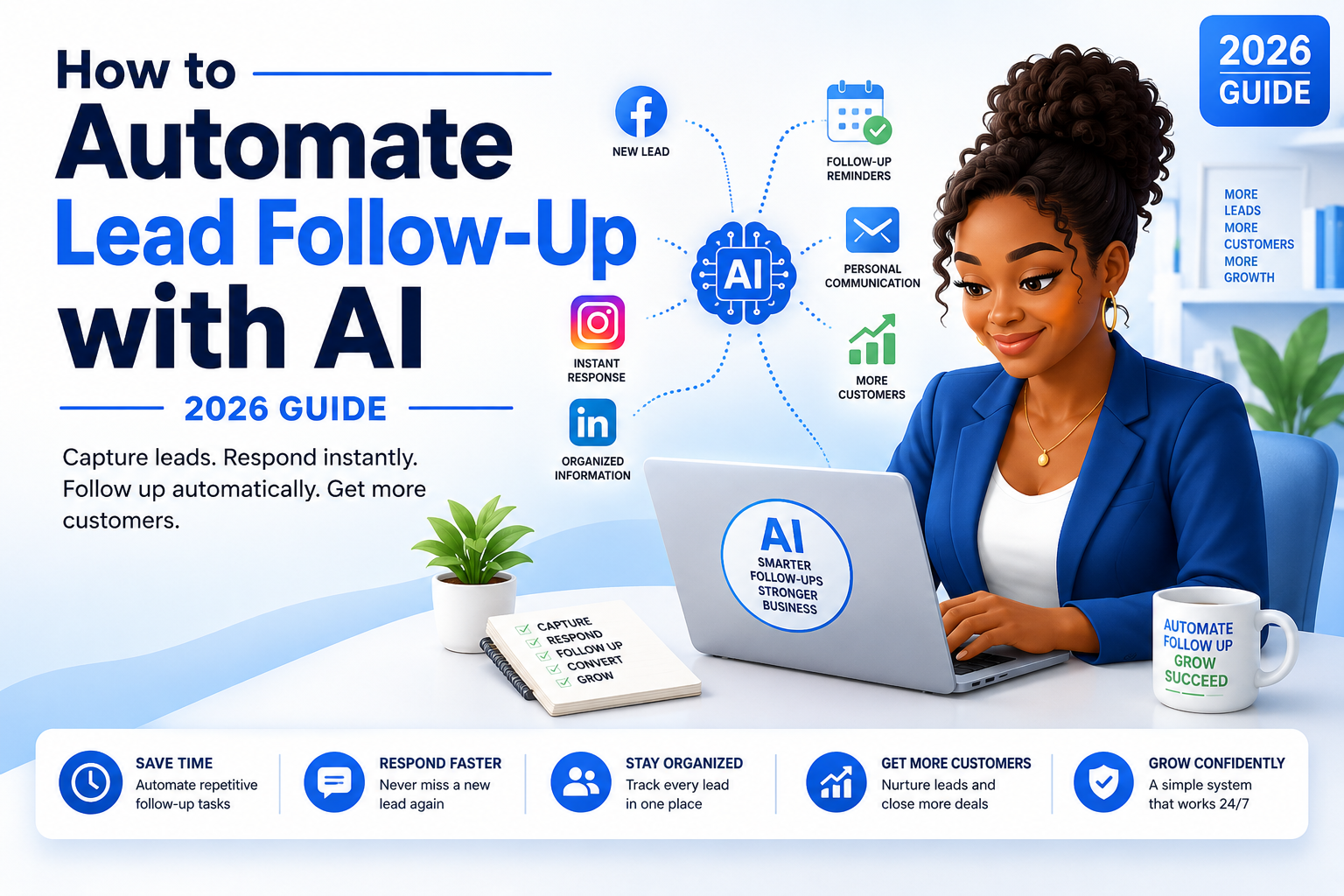
If you’re like most small business owners, getting new leads probably isn’t the biggest problem. The real challenge is finding a reliable way to automate lead follow-up with AI without losing the personal touch.
A potential customer fills out the contact form on your website while you’re meeting with a client. Someone asks for a quote while you’re working on a project. Another person sends an email while you’re trying to finish everything on your to-do list.
You see the message and think, I’ll get back to them as soon as I get a chance.
Then the phone rings.
An employee needs something.
A customer walks through the door.
Before you know it, several hours have passed—or maybe even an entire day. By the time you finally respond, that potential customer may have already contacted someone else.
Sound familiar?
You’re definitely not alone.
The problem isn’t that you don’t care about new customers. You’re simply busy running your business. Unfortunately, potential customers don’t always know that. From their perspective, they reached out and didn’t hear back.
How AI Helps You Follow Up Faster
That’s where AI can make a real difference.
Today’s AI-powered tools can capture new leads, organize their information, send an immediate response, remind you when personal follow-up is needed, and even help you draft the next message.
Think of AI as your follow-up assistant.
It isn’t there to replace you or have a robot sell to your customers. Instead, it handles the repetitive work behind the scenes so promising leads don’t slip through the cracks simply because you were busy.
That’s what good AI automation should do.
It shouldn’t make your business less personal. It should give you more time to be personal where it matters.
In this guide, we’ll look at how AI lead follow-up works, the benefits it offers small businesses, the best tools available in 2026, and how you can build a simple workflow that helps you respond faster, stay organized, and turn more inquiries into customers.
How to Automate Lead Follow-Up with AI
Automating lead follow-up with AI starts with a simple idea: capture every new inquiry, respond quickly, organize the information, and make sure the next follow-up happens at the right time. You don’t need to automate the entire sales process—you just need a reliable workflow that prevents good opportunities from being forgotten. Lead follow-up is also one of several AI workflows small businesses can automate to reduce repetitive administrative work.
Why Lead Follow-Up Is So Important
Getting someone interested in your business is only the first step.
What happens after they contact you can make the difference between gaining a new customer and watching that opportunity go to someone else.
Think about the last time you needed a plumber, contractor, accountant, landscaper, or another service provider. Chances are, you didn’t contact one company and patiently wait several days for someone to respond.
You probably contacted a few.
Your potential customers are doing the same thing.
They may find your business through Google, visit your website, read your reviews, and request more information. But while they’re waiting to hear from you, they may also be contacting two or three of your competitors.
That’s why follow-up is so important.
It isn’t simply another administrative task on your to-do list.
It’s part of the customer experience.
When someone reaches out, they’ve already taken the first step. They’re interested enough to ask a question, request a quote, schedule an appointment, or learn more about what you offer.
A Fast Response Builds Confidence
A quick response tells them something important:
We received your message. We appreciate your interest. And we’re paying attention.
Even if you can’t personally answer their question right away, a simple acknowledgment lets them know their message didn’t disappear into a black hole.
Without that response, they’re left wondering whether anyone received their inquiry—or whether they should simply contact someone else.
The good news is that you don’t have to monitor your inbox every minute of the day to provide that kind of experience.
AI can immediately acknowledge a new inquiry, organize the lead’s information, and make sure you know when personal follow-up is needed.
That gives the potential customer the quick response they’re looking for while giving you the time to respond personally when you’re available.
The First Follow-Up Isn’t Always Enough
Here’s something else that’s important to remember.
Just because a potential customer doesn’t respond to your first message doesn’t necessarily mean they aren’t interested.
They’re busy, too.
Maybe your email arrived while they were in a meeting. Perhaps they read it quickly on their phone and planned to respond later. Or maybe your message simply got buried under everything else in their inbox.
We’ve all done that.
A polite follow-up a few days later may be all it takes to restart the conversation.
The challenge is remembering to do it.
When you’re dealing with several potential customers at the same time, things can get confusing quickly. One person needs a quote. Another asked for pricing. Someone else needs a phone call. Two people haven’t responded, and another just scheduled an appointment.
Trying to keep all of that in your head isn’t realistic.
That’s where having a system makes such a difference.
Instead of relying on your memory, AI can help track where each lead is in the process and remind you when it’s time to follow up.
You still decide what the customer needs and how you want to respond.
AI simply helps make sure nobody gets forgotten.
Good Follow-Up Doesn’t Mean Pestering People
There’s a big difference between following up with someone and bombarding them with messages.
Nobody wants that.
Good follow-up should be helpful, timely, and respectful.
Someone requesting a quote might immediately receive confirmation that you received their request. If you need more information, they could receive a short message explaining what you need. If they haven’t responded after a few days, one polite reminder may be appropriate.
After that, it may be time to pause the automation and decide whether personal follow-up makes sense.
The goal isn’t to chase people until they buy something.
It’s to make sure someone who genuinely wants to do business with you doesn’t disappear simply because everyone got busy.
That’s an important distinction.
AI can help you manage the timing and reminders, but you should always decide what a good customer experience looks like for your business.
Every Lead Is an Opportunity
Not every person who contacts your business is going to become a customer.
That’s just part of doing business.
Some people are gathering information. Others are comparing prices. Some may be interested but aren’t quite ready to make a decision.
But every inquiry represents an opportunity to start a conversation.
And chances are, you worked hard to earn that opportunity.
Maybe they found you through Google. Perhaps someone referred them. Maybe they saw one of your social media posts or read an article on your website.
Something convinced them to take the next step and contact you.
You don’t want to lose that opportunity simply because nobody remembered to follow up.
That’s where a simple AI-assisted system becomes so valuable.
It helps you respond faster, stay organized, and make sure promising leads receive the attention they deserve—without requiring you to constantly check your email or rely on your memory.
Key Takeaway
Good lead follow-up isn’t about responding to every inquiry personally within five minutes. It’s about having a reliable system that makes sure potential customers feel acknowledged and don’t get forgotten. AI can handle the repetitive work—capturing leads, sending initial responses, and reminding you when follow-up is needed—while you focus on building the relationship and turning the right opportunities into customers.
What Is AI Lead Follow-Up?
When people hear the term AI lead follow-up, they sometimes picture a chatbot having long conversations with potential customers or a computer trying to make sales without any human involvement.
That’s really not what we’re talking about.
For most small businesses, AI lead follow-up is much simpler.
It’s about using AI and automation to make sure every new inquiry is captured, organized, acknowledged, and followed up with—without relying on you to remember every single detail.
Think about how leads may be coming into your business right now.
Someone fills out the contact form on your website. Another person sends you an email. Someone else messages your business on social media. Maybe another potential customer calls while you’re busy helping someone else.
Before you know it, your leads are everywhere.
One is sitting in your inbox. Another is buried in your social media messages. A third is waiting in your website dashboard. And somewhere on your desk is a sticky note with the name and phone number of the person who called yesterday.
Sound familiar?
That’s exactly how good opportunities get forgotten.
AI helps bring all of those moving pieces into one organized system.
Instead of depending on your memory, you create a simple workflow that keeps track of each lead and lets you know when someone needs your attention.
Think of AI as your follow-up assistant.
It handles the repetitive work behind the scenes while you focus on the conversations that actually require you.
A Simple Example of AI Lead Follow-Up
Let’s say someone visits your website and fills out a form requesting information about your services.
The moment they click Submit, your workflow can begin.
Their name, email address, phone number, and message can automatically be added to your customer relationship management system, commonly called a CRM.
At the same time, they can receive a friendly confirmation letting them know their message was received.
Something as simple as:
“Thanks for contacting us. We’ve received your request, and someone from our team will be in touch shortly.”
Nothing complicated.
But think about what just happened.
Your potential customer immediately knows you received their message, their contact information is safely stored, and you didn’t have to stop what you were doing to make any of it happen.
Meanwhile, you receive a notification telling you that a new lead has arrived.
AI can even summarize the inquiry so you don’t have to dig through a long email trying to figure out what the person needs.
For example, you might see that Sarah is interested in kitchen remodeling, lives within your service area, wants an estimate for new cabinets and countertops, and needs a call to schedule a consultation.
Within seconds, you know exactly what the opportunity is and what needs to happen next.
That’s where AI becomes incredibly useful.
It doesn’t make the decision for you.
It simply puts the information you need right in front of you.
AI Can Help Make Your Responses More Personal
One of the biggest concerns I hear about automation is that it will make a business sound robotic.
And let’s be honest—nobody wants that.
We’ve all received those generic automated emails that make it obvious nobody actually read what we sent.
AI gives you an opportunity to do something much better.
Because it can use information the customer has already provided, your automated response can actually relate to what they’re asking about.
If someone contacts you about landscaping, for example, instead of receiving a generic “Thank you for contacting us,” they could receive a message acknowledging their landscaping project and explaining what will happen next.
It’s still automated.
But it doesn’t have to feel automated.
That’s an important difference.
The goal isn’t to fool someone into believing every message was personally typed by you. It’s to give them useful, relevant information while letting them know their inquiry matters.
Then, when the conversation requires your knowledge or personal attention, you step in.
AI Can Help You Remember What Happens Next
Sending the first response is easy.
Remembering what needs to happen three days later is where things get tricky.
You send someone information and don’t hear back.
Should you follow up tomorrow?
In three days?
Next week?
Now multiply that by ten or twenty potential customers.
That’s a lot to keep track of.
With automation, you don’t have to rely on your memory.
A simple workflow might look like this:
Day 0: A new lead comes in and receives an immediate confirmation.
The Next Day: You receive a reminder to make personal contact.
If there’s still no response by Day 3: If the customer hasn’t responded, you’re reminded to follow up again.
By Day 7: The lead is flagged so you can decide what to do next.
AI can even help draft the follow-up message.
You review it, personalize it if necessary, and decide whether to send it.
You’re still in control.
The difference is that you no longer have to remember every follow-up date yourself.
AI Can Help You Decide What Needs Attention First
Not every lead needs the same response.
Someone asking what time you open doesn’t require the same attention as someone requesting an estimate for a $20,000 project.
AI can help organize incoming leads based on the information they’ve provided.
It might identify which service they’re interested in, whether they’re within your service area, how quickly they need help, whether they’re asking about pricing, or whether they’re ready to schedule an appointment.
That doesn’t mean AI decides whether someone is a “good” or “bad” lead.
You make that decision.
AI simply organizes the information so you can quickly see which conversations may need your attention first.
And when you’re already juggling customers, employees, projects, and everything else involved in running a business, that can be a tremendous time saver.
What Can AI Handle for You?
Once you have a system in place, AI can take care of many of the small administrative tasks that are easy to forget.
It can help:
- Capture new inquiries.
- Add contact information to your CRM.
- Send immediate acknowledgment messages.
- Summarize customer requests.
- Organize leads by service or inquiry type.
- Create follow-up reminders.
- Draft personalized responses.
- Update the status of a lead.
- Alert you when personal attention is needed.
None of those things replaces your relationship with the customer.
They’re simply the behind-the-scenes tasks that have to happen before you can focus on the conversation that really matters.
Know When It’s Time for a Real Person
This may be the most important part of the entire process.
AI shouldn’t handle every conversation.
If someone has a complicated question, wants to negotiate pricing, has a complaint, needs a customized recommendation, or is ready to make an important purchasing decision, that’s usually the time for you—or someone on your team—to step in.
Your experience matters.
Your judgment matters.
And your ability to build trust matters.
AI isn’t there to replace any of that.
Its job is to make sure you actually get to those important conversations without spending your day chasing contact information, checking multiple inboxes, or trying to remember who you were supposed to call back.
That’s where AI provides the greatest value.
It takes care of the repetitive work so you have more time for the human side of your business.
Key Takeaway
AI lead follow-up isn’t about turning your sales process over to a robot. It’s about creating a reliable system that makes sure new inquiries are captured, acknowledged, organized, and followed up with consistently. Let AI handle the repetitive administrative work behind the scenes while you focus on the part it can’t replace—building relationships, earning trust, and turning the right opportunities into customers.
Benefits When You Automate Lead Follow-Up with AI
When you’re only getting one or two new inquiries, keeping track of leads doesn’t seem all that difficult.
You answer an email. Then you make a note to call someone tomorrow. Another potential customer needs pricing information, so you send it and plan to follow up in a few days.
Simple enough, right?
The problem starts when your business gets busier.
Now you’re trying to remember who needs a quote, who asked you to call back, who hasn’t responded to your last email, and who was interested but wasn’t quite ready to make a decision.
Individually, none of those tasks takes very long.
Together, they can consume hours every week.
And let’s be honest—the bigger problem isn’t always the time. It’s the possibility that a really good lead gets forgotten because you’re busy doing everything else required to run your business.
That’s where AI can make a real difference.
Instead of relying on your memory, you create a simple system that keeps track of your leads and helps make sure the right follow-up happens at the right time.
Let’s look at some of the biggest benefits.
Respond to New Leads Faster
One of the biggest advantages of automation is speed.
Potential customers don’t always contact you during business hours. Someone might fill out your website form at 7:00 in the morning, while you’re meeting with another customer, or at 9:00 at night when you’re spending time with your family.
You can’t be available every minute of the day.
And you shouldn’t have to be.
But your business can still acknowledge that person immediately.
A simple automated response can let them know their message was received and explain what happens next.
That’s not pretending someone personally responded when they didn’t.
It’s simply saying, We received your message, and we haven’t forgotten about you.
That small acknowledgment can make a big difference.
Instead of wondering whether their message disappeared somewhere, the potential customer knows you’re paying attention.
And you’ve created a positive first impression without constantly monitoring your inbox.
Stop Good Leads from Getting Lost
Most businesses don’t intentionally ignore potential customers.
Things simply get busy.
An email gets buried under twenty others. A voicemail doesn’t get returned. Someone writes a phone number on a sticky note that mysteriously disappears. One employee thinks another employee handled the inquiry.
We’ve all seen it happen.
By the time someone realizes the lead was missed, several days have passed—and the potential customer may already be working with someone else.
Automation gives every new inquiry a place to go.
The lead can be captured, organized, assigned a status, and given a next step automatically.
If you haven’t followed up, the system reminds you.
Instead of trying to remember, Who was I supposed to call today? you can open your system and see exactly who needs your attention.
That’s a much better way to manage opportunities.
Save Time on Repetitive Follow-Up
Think about how many times you answer the same questions.
What areas do you serve?
How does your consultation process work?
What information do you need before preparing an estimate?
How quickly will someone get back to me?
Those are important questions, but you don’t necessarily need to type the same answer from scratch every single time.
AI can help you create responses for common situations and personalize them based on what the customer actually asked.
You’re not giving everyone an identical canned response.
You’re starting with a helpful first draft.
Then you review it, make any changes you want, and send it.
That can save a surprising amount of time over the course of a week.
More importantly, it gives you more time for the questions and conversations that actually require your expertise.
Give Every Lead a Consistent Experience
Without a system, the experience a potential customer receives can depend entirely on how busy you happen to be.
Someone who contacts you on a quiet Tuesday morning might hear back within ten minutes.
Someone who reaches out during a crazy Friday afternoon might not hear from you until Monday.
You know there’s a perfectly good reason for the delay.
The customer doesn’t.
Automation helps create a basic level of consistency.
Every inquiry gets acknowledged.
Lead information stays organized.
Each potential customer has a clear next step.
That doesn’t mean every person receives exactly the same response. Some situations will always require a personal touch.
But the basic experience becomes much more reliable.
And reliability builds confidence.
Keep Everything in One Place
One of the things I like most about automating lead follow-up is simply knowing where everything is.
No more searching through email, website forms, social media messages, voicemail, spreadsheets, and sticky notes trying to piece together what happened.
Your lead management system can show you:
- Who contacted you.
- What they’re interested in.
- When they contacted you.
- Whether you’ve responded.
- What needs to happen next.
- When you should follow up again.
Even if you’re running a one-person business, having that information organized in one place can make your business feel much more manageable.
And as your business grows, that organization becomes even more valuable.
Spend Your Time Where It Matters Most
This may be the biggest benefit of all.
Not every part of lead follow-up requires you.
Adding someone’s email address to your CRM doesn’t require your expertise.
Sending a confirmation that a form was received doesn’t require your expertise.
Creating a reminder to follow up in three days doesn’t require your expertise.
But understanding someone’s problem does.
Answering a complicated question does.
Explaining why your service may be the right solution does.
Building trust absolutely does.
That’s where you should be spending your time.
AI handles the repetitive administrative work so you have more time for the conversations that actually require your knowledge, experience, and personality.
That’s what good automation is supposed to do.
It isn’t simply about working faster.
It’s about using your time better.
Follow Up More Consistently
Most business owners are pretty good about that first response.
It’s what happens afterward that gets difficult.
You send someone a quote on Monday and plan to check back Thursday.
Thursday arrives, and you’re dealing with a customer emergency.
Then it’s Friday.
Then Monday.
Suddenly, a week has passed.
AI can keep track of those follow-up dates for you.
When it’s time to reach out again, you receive a reminder. In some routine situations, you might even have a preapproved follow-up message ready to go.
That doesn’t mean bombarding people with emails.
It simply means staying in touch with someone who has already expressed an interest in your business.
Sometimes that second or third contact is exactly what keeps the conversation moving.
Know Exactly Where Your Leads Stand
Once you have several potential customers in the pipeline, it helps to know exactly where everyone is in the process.
You don’t need anything complicated.
Your leads might simply be organized as:
- New inquiry
- Contacted
- Waiting for response
- Appointment scheduled
- Quote sent
- Follow-up needed
- Won
- Not moving forward
At a glance, you can see what’s happening.
More importantly, you can see what isn’t happening.
If you notice several leads getting stuck after quotes are sent, for example, that may tell you that your follow-up process needs some attention.
You don’t need a large sales department to benefit from that information.
Even a one-person business can make better decisions when everything is organized and visible.
Build a System That Grows with You
When you’re receiving five inquiries a month, managing everything manually may work just fine.
But what happens when five becomes twenty?
Or twenty becomes fifty?
That’s when a system really starts paying off.
Without automation, more leads usually mean more administrative work—and more opportunities for something to get missed.
With automation, the same basic workflow can continue working as your business grows.
You still provide the personal attention your customers need.
The important decisions remain yours.
And the relationships are still yours to build.
AI simply helps manage all the repetitive work surrounding those conversations.
And that’s exactly where it should be.
Key Takeaway
Automating lead follow-up with AI isn’t just about responding faster. It’s about creating a reliable system that helps you stay organized, follow up consistently, and make sure good opportunities don’t slip through the cracks.
Let AI handle the routine work—capturing inquiries, organizing information, creating reminders, and helping prepare follow-up messages.
Then spend your time doing what AI can’t do: listening to your customers, understanding what they need, building trust, and turning the right opportunities into lasting customers.
That’s the real benefit of AI—less time managing leads and more time building relationships.
How AI Helps Automate Lead Follow-Up
By now, you may be thinking, “This sounds great, but what does an AI lead follow-up system actually look like?”
The good news is that it doesn’t have to be complicated.
You don’t need a large sales team, expensive software, or dozens of automations running behind the scenes.
For most small businesses, a simple system is often the best place to start.
Someone contacts your business. Their information is captured automatically. They receive a quick acknowledgment. You receive a notification. The lead is organized, and when it’s time to follow up, the system reminds you.
That’s really the heart of it.
Instead of relying on your memory—or constantly checking email, voicemail, website forms, and social media—you create a simple process that makes sure every new lead has a next step.
Let’s walk through how it works.
Step 1: A New Lead Contacts Your Business
Every workflow starts with someone showing interest in what you offer.
Maybe they fill out a form on your website, send you an email, request a quote, message you on social media, or call while you’re helping another customer.
The challenge is that those inquiries may be coming from several different places.
One is sitting in your email. Another is in your website dashboard. Someone else sent you a Facebook message. And that person who called? Their name and number may be sitting on a sticky note somewhere on your desk.
That’s where things can easily get missed.
A good AI follow-up system gives every new inquiry a clear path into your process.
For example, when someone fills out the contact form on your website, their information can automatically be sent to your CRM instead of waiting for you to enter it manually.
Now the lead is captured from the very beginning.
You don’t have to remember to add it later, and you don’t have to worry about a good opportunity disappearing because you got busy.
Step 2: Capture the Important Information
Once a new inquiry comes in, your system captures the information the potential customer has provided.
That might include their name, email address, phone number, the service they’re interested in, project details, or a question they’d like answered.
Without automation, you might have to copy all of that information into a spreadsheet or CRM yourself.
With automation, it can happen for you.
Does that save hours on one lead?
Of course not.
But saving a minute or two on every lead adds up—especially as your business grows.
More importantly, the information is stored where you can actually find it when you need it.
That’s one less little administrative task competing for your attention.
Step 3: Let the Customer Know You Received Their Message
This is one of the simplest parts of the workflow, but I think it’s also one of the most important.
Once someone contacts your business, they shouldn’t have to wonder whether their message went through.
A simple automated response can immediately let them know you received it.
Something like:
“Thanks for contacting us. We’ve received your request, and someone from our team will be in touch shortly.”
Simple.
Friendly.
Professional.
You can also let them know when they should expect to hear from you or what information they’ll need for the next step.
The goal isn’t to overwhelm them with a long automated email.
It’s simply to reassure them.
We got your message. We know you’re there. Here’s what happens next.
Meanwhile, you can continue doing whatever you were doing without having to stop and personally respond the moment an inquiry arrives.
Step 4: Let AI Organize the Inquiry
This is where AI starts becoming especially helpful.
Instead of simply storing the customer’s message, AI can help you understand what they’re asking for.
Let’s say you own a home services business.
One person contacts you about remodeling a kitchen sometime next month.
Another says their kitchen sink is leaking and they need someone today.
Those two leads obviously don’t require the same response.
AI can summarize the inquiry, identify the service the person needs, and help flag something that may require immediate attention.
At a glance, you can see what the customer wants and decide what needs to happen next.
You still make the decision.
AI simply organizes the information so you don’t have to read through every message from beginning to end before figuring out what’s important.
When you’re already busy, that can be a tremendous time saver.
Step 5: Give Every Lead a Next Step
Here’s one of the simplest ways to keep leads from slipping through the cracks:
Every lead needs a next step.
Maybe you need to call the customer.
Maybe you need to send pricing information, schedule a consultation, request additional details, prepare an estimate, or assign the lead to someone else on your team.
Whatever needs to happen next should be clearly identified.
Your system can even create the task automatically.
If someone requests an estimate, for example, you might receive a reminder to call that person within one business day.
Now you’re not relying on yourself to remember.
The task is already waiting for you.
And when you’re juggling customers, employees, projects, emails, and everything else that comes with running a business, having one less thing to remember is a pretty big advantage.
Step 6: Follow Up When You Don’t Hear Back
You contact the potential customer.
Then…nothing.
This is where a lot of good leads get lost.
It’s easy to assume the person isn’t interested anymore, but that may not be the case at all.
They may simply be busy.
Your system can keep track of the timing and remind you when it’s appropriate to reach out again.
For example, a lead might receive an immediate acknowledgment on Day 0. You make personal contact on Day 1. If you don’t hear back, you receive another reminder on Day 3. By Day 7, you can decide whether another follow-up makes sense.
Those aren’t magic numbers.
Your follow-up schedule should fit your business and your customers.
The important thing is that you have a schedule.
Instead of thinking, I should probably follow up with that person sometime, you know exactly when the next step should happen.
Step 7: Know When to Stop the Automation
This one is important.
Nothing makes automation feel more robotic than continuing to send someone follow-up messages after they’ve already responded.
Imagine telling a business, “Yes, I’d like to schedule an appointment,” and then receiving an automated email two hours later saying, “We noticed you haven’t responded.”
Not exactly a great customer experience.
Your automation should recognize when someone replies, schedules an appointment, becomes a customer, or moves to another stage in your process.
At that point, the automated follow-up should stop or change.
Good automation isn’t about blindly sending messages according to a schedule.
It’s about responding appropriately to what the customer actually does.
Step 8: Keep Your Lead Status Updated
As you work with a potential customer, their status should change.
You might have a simple process like:
New Lead → Contacted → Appointment Scheduled → Quote Sent → Won
Or perhaps:
New Lead → Contacted → No Response → Closed
It doesn’t need to be complicated.
The purpose is simply to let you open your CRM and immediately see where everyone stands.
Which leads need a phone call?
Is anyone waiting for a quote?
Who already has an appointment scheduled?
Which potential customers haven’t responded?
How many leads became customers?
Instead of digging through old emails and trying to remember conversations, you can see everything in one place.
Step 9: Know When It’s Time for You to Step In
This may be the most important part of the entire workflow.
AI is wonderful for predictable, repetitive tasks.
But it shouldn’t handle every conversation.
If a potential customer has a complicated question, wants to negotiate pricing, has a complaint, needs a customized recommendation, or is ready to make an important purchasing decision, that’s usually the time for a real person to step in.
That’s where you bring the value.
Your experience matters.
Good judgment matters too.
Most importantly, your ability to listen, understand what someone needs, and build trust matters.
AI’s job is to help get the conversation to you without wasting your time on all the administrative work surrounding it.
Putting It All Together
When you put everything together, the process is actually pretty simple:
- A potential customer contacts your business.
- Their information is captured automatically.
- They receive an immediate acknowledgment.
- AI organizes and summarizes the inquiry.
- You’re notified that a new lead has arrived.
- The system creates the appropriate next step.
- If the customer doesn’t respond, you’re reminded to follow up.
- When they do respond, unnecessary automation stops.
- The lead continues through your process until they become a customer or decide not to move forward.
That’s it.
You don’t need dozens of complicated automations.
You need a reliable system that makes sure every new lead is captured, acknowledged, organized, and given a next step.
Key Takeaway
A good AI lead follow-up system should work quietly in the background, taking care of the repetitive tasks that are so easy to forget.
The goal isn’t to automate your relationship with your customers.
It’s to automate the administrative work surrounding that relationship.
Let AI capture the information, organize the lead, send the acknowledgment, and remind you when something needs your attention.
Then you can spend your time doing what you do best—talking to customers, answering important questions, building trust, and turning the right opportunities into business.
Best AI Lead Follow-Up Tools in 2026
Once you understand how AI lead follow-up works, the next question is usually pretty simple:
“Okay, but which tools do I actually need?”
The good news is that you probably don’t need nearly as many as you think.
In fact, you may already be using software that can handle part of the process.
The right tools really depend on your business. Where are your leads coming from? How many inquiries are you receiving? Do you already have a CRM? And most importantly, where are leads currently getting lost in your process?
My advice is to start there.
Don’t choose software simply because it has dozens of impressive features. Choose a tool that solves the problem you have right now.
If your leads are scattered everywhere, start with a CRM. Spending too much time moving information between programs may be a sign that you need automation. And when writing follow-up messages takes too long, an AI assistant may help.
You can always add more later.
Let’s look at some of the options.
HubSpot
If your biggest problem is simply keeping track of your leads, HubSpot is a great place to start.
Instead of having potential customers scattered across emails, spreadsheets, notes, and your memory, HubSpot gives you one place to keep everything organized.
You can see who contacted you, what they’re interested in, when you last communicated, and what needs to happen next.
For a small business that’s never used a CRM before, that alone can make a tremendous difference.
Best for:
- Small businesses creating their first organized sales process
- Service businesses
- Consultants
- Businesses that want contacts and follow-up tasks in one place
What I like about HubSpot:
- Keeps contact information in one place
- Tracks leads and opportunities
- Creates follow-up tasks and reminders
- Includes email tools and templates
- Can grow with your business
Keep in mind:
HubSpot can do a lot, and that’s actually where some business owners get overwhelmed.
You don’t need to learn everything on Day 1.
Start with your contacts, create a few simple lead stages, and set up your follow-up process. Once that’s working, you can explore additional features as you need them.
Zoho CRM
Zoho CRM is another good option if you want to organize your leads and automate some of the repetitive work involved in following up.
It can help capture leads from different sources, keep contact information organized, create follow-up activities, and show you where each opportunity stands.
If you’re already using other Zoho products in your business, it’s definitely worth considering because those tools can work together.
Best for:
- Small and growing businesses
- Businesses already using Zoho
- Teams that want customizable workflows
- Businesses looking for more sales automation
What I like about Zoho CRM:
- Organizes and tracks leads
- Creates follow-up reminders
- Offers workflow automation
- Tracks your sales pipeline
- Connects with other Zoho business tools
Keep in mind:
Zoho gives you plenty of options, but don’t let that tempt you into building something more complicated than you need.
Start simple.
Solve the immediate problem first. You can always improve your workflow later.
Pipedrive
If you’re a visual person and want to see exactly where every lead stands, Pipedrive may be a great fit.
Its biggest strength is its visual sales pipeline.
You can organize potential customers into simple stages such as:
New Lead → Contacted → Appointment Scheduled → Quote Sent → Won
At a glance, you can see exactly what’s happening.
Who’s waiting for a call?
Who needs a quote?
Which leads haven’t responded?
Which opportunities are getting close to becoming customers?
You don’t have to dig through reports to figure it out.
Best for:
- Service businesses
- Sales-focused small businesses
- Consultants
- Businesses that want a simple visual pipeline
What I like about Pipedrive:
- Easy-to-understand sales pipeline
- Follow-up and activity reminders
- Organized contact records
- Email and automation features
- Makes it easy to see what needs attention
Keep in mind:
Pipedrive is primarily designed for managing sales.
If you want one platform to handle many different areas of your business, you may need to connect it with other tools.
Zapier
Zapier is a little different from the tools we’ve talked about so far.
It isn’t where you manage your leads.
Think of it as the bridge that helps the different programs you already use talk to each other.
Let’s say someone fills out the contact form on your website.
Instead of you copying that information into your CRM, creating a task, and reminding yourself to follow up, Zapier can help those steps happen automatically.
Your workflow might look something like this:
Website Inquiry → Add to CRM → Create Follow-Up Task → Notify Me
And it all happens behind the scenes.
Best for:
- Connecting the tools you already use
- Eliminating repetitive copying and pasting
- Businesses receiving leads from several sources
- Creating simple automations without programming
What I like about Zapier:
- Connects many popular business applications
- Works alongside your CRM
- Eliminates repetitive administrative tasks
- Makes multi-step workflows possible
- Lets you start small and add more later
Keep in mind:
Once you discover what automation can do, it’s very tempting to start connecting everything.
Don’t.
Start with one workflow that solves a real problem.
Get that working reliably first. Then build from there.
Make
Make does many of the same things as Zapier, but it gives you more flexibility when you’re ready to build more advanced workflows.
One of the things I like about Make is that you can actually see how information moves through your automation.
For example:
Website Form → CRM → AI Summary → Notification → Follow-Up Task
That visual approach can make complicated workflows much easier to understand.
Best for:
- Businesses that need customized workflows
- Multi-step automations
- Connecting several business systems
- Users who want more control over their automations
What I like about Make:
- Visual workflow builder
- Flexible automation options
- Handles more advanced processes
- Connects multiple business applications
- Can incorporate AI into existing workflows
Keep in mind:
Make may take a little more time to learn.
If you’re brand new to automation, you don’t have to start here.
Remember, the goal isn’t to build the fanciest automation.
It’s to build one that actually makes your business easier to run.
ChatGPT
ChatGPT can play a different role in your lead follow-up system.
Instead of organizing your CRM or moving information between programs, it can help you work with the information your potential customer has already provided.
For example, ChatGPT can help you:
- Summarize a long customer inquiry
- Draft a follow-up email
- Make a response sound warmer or more professional
- Create templates for common situations
- Turn conversation notes into a short summary
- Suggest questions for your next conversation
One of the biggest advantages is that you don’t have to start with a blank screen every time you need to follow up with someone.
Give AI the appropriate information, let it help you create a first draft, and then make it your own.
Best for:
- Drafting follow-up messages
- Summarizing lead information
- Creating reusable templates
- Brainstorming questions
- Helping you communicate more efficiently
What I like about ChatGPT:
It saves time without taking you out of the conversation.
AI creates the starting point.
You review it.
Make any changes you think are necessary.
Then you decide what gets sent.
You’re still in control.
Keep in mind:
Always be thoughtful about the customer information you share with any AI tool. Follow your company’s privacy and security policies, and don’t enter sensitive or confidential information unnecessarily.
Saving a few minutes isn’t worth compromising someone’s privacy.
Which Tool Should You Choose?
Here’s where I would keep things simple.
You probably don’t need all of these tools.
And I certainly wouldn’t recommend signing up for six different programs and trying to learn them all at once.
Start with the problem you’re trying to solve.
If leads are getting lost because you don’t have one place to organize them, start with a CRM such as HubSpot, Zoho CRM, or Pipedrive.
Already have a CRM but spend too much time copying information from one program to another? Zapier or Make may be the missing piece.
For businesses spending too much time writing follow-up messages, ChatGPT can help create drafts much faster.
For many small businesses, your first workflow could be as simple as:
Website Contact Form → CRM → Immediate Confirmation → Follow-Up Reminder
That’s it.
You’ve already solved one of the biggest problems—making sure every new lead gets captured and has a next step.
Once that’s working, you can add AI summaries, personalized responses, additional reminders, and more advanced automation.
But you don’t need any of that to get started.
Key Takeaway
The best AI lead follow-up tool isn’t necessarily the one with the most features.
It’s the one that solves the problem you have right now and that you’ll actually use.
Start simple. Use the tools you already have whenever possible. Build one reliable workflow and get comfortable with it before adding anything else.
AI should make running your business easier—not give you another complicated system to manage.
When it comes to automation, simple, reliable, and actually used beats complicated and abandoned every single time.
How to Set Up an AI Lead Follow-Up Workflow
At this point, you understand what AI lead follow-up can do and some of the tools you can use.
Now comes the important part.
Actually setting it up.
The good news is that you don’t need to build a complicated sales system with dozens of moving parts.
In fact, I recommend doing the opposite.
Start with one simple workflow that makes sure every new lead is captured, acknowledged, and given a clear next step.
Once that works consistently, you can always add more automation later.
Let’s walk through it together.
Step 1: Figure Out Where Your Leads Are Coming From
Before you automate anything, take a look at where potential customers are contacting you now.
That might include:
- Your website contact form
- Phone calls
- Social media
- Online ads
- Appointment scheduling software
- Referral forms
You don’t have to connect everything on Day 1.
Start with the source that brings you the most inquiries.
For many small businesses, that’s the contact form on their website.
Your first goal is simple:
Make sure every lead from that source ends up in one organized place.
That’s it.
You can always add the other sources later.
Step 2: Give Every Lead a Home
Next, decide where you’re going to keep your lead information.
For many businesses, that will be a CRM such as HubSpot, Zoho CRM, or Pipedrive.
If you’re currently keeping track of leads in your inbox, a spreadsheet, or on sticky notes, moving everything into one system may feel like a big change.
It really doesn’t have to be.
At first, you only need the basics:
- Name
- Phone number
- Service requested
- Date of inquiry
- Lead status
- Next follow-up date
The goal isn’t to create more work.
It’s to make sure every lead has a home.
If someone asks, “Whatever happened to that person who contacted us last Tuesday?” you should be able to find the answer quickly.
Step 3: Connect the Lead Source to Your CRM
Now it’s time to connect the place where the lead comes in with the place where you want to store it.
Sometimes this connection is already built into the software you’re using.
If it isn’t, a tool like Zapier or Make can often connect the two.
For example:
Website Contact Form → CRM
Someone fills out your form.
Their information is automatically added to your CRM.
No copying.
Forget about pasting information between systems.
Sticky notes are no longer part of the process.
And you don’t have to tell yourself you’ll enter it late
That one simple automation can make your entire follow-up process more reliable.
Step 4: Send a Quick Confirmation
Once someone contacts you, let them know you received their message.
Keep it simple.
Something like:
“Thanks for contacting us. We’ve received your request, and someone from our team will be in touch within one business day.”
That’s enough.
You don’t need a long sales pitch.
You don’t need to make the message sound like someone personally typed it that second.
The customer really wants to know one thing:
Did you get my message?
Answer that question clearly.
That alone creates a much better experience.
Step 5: Make Sure You Know the Lead Arrived
The customer has been notified.
Now make sure you know there’s a new lead waiting.
Set up a notification through email, your CRM, a task system, or whatever tool you already use.
And make the notification useful.
Instead of seeing:
You have a new lead
you want something more like:
New Lead: Maria Lopez
Service: Bookkeeping Consultation
Request: Help organizing monthly business expenses
Preferred Contact: Phone
Next Step: Call within one business day
Now you know exactly what’s going on without having to dig through the original message first.
Step 6: Let AI Help Organize the Inquiry
Once your basic workflow is working, this is where AI can start saving you even more time.
AI can review the customer’s message and help identify things like:
- What service they’re interested in
- What they’re asking
- Whether the request appears urgent
- What information may still be missing
- Who on your team should handle it
If someone sends a long message, AI can also create a short summary and add it to the lead record.
Instead of reading three paragraphs before you understand what the person needs, you get the important information first.
You can always read the original message when you need more detail.
AI simply helps you get oriented faster.
Step 7: Create a Clear Next Action
Every lead should have a next step.
This is one of the simplest ways to keep opportunities from getting forgotten.
Maybe the next step is:
Call within one business day.
Or:
Send personalized response by 3:00 PM tomorrow.
Make it specific.
Avoid vague reminders like:
Follow up sometime this week.
That’s exactly how good leads get pushed aside.
The clearer the next action is, the more likely it is to happen.
Step 8: Build In Your Follow-Up Reminder
Now think about what happens if you reach out and don’t hear back.
Don’t leave that part to memory.
Build it into the workflow.
For example:
Day 0: Inquiry received and acknowledged.
The Next Day: Personal follow-up.
By Day 3: Reminder if there has been no response.
Around Day 7: Final follow-up or review.
Your timing may be completely different, and that’s fine.
A contractor, accountant, consultant, and emergency service company will all have different follow-up needs.
The important thing is to create a schedule that makes sense for your customers instead of relying on yourself to remember.
Step 9: Decide When the Automation Should Stop
This is one of those small details that makes a huge difference.
You need clear stop rules.
Automation should stop or change when:
- The customer replies
- An appointment is scheduled
- A quote is accepted
- The person asks not to be contacted
- The lead becomes a customer
- You manually close the opportunity
Otherwise, you risk sending messages that no longer make sense.
And nothing makes automation feel more robotic than sending someone a follow-up after they’ve already responded.
Good automation should react to what the customer does.
It shouldn’t keep going just because the calendar says it’s time.
Step 10: Test It Yourself Before You Use It
Before you turn the workflow loose on real customers, test it.
Pretend you’re the customer.
Go to your website.
Fill out the form.
Then watch what happens.
Did the lead appear in your CRM?
Was the information correct?
Did the confirmation email arrive?
Does the message sound natural?
Was the notification delivered correctly?
Was the follow-up task created?
Then reply to the message and make sure the automation stops when it’s supposed to.
Testing the system from the customer’s point of view will usually uncover little problems you wouldn’t notice otherwise.
Fix those first.
Then use the system with confidence.
Step 11: Let It Run Before You Start Changing Everything
Once the workflow is working, leave it alone for a little while.
You don’t need to tweak it every day.
Give it time.
Then review what’s happening after a few weeks.
Are leads getting acknowledged quickly?
Do your reminders arrive at the right time?
Is anything confusing your customers?
Have you set up too many notifications?
Could any leads still be getting missed?
Make small improvements based on what you actually see.
Your first workflow doesn’t need to be perfect.
It just needs to work.
Start Simple and Build from There
It’s easy to see everything AI can do and think you need to automate your entire sales process.
You really don’t.
Start with this:
New Lead → Save Contact → Send Confirmation → Notify Me → Create Follow-Up Task
That’s already a powerful workflow.
Run it until it feels natural.
Then you can add things like:
AI Summary → Lead Category → Follow-Up Reminder
Later, if you find other ways automation can genuinely save you time or improve the customer experience, add them.
Build your system one useful step at a time.
Key Takeaway
Setting up AI lead follow-up doesn’t require a complicated sales system.
Start by making sure every new inquiry goes into one organized place, receives a quick acknowledgment, and has a clear next step.
Once that basic workflow is working reliably, you can use AI to summarize inquiries, organize information, and reduce more of the repetitive work.
The goal is simple:
Automate the process around the conversation—not the relationship itself.
Common Mistakes to Avoid
AI can make lead follow-up much easier, but just because something can be automated doesn’t mean it should be.
That’s an important distinction.
A poorly designed workflow can frustrate potential customers, send messages at the wrong time, or make your business feel cold and impersonal.
The goal isn’t to automate everything.
It’s to automate the right things so you save time without sacrificing the customer experience.
Let’s look at some of the most common mistakes to avoid.
Mistake #1: Trying to Automate Too Much at Once
Once you see what automation can do, it’s easy to get carried away.
A lead comes in.
AI analyzes it.
Emails are scheduled.
Tasks are created.
Notifications start popping up everywhere.
Before long, you’ve built a system so complicated that managing the automation becomes a job all by itself.
That’s not the goal.
Start simple.
Your first workflow might only do four things:
Capture the lead → Send confirmation → Notify you → Create a follow-up task
That’s enough.
Get that working reliably before you add anything else.
If you can’t clearly explain what problem a new automation solves, you probably don’t need it yet.
More automation isn’t always better.
Better automation is better.
Mistake #2: Making Your Messages Sound Like a Robot
We’ve all received those emails.
Dear Valued Customer…
Your business is important to us…
There’s nothing technically wrong with them.
They just don’t sound like something a real person would say.
Your automated messages should sound like your business.
If you normally speak to customers in a friendly, conversational way, your automated emails shouldn’t suddenly sound like they came from a corporate legal department.
Keep your messages simple.
Use normal language.
And here’s a good test: read the message out loud.
If you wouldn’t actually say it to a customer, don’t automate it.
Mistake #3: Pretending the Automated Message Is Personal
There’s absolutely nothing wrong with sending an automatic confirmation.
In fact, it’s a great way to let someone know their inquiry was received.
But you don’t need to pretend a real person personally typed it five seconds after they filled out your form.
A simple message works just fine:
“Thanks for contacting us. We’ve received your request, and someone from our team will be in touch shortly.”
That’s honest.
It’s professional.
And it gives the customer the information they need.
Trust matters.
Use automation to make the experience better—not to create a false impression.
Mistake #4: Following Up Too Much
This is one of those mistakes that usually comes from good intentions.
You don’t want leads to be forgotten, so you create several follow-up messages.
Then maybe you add a few more just to be safe.
Before you know it, someone who asked one question is getting emails every other day.
Let’s be honest—that’s not helpful.
It’s annoying.
Your customers are busy too.
Give them a reasonable amount of time to respond.
For many businesses, one or two polite follow-ups may be enough before you pause the lead or review it personally.
The exact number will depend on your business, but the principle is simple:
Be persistent enough to be helpful—not so persistent that you become a nuisance.
Mistake #5: Forgetting to Stop the Automation
This one is so important that it’s worth repeating.
If someone replies, books an appointment, becomes a customer, or asks not to be contacted, the original follow-up sequence should stop.
Otherwise, you end up with situations like this:
Customer:
“Tuesday at 10:00 works perfectly. See you then.”
Automation the next morning:
“We noticed you haven’t responded…”
Not exactly the customer experience you’re looking for.
Good automation should respond to what the customer actually does.
When the situation changes, the workflow should change too.
Test your stop rules carefully.
Mistake #6: Treating Every Lead Exactly the Same
Not every inquiry needs the same response.
Someone asking about your business hours is different from someone requesting a $20,000 estimate.
An urgent service call is different from someone researching options for next year.
Your workflow should allow for those differences.
AI can help organize or categorize inquiries, but it shouldn’t make important decisions without your oversight.
Some leads may need an immediate phone call.
Others may be fine with an automated response.
And some situations may need to go directly to you.
The system should support your judgment—not replace it.
Mistake #7: Asking for More Information Than You Need
Automation makes it easy to collect customer information.
That doesn’t mean you should collect everything.
If all you really need is someone’s name, phone number, email address, service they’re interested in, and a little information about their project, keep the form focused on that.
Don’t ask for personal information you don’t need.
The same goes for AI tools.
Be thoughtful about what customer information you share and follow your company’s privacy and security policies.
Efficiency is great.
But not at the expense of customer trust.
Mistake #8: Assuming AI Is Always Right
AI can summarize inquiries, organize leads, and draft responses incredibly fast.
But it can still misunderstand what someone means.
For example, a customer might say:
“We’re not looking for landscaping anymore. We actually need help repairing our irrigation system.”
AI could focus on the word landscaping and put the inquiry in the wrong category.
That’s why your review still matters.
For routine tasks, a quick glance may be enough.
For pricing, unusual requests, important customer messages, or anything complicated, take a closer look.
AI gives you a head start.
You make the final decision.
Mistake #9: Forgetting to Look at the Experience From the Customer’s Side
It’s easy to focus on what automation does for you.
It saves time.
Your leads stay organized.
Follow-up reminders happen automatically.
And repetitive work takes less of your attention.
All of that is valuable.
But I think there’s another question that’s even more important:
Does this make things better for the customer?
Do they get a faster acknowledgment?
Do they know what happens next?
Are your messages helpful?
Can they easily reach a real person when they need one?
Are you following up at reasonable times?
If an automation saves you ten minutes but makes the customer experience worse, it’s probably not a good automation.
The best systems work well for both sides.
Mistake #10: Never Testing the Workflow Again
Just because your automation worked perfectly when you set it up doesn’t mean it will work perfectly forever.
Businesses change.
Employees change.
Software changes.
Forms get updated.
Services get added or removed.
Something that worked six months ago may not work exactly the same way today.
Every so often, test the workflow yourself.
Fill out the contact form.
Read the confirmation email.
Check the CRM.
Look at the notification.
Test the follow-up sequence.
Make sure the links work.
Most importantly, make sure leads aren’t disappearing somewhere along the way.
A few minutes of testing can save you from weeks of missed opportunities.
Key Takeaway
AI lead follow-up works best when it’s simple, thoughtful, and built around the customer experience.
Don’t automate every conversation.
Avoid bombarding people with messages.
And never trust AI blindly.
And don’t build such a complicated system that nobody understands how it works.
Start with the repetitive administrative tasks that are easy to standardize.
Then keep the important conversations human.
That’s the balance you’re looking for—and that’s where AI becomes truly useful.
When a Real Person Should Step In
AI can be incredibly helpful with lead follow-up, but it shouldn’t handle every conversation.
Some situations simply need a real person.
They require judgment, experience, empathy, or sometimes just a good old-fashioned conversation.
I like to think of AI as the system that gets the right information to the right person at the right time.
It can capture the inquiry.
The details can be organized automatically.
A quick confirmation can go out right away.
Follow-up reminders help keep the lead from being forgotten.
AI can even help you prepare for the conversation.
But once the customer needs something beyond a routine response, that’s usually your cue to step in.
When the Customer Has a Complicated Question
Not every question has a simple answer.
A potential customer may describe a situation you’ve never dealt with before. They may need help choosing between several options, or they may ask something that depends on details AI simply can’t fully understand.
That’s where your experience matters.
Don’t let AI guess.
If the answer requires judgment, route the inquiry to someone who can give the customer the right information.
Responding quickly is important.
Responding correctly is even more important.
When Pricing Needs a Conversation
Automation works well when your pricing is simple and clearly defined.
But many small businesses don’t work that way.
A contractor may need to see the property before giving an estimate.
A consultant may need to understand the scope of a project.
A marketing company may need to learn about the customer’s goals before recommending a package.
In those situations, AI can help collect the information beforehand, but the actual recommendation should come from a real person who understands the work.
When Someone Is Ready to Move Forward
This is one of the easiest moments to recognize.
If a potential customer says:
“I’m ready to move forward. What do we need to do next?”
that’s probably not the time to send them through another three-step automated sequence.
They’ve raised their hand.
Respond.
Depending on your business, that may mean picking up the phone, scheduling an appointment, sending an agreement, or answering a few final questions.
Automation helped get the lead to this point.
Now make it easy for the customer to take the next step.
When Someone Is Confused or Frustrated
Automation should never become a wall between your business and the customer.
If someone says:
“I don’t understand.”
or
“That’s not what I was asking.”
or
“Can I please speak with someone?”
the automation should stop.
This is where a real person needs to take over.
The same is true if someone is unhappy, has a complaint, or simply sounds frustrated.
Those conversations need empathy.
Another automated response can make the situation worse.
A personal response can often turn it around.
When the Request Is Unusual
AI works best when things follow a predictable pattern.
Business doesn’t always work that way.
A customer may have a special request, an unusual deadline, a project outside your normal service area, or something you’ve never offered before.
Don’t force those situations through a standard workflow.
Flag them for review.
Sometimes an unusual request turns into a great opportunity.
Sometimes it isn’t a good fit.
Either way, you should make that decision.
When Sensitive Information Is Involved
This is another area where you want to be careful.
If an inquiry includes sensitive, confidential, financial, medical, legal, or other protected information, don’t automatically send that information through several systems just because the technology allows you to.
Use the tools and processes that are appropriate for your business.
Limit access to customer information.
Follow your privacy and security requirements.
And if you’re unsure, involve the right professional rather than letting AI make a decision that requires human judgment.
When Your Gut Says, “Pick Up the Phone”
Sometimes you don’t need a complicated rule.
You just know a conversation would be easier over the phone.
Maybe you’ve exchanged several emails and aren’t getting anywhere.
The customer may have several questions.
Perhaps it’s a large project.
Or you may simply sense that the person needs a little reassurance before moving forward.
Pick up the phone.
One five-minute conversation can sometimes accomplish more than ten emails.
Automation should help you recognize those moments—not keep you from having them.
Build Human Handoffs Into the Workflow
The easiest way to keep automation from going too far is to decide ahead of time when a real person should step in.
You might flag a lead when:
- The customer asks to speak with someone.
- The inquiry includes a complaint.
- The customer is ready to buy.
- Pricing requires a custom estimate.
- The request falls outside your normal services.
- The customer has replied several times without resolution.
- AI isn’t confident about how to categorize the inquiry.
When one of those things happens, the automation pauses and someone gets notified.
Now the system isn’t trying to replace you.
It’s bringing the right conversations to your attention.
And that’s exactly what you want.
Key Takeaway
The best AI lead follow-up systems know when to get out of the way.
Let AI handle the routine work—capturing leads, sending confirmations, organizing information, and creating reminders.
Let people handle the conversations that require judgment, empathy, experience, negotiation, or trust.
The goal isn’t to remove people from the sales process. It’s to make sure your time is spent where being human matters most.
Frequently Asked Questions
By now, you probably have a pretty good idea of how AI can help you stay on top of your leads.
But you may still be wondering how all of this works in the real world—and whether it makes sense for your business.
Here are some of the most common questions.
Is AI Lead Follow-Up Difficult to Set Up?
It doesn’t have to be. You don’t need a complicated sales system to get started.
In fact, your first workflow can be as simple as:
New Lead → Save Contact → Send Confirmation → Notify You → Create Follow-Up Task
That’s it.
Many CRM platforms already have some of these features built in. If the programs you’re using don’t talk to each other, an automation tool such as Zapier or Make can often connect them.
Start with one lead source and one simple workflow.
Get that working first.
Once you’re comfortable with it, you can always add more automation later.
Will AI Make My Business Sound Robotic?
It can—if you let it.
We’ve all received automated emails that sound like they were written by a machine.
You don’t want that.
Your automated messages should sound the same way you normally communicate with your customers.
Keep them short.
Use normal language.
Skip the corporate jargon.
And don’t try to make an automated message sound like someone personally typed it when they didn’t.
Something as simple as:
“Thanks for reaching out. We’ve received your request, and someone from our team will be in touch shortly.”
may be all you need.
Remember, automation should make your business more responsive—not less human.
How Quickly Should I Respond to a New Lead?
As quickly as reasonably possible.
That doesn’t mean you need to drop everything you’re doing every time someone fills out your contact form.
That’s exactly where automation can help.
An immediate acknowledgment lets the customer know you received their message. Then you can personally respond within a reasonable amount of time.
What that means will depend on your business.
If you provide emergency home services, someone may need a response very quickly.
If you’re a consultant and someone contacts you at 10:00 at night, they probably aren’t expecting a phone call five minutes later.
Set a reasonable expectation.
Tell the customer what it is.
Then make sure you meet it consistently.
How Many Times Should I Follow Up?
There’s no magic number.
It really depends on your business, what you’re selling, and how long your customers typically take to make a decision.
For many small businesses, an initial response followed by one or two polite follow-ups may be enough.
The important thing is not to overdo it.
If someone hasn’t responded after several attempts, sending five more emails probably isn’t going to help.
At some point, pause the automation and decide whether another personal follow-up makes sense.
You want to stay on someone’s radar.
You don’t want them hiding from your emails.
Can AI Write My Follow-Up Emails?
Absolutely.
This is actually one of the easiest ways to start using AI in your follow-up process.
AI can help you draft:
- Initial responses
- Appointment reminders
- Quote follow-ups
- Requests for additional information
- Check-in messages
- Re-engagement emails
Instead of staring at a blank screen wondering what to write, you have a starting point.
But remember—you still need to review it.
Make sure the information is correct.
Make sure it makes sense for that particular customer.
And most importantly, make sure it sounds like you and your business.
AI creates the draft.
You decide what gets sent.
Do I Need a CRM?
Not necessarily.
If you’re only receiving a handful of inquiries, you may be able to create a simple system using your email, website forms, calendar, and an automation tool.
But as the number of leads grows, a CRM becomes much more useful.
It gives every lead one place to live.
You can see who contacted you, what they’re interested in, when you last communicated, and what needs to happen next.
Here’s a pretty good sign that you may need one:
If you’re regularly searching through old emails trying to remember whether you followed up with someone, it’s probably time for a better system.
Can AI Decide Which Leads I Should Pursue?
AI can certainly help you organize the information.
It might identify what service someone wants, where they’re located, how quickly they need help, or whether they’ve provided enough information for you to move forward.
That’s useful.
But I wouldn’t turn important sales decisions completely over to AI.
There may be things you understand about a customer or project that AI doesn’t.
Use AI to help organize and prioritize the information.
Then use your experience and judgment to decide which opportunities are right for your business.
What Happens When Someone Responds?
Ideally, the original automated follow-up should stop or change.
This is extremely important.
If someone responds, schedules an appointment, accepts a quote, becomes a customer, or asks not to be contacted again, your system needs to recognize that something has changed.
You don’t want someone scheduling an appointment on Tuesday and receiving a “Just checking to see if you’re still interested” email on Wednesday.
That’s not a great look.
Always test your stop rules before relying on the workflow.
Good automation should respond to what the customer does.
Is AI Lead Follow-Up Worth It for a Small Business?
For many small businesses, absolutely.
You don’t need hundreds of leads every month to benefit from automation.
If inquiries occasionally get forgotten, responses are delayed, or you’re spending too much time keeping track of who needs a call or email, even a simple workflow can help.
It can save you time today.
But there’s another benefit.
You’re also building a system that can grow with your business.
When five leads a week eventually become fifteen or twenty, you won’t have to suddenly figure out how to keep track of everyone.
You’ll already have a process in place.
Will AI Replace the Personal Side of Sales?
It shouldn’t.
And that’s really the point I’ve tried to make throughout this guide.
AI is at its best when it handles the repetitive work surrounding the relationship.
Let AI capture the information.
Your leads can be organized automatically.
Acknowledgments can go out right away.
Follow-up reminders can happen automatically.
And AI can help you draft the response.
Then you step in when the customer needs your knowledge, experience, judgment, or reassurance.
That’s where the relationship is built.
The best lead follow-up system combines the efficiency of AI with the personal connection only a real person can provide.
Key Takeaway
AI can make lead follow-up faster, easier, and much more consistent without making your business feel automated or impersonal.
Start small.
Keep your messages natural.
Review important communications.
And make sure your customers can easily reach a real person when they need one.
Used the right way, AI doesn’t replace the relationship with your potential customers.
It helps make sure you don’t miss the opportunity to build one.
Final Thoughts
Following up with potential customers shouldn’t feel like another full-time job.
But when leads are coming in from your website, email, social media, phone calls, and everywhere else, keeping track of every conversation can become overwhelming pretty quickly.
That’s where learning to automate lead follow-up with AI can make a real difference.
Instead of relying on your memory, an overflowing inbox, or that sticky note you were sure you’d remember to look at later, you can create a simple system that keeps everything organized.
AI can capture the lead.
A quick acknowledgment can go out immediately.
The customer’s information stays organized.
Follow-up reminders keep the next step from being forgotten.
And AI can even help you prepare your response.
But here’s the important part.
The goal isn’t to automate the entire relationship.
It’s to automate the repetitive work around the relationship.
When a potential customer has an important question, needs your advice, wants to discuss pricing, or is ready to move forward, that’s where you come in.
Your experience matters.
Your judgment matters.
And the relationship you build with your customers matters.
AI simply helps make sure you have more time for those conversations.
Start with One Simple Workflow
If you’re new to AI automation, don’t try to build everything we’ve talked about in this guide at once.
You don’t need to.
Start with the one thing that’s causing you the most frustration.
Maybe leads are getting buried in your email.
Perhaps you send estimates promptly but forget to follow up afterward.
Or customers may contact you after hours and wonder whether anyone received their message.
Pick one problem.
Then build one simple workflow to solve it.
For example:
New Lead → Save Contact → Send Confirmation → Notify Me → Create Follow-Up Task
That’s a great place to start.
Run it for a few weeks.
See what’s working.
Pay attention to where you’re still losing time or where something is slipping through the cracks.
Then improve it.
Maybe you add an AI-generated summary.
Next, you could create another follow-up reminder.
You might connect your appointment scheduling system.
Eventually, different types of leads may need different workflows.
You can do all of that later.
You don’t need it on Day 1.
Start small.
Get comfortable.
Then build from there.
Focus on the Customer, Not the Technology
It’s easy to get excited about everything AI can do.
But here’s something worth remembering:
Your customers don’t care how sophisticated your automation is.
They care about what it’s like to do business with you.
Did you respond?
Was the information helpful?
Did they understand what happens next?
Could they reach a real person when they needed one?
That’s what matters.
In fact, some of the best automation is the automation your customer never notices.
They simply experience a business that feels organized, responsive, and easy to work with.
Meanwhile, you’re spending less time checking multiple inboxes, trying to remember who needs a callback, and wondering whether you’ve forgotten someone.
That’s exactly what good automation should do.
You don’t need to automate every conversation.
You simply need a reliable system that makes sure the important conversations don’t get lost.
Start with one workflow.
Keep it simple.
Let AI handle the repetitive work in the background so you have more time to do what you do best—serve your customers, build relationships, and grow your business.
Related Articles
Ready to automate more of your business?
These guides will show you other practical ways to use AI to save time and simplify the work you do every day:
- 10 AI Workflows Every Small Business Should Automate in 2026
- How to Automate Customer Email Responses with AI (2026 Guide)
- How to Automate Appointment Scheduling with AI (2026 Guide)
- How to Automate Meeting Notes with AI (2026 Guide)
- How to Automate Invoice Processing with AI (2026 Guide)
- How to Automate Social Media for Small Businesses with AI (2026 Guide)
- How to Automate Expense Tracking with AI (2026 Guide)
Each guide walks you through another practical AI workflow you can use to reduce repetitive work, stay organized, improve productivity, and create more time for the parts of your business that really need you.