
AI workflows for small business are helping owners save time, automate repetitive tasks, and focus on growing their companies. Running a small business means wearing many hats…
On any given day, you’re answering customer emails, following up with leads, creating marketing content, scheduling appointments, sending invoices, and trying to find time to actually grow your business. There’s never a shortage of work, only a shortage of time.
That’s where artificial intelligence (AI) can make a real difference.
You don’t need to be a programmer or invest thousands of dollars in complicated software. Today’s AI tools make it easier than ever to automate repetitive tasks, improve productivity, and free up hours every week.
In this guide, you’ll discover 10 practical AI workflows that small business owners can start using right away. Whether you’re a freelancer, consultant, online entrepreneur, or local service provider, these workflows can help you:
- Save hours every week
- Respond to customers faster
- Stay more organized
- Reduce repetitive work
- Focus on growing your business instead of managing routine tasks
You don’t have to automate everything overnight.
Start with one workflow, see the results, and build from there. Before long, you’ll have a business that runs more efficiently—giving you more time to focus on what matters most.
In This Guide
- Introduction
- Workflow #1: Let AI Handle Your Routine Customer Emails
- Workflow #2: Never Let Another Lead Slip Through the Cracks
- Workflow #3: Let AI Help You Create Content Faster
- Workflow #4: Let AI Remember the Details So You Don’t Have To
- Workflow #5: Stop Wondering What to Post on Social Media
- Workflow #6: Take the Stress Out of Collections with AI
- Workflow #7: Let AI Handle Your Appointment Scheduling
- Workflow #8: Let AI Do the Reading for You
- Workflow #9: Keep Your Projects Organized Automatically
- Workflow #10: Start Every Week Knowing Exactly Where Your Business Stands
- Final Thoughts
Who This Guide Is For
Quick Facts
Small business owners, freelancers, consultants, entrepreneurs, and service providers who want to save time by automating repetitive tasks with AI.
Estimated Reading Time
Approximately 20–25 minutes
Skill Level
🟢 Beginner to Intermediate
What You’ll Learn
- How to automate repetitive business tasks using AI
- Ten practical AI workflows you can start using right away
- Recommended AI tools for each workflow
- Ways to save time, improve productivity, and stay organized
AI Tools Covered
ChatGPT • Claude • Zapier • Make.com • Canva • Calendly • QuickBooks • Notion AI • Google Workspace • Microsoft Copilot
Estimated Time Savings
Many businesses can save 20+ hours per month by implementing even a few of these workflows.
Workflow #1 Let AI Handle Your Routine Customer Emails
Why This Matters
If you own a small business, you’ve probably answered the same customer questions dozens—if not hundreds—of times.
Questions like:
- What are your business hours?
- How much does it cost?
- Do you have appointments available?
- How long does shipping take?
- Can I schedule a consultation?
- Can you help me with this issue?
Answering these emails is an important part of providing great customer service, but it also takes valuable time away from running and growing your business.
The good news is that AI can help you respond faster while keeping every reply professional, accurate, and consistent.
This is a perfect job for AI.
Instead of starting from scratch every time, AI can read the customer’s message and prepare a professional draft for you. You stay in control—you simply review it, make any changes you want, and hit send. For common questions, you can even automate the entire process if it makes sense for your business.
How this workflow Works:
- A customer email arrives in your inbox.
- Your automation tool recognizes the message.
- AI creates a personalized reply using guidelines you’ve already provided.
- You review and send the email—or let it send automatically for routine questions.
The result? You spend less time answering repetitive emails, your customers get faster responses, and every reply stays professional and consistent. That’s a win for both you and your customers.
Recommended Tools
- ChatGPT – Draft professional email responses, personalize replies, and answer common customer questions in seconds.
- Make.com or Zapier – Connect your favorite apps so emails, forms, and customer requests automatically trigger AI workflows—no coding required.
- Gmail or Microsoft Outlook – Your everyday email platform where these automations work quietly behind the scenes.
Why You’ll Love This Workflow
✔️ Respond to customers faster without feeling chained to your inbox.
✔️ Save hours every week by eliminating repetitive emails.
✔️ Keep every response professional, friendly, and consistent.
✔️ Reduce mistakes that happen when you’re rushing or copying and pasting.
✔️ Spend less time on routine tasks and more time serving your customers and growing your business.
Workflow #2: Never Let Another Lead Slip Through the Cracks
Why This Matters
Have you ever had someone request a quote or fill out your contact form, only to realize later that you forgot to follow up?
By the time you remember to follow up, they’ve already hired someone else.
It happens more often than most business owners realize.
The truth is, people expect quick responses. If they don’t hear from you, they’ll often move on to the next company—even if you provide a better product or service.
The good news? AI can help you respond within minutes, even if you’re busy helping another customer, spending time with your family, or sleeping.
How This Workflow Works
Imagine someone visits your website and fills out your contact form.
Instead of that request sitting in your inbox until you notice it, your AI workflow gets to work immediately.
Here’s what happens:
- A visitor fills out your website contact form.
- Their information is automatically added to your CRM or a Google Sheet.
- AI creates a friendly, personalized follow-up email.
- The email is automatically sent—or you can review it first if you prefer.
- If the prospect hasn’t responded after a few days, your workflow reminds you to follow up again.
The whole process takes just a few seconds, and your potential customer knows right away that you’ve received their request.
Real-World Example
Let’s say you own a landscaping business.
A homeowner requests a quote at 7:30 on a Tuesday evening.
Instead of waiting until the next morning to respond, your workflow immediately sends a friendly message like this:
Hi Sarah,
Thanks for reaching out to GreenScape Landscaping! We received your request for a landscaping estimate and will review your project first thing tomorrow morning.
In the meantime, feel free to take a look at some of our recent projects here. We look forward to speaking with you!
That quick response tells the customer they’re important. It builds trust, sets expectations, and keeps them engaged while you’re free to enjoy your evening.
Recommended Tools
- ChatGPT – Write personalized follow-up emails in seconds.
- Make.com or Zapier – Automatically connect your website forms, email, and AI tools.
- Google Forms or WPForms – Capture inquiries from your website.
- Google Sheets or your favorite CRM – Keep all of your leads organized in one place.
Why You’ll Love This Workflow
✔️ Respond to new leads within minutes—even after business hours.
✔️ Reduce the chances of losing customers to faster competitors.
✔️ Create a great first impression with every inquiry.
✔️ Stay organized without constantly checking your inbox.
✔️ Spend less time chasing leads and more time serving your customers.
Estimated Time Saved
2–5 hours every week
If your business receives several inquiries each day, you’ll probably save even more time—and you’ll likely convert more leads simply because you’re responding faster.
Difficulty Level
🟢 Beginner
No coding required.
Most automation platforms already have templates that connect your website forms, email, and AI tools with just a few clicks.
Pro Tip
Don’t stop after sending one email.
A simple follow-up sequence can dramatically improve your response rate.
- Day 0: Send a thank-you email.
- Day 2: Share a helpful tip, FAQ, or customer success story.
- Day 5: Send a friendly check-in.
- Day 10: Send one final follow-up before closing the conversation.
Once you’ve built this workflow, every new lead receives prompt, professional follow-up—even when you’re serving customers, spending time with your family, or asleep. That consistency helps build trust, improves response rates, and gives you a better chance of turning inquiries into paying customers.
Workflow #3: Let AI Help You Create Content Faster
Why This Matters
Let’s be honest.
Creating content is one of those things we all know we should be doing—but finding the time is another story.
You sit down to write a blog post, a Facebook update, or an email newsletter, and before you know it, an hour has gone by and you’re still staring at a blank screen.
I’ve been there.
The good news is that AI can dramatically speed up the content creation process without replacing your expertise. It won’t replace your knowledge or your experience, but it can help you organize your ideas, write a first draft, and even turn one piece of content into several others.
Instead of spending hours staring at a blank page, you can focus on sharing your expertise while AI helps with brainstorming, outlining, drafting, and repurposing your content.
How This Workflow Works
Here’s a simple way to make AI part of your content creation process.
- Pick a topic your customers want to know about.
- Ask ChatGPT or Claude to create an outline.
- Have AI write a first draft.
- Read through it and add your own stories, examples, and personality.
- Then ask AI to turn that article into:
- A Facebook post
- A LinkedIn post
- An email newsletter
- An X (Twitter) post
- A caption for Instagram or Threads
Now, instead of creating five different pieces of content, you’ve created one article and let AI do the rest. This approach is often called “content repurposing,” and it’s one of the easiest ways for small businesses to stay visible online without constantly creating something new from scratch.
Real-World Example
Let’s say you own a local HVAC company.
You write one article called:
“5 Ways to Lower Your Air Conditioning Costs This Summer.”
From that one article, AI can help you create:
- A Facebook post featuring your best tip.
- A LinkedIn post for business owners.
- An email newsletter reminding customers it’s time for seasonal maintenance.
- A social media caption for a graphic.
- A list of frequently asked questions for your website.
One idea becomes a week’s worth of marketing—and that’s exactly how small businesses can compete without hiring a full-time marketing team.
Recommended Tools
- ChatGPT – Brainstorm ideas, write outlines, create drafts, and repurpose your content.
- Claude – Great for longer articles and refining your writing.
- Grammarly – Polish your grammar and make your writing easier to read.
- Canva Magic Write – Create marketing copy and social media graphics.
- Notion AI – Organize your ideas and plan your content calendar.
Why You’ll Love This Workflow
✔️ Spend less time wondering what to write.
✔️ Create content much faster.
✔️ Turn one idea into content for multiple platforms.
✔️ Stay consistent with your marketing.
✔️ Spend more time running your business instead of staring at a blank screen.
Estimated Time Saved
4–8 hours every week
And if you create content regularly, you’ll probably save even more time because you’re getting so much mileage out of a single article.
Difficulty Level
🟢 Beginner
You don’t have to be a writer or a marketing expert to do this. AI gives you a great starting point, and then you simply add your own experience and make it sound like you.
Pro Tip
Don’t ask AI to write an entire blog post in one prompt.
Instead, work with it one step at a time.
Ask it to help you brainstorm ideas, create an outline, write one section, improve a headline, or rewrite a paragraph.
You’ll end up with better content, and it will still sound like you—not like it was written by a robot.
Key Takeaway
Your customers aren’t looking for perfect writing—they’re looking for someone they can trust.
AI simply helps you share your knowledge faster. The winning formula isn’t AI alone—it’s your experience combined with AI. That’s what creates content that builds trust, attracts customers, and grows your business.
Workflow #4: Let AI Remember the Details So You Don’t Have To
Your customers aren’t looking for perfect writing—they’re looking for someone they can trust.
AI simply helps you share your knowledge faster. The winning formula isn’t AI alone—it’s your experience combined with AI. That’s what creates content that builds trust, attracts customers, and grows your business.
Why This Matters
If you’re anything like me, you’ve walked out of a meeting thinking, “I know we talked about a lot of things…now what were the action items?”
You scribble notes on a notepad, type reminders into your phone, or email yourself a few key points. Then, after the meeting ends, you spend valuable time organizing everything instead of moving on to your next task.
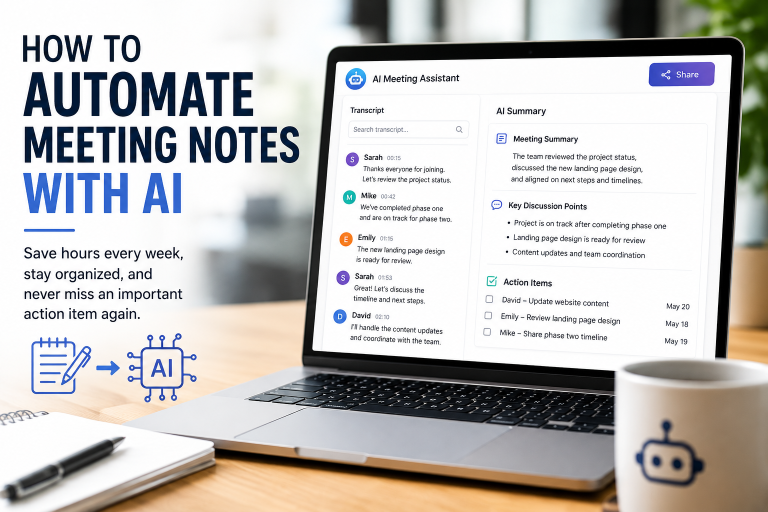
Instead of trying to write down every detail, you can stay focused on the conversation while AI captures the meeting, summarizes what was discussed, identifies the action items, and even drafts a follow-up email.
How This Workflow Works
Here’s how simple it can be.
- Start your Zoom, Teams, or Google Meet meeting.
- Your AI meeting assistant joins the meeting.
- It records the conversation and creates a summary.
- It pulls out the action items and next steps.
- It can even draft your follow-up email and create tasks for you.
By the time your meeting is over, most of your follow-up is already done. That means fewer forgotten action items, better communication, and more time to focus on serving your customers instead of organizing notes.
Real-World Example
Let’s say you meet with a new client to talk about their upcoming project.
Instead of spending the next 30 minutes trying to remember everything that was discussed, AI gives you:
- A summary of the meeting.
- A list of who is responsible for what.
- The next steps.
- A follow-up email that’s ready for you to review and send.
No more wondering if you forgot something important.
Recommended Tools
- Otter.ai – Records meetings and creates searchable transcripts.
- Fireflies.ai – Captures conversations and identifies action items.
- Zoom AI Companion – Built-in meeting summaries for Zoom users.
- Microsoft Copilot – Great if you use Microsoft 365.
- Notion AI – Keeps your meeting notes and projects organized.
Why You’ll Love This Workflow
✔️ Be fully present during your meetings.
✔️ Never wonder what was decided.
✔️ Save time on meeting notes and follow-up emails.
✔️ Keep everyone on the same page.
✔️ Spend less time on paperwork and more time getting things done.
Estimated Time Saved
2–4 hours each week
If you spend a lot of time in meetings, you’ll probably save even more.
Difficulty Level
🟢 Beginner
Most of these tools connect directly to Zoom, Teams, or Google Meet, so getting started is easier than you might think.
Pro Tip
Before you end the meeting, ask AI to give you three simple lists:
- What decisions were made.
- What action items need to be completed.
- Any unanswered questions.
It’s a simple habit that improves accountability, keeps projects moving forward, and helps ensure every meeting leads to clear next steps instead of forgotten conversations.
Workflow #5: Stop Wondering What to Post on Social Media
Why This Matters
One of the biggest frustrations for small business owners is social media.
You know you should be posting more often, but by the time you’ve taken care of your customers, answered emails, returned phone calls, and handled everything else on your to-do list, creating social media content is the last thing you feel like doing.
That’s where AI can become your content assistant.
Instead of trying to come up with something new every day, you can create one great piece of content and let AI help you turn it into posts for all of your social media channels.
How This Workflow Works
Think of it as working smarter instead of harder.
Here’s an example:
- Write one blog article or record one short video.
- Ask AI to create:
- A Facebook post.
- A LinkedIn post.
- An Instagram caption.
- An X (Twitter) post.
- Use Canva to create matching graphics.
- Schedule everything for the week using your favorite scheduling tool.
- At the end of the week, review your results and ask AI for ideas for next week’s content.
Now one piece of content works for you in several different places. This strategy helps you stay visible online without feeling like you’re constantly creating content from scratch.
Real-World Example
Let’s say you own a neighborhood bakery.
You write one article called:
“5 Tips for Choosing the Perfect Birthday Cake.”
From that one article, AI helps you create:
- Several Facebook posts.
- Instagram captions.
- A customer email.
- Pinterest descriptions.
- Website content.
One blog post becomes an entire week’s worth of marketing, allowing you to stay active online while spending more time serving your customers.
Recommended Tools
- ChatGPT – Write captions, brainstorm ideas, and repurpose your content.
- Canva Magic Studio – Create graphics to match your posts.
- Buffer – Schedule your social media posts.
- Publer – Plan your content calendar.
- Metricool – Track what’s working and discover new content ideas.
Why You’ll Love This Workflow
✔️ Stop stressing about what to post.
✔️ Create a week’s worth of content in one sitting.
✔️ Stay consistent without spending hours on social media.
✔️ Get more value out of every blog post or video you create.
✔️ Spend more time running your business and less time creating content.
Estimated Time Saved
3–6 hours each week
And the more content you create, the more time you’ll save because AI helps you get the most out of every idea.
Difficulty Level
🟢 Beginner
If you can use Facebook, you can learn these tools. Most of them are designed for business owners—not programmers.
Pro Tip
Here’s one tip that can save you a lot of time.
Instead of trying to create content every day, set aside one afternoon each week to create your content in batches. Write one article, record one video, or share one customer success story, then let AI transform it into posts for all of your social media platforms. Then you can spend the rest of the week focusing on your customers instead of worrying about social media.
Workflow #6: Take the Stress Out of Collections with AI
Why This Matters
Few things are more frustrating than finishing a job, sending an invoice, and then waiting…and waiting…to get paid. Let’s be honest—most business owners don’t enjoy collecting money.
You do the work, send the invoice, and then…you wait.
When the due date comes and goes, it’s easy to put off sending a reminder because collections can feel uncomfortable. You don’t want to sound pushy, and you don’t want to damage a good customer relationship.
Here’s the good news: most customers aren’t avoiding payment. They’re busy. The invoice got buried in their inbox, or they simply forgot.
That’s why I like using AI and automation for payment reminders. It takes the emotion out of the process. Instead of manually tracking who has and hasn’t paid, AI can automatically send friendly, professional reminders based on your schedule.
It’s consistent, polite, and treats every customer the same.
How This Workflow Works
Once you set it up, the workflow does the heavy lifting for you.
- You send an invoice to your customer.
- Your accounting software tracks the due date automatically.
- If payment hasn’t been received, a friendly reminder is sent.
- If the invoice is still outstanding, another reminder can be sent a few days later.
- As soon as payment is received, the reminders stop automatically and your records are updated.
Automating reminders doesn’t just save time—it also creates a more consistent payment process, improving cash flow without requiring awkward follow-up conversations. No sticky notes. No spreadsheets. No trying to remember who still owes you money.
Before you can automate payment reminders, you need an efficient invoice workflow. Our How to Automate Invoice Processing with AI (2026 Guide) explains how to capture invoices automatically, route them for approval, and sync them with your accounting software.
Real-World Example
Let’s say you’re a freelance graphic designer.
You send an invoice with Net 30 payment terms.
If payment hasn’t been received after 30 days, your customer automatically receives a polite reminder.
A week later, if the invoice is still unpaid, another reminder is sent.
If payment still hasn’t been received, you receive a notification so you can decide whether it’s time to make a personal phone call.
Your customers receive professional communication, and you spend less time chasing invoices.
Recommended Tools
- QuickBooks – Create invoices and automate payment reminders.
- Xero – Track invoices and send automatic follow-ups.
- Stripe – Accept online payments and monitor payment status.
- Zapier or Make.com – Connect your accounting software with the rest of your business tools.
Why You’ll Love This Workflow
✔️ Take the emotion out of collections.
✔️ Improve your cash flow.
✔️ Spend less time following up on unpaid invoices.
✔️ Send consistent, professional payment reminders.
✔️ Focus on serving your customers instead of chasing payments.
Estimated Time Saved
1–3 hours every week
If you invoice customers regularly, you’ll probably save even more time.
Difficulty Level
🟢 Beginner
Most accounting programs already include automatic payment reminders or connect easily with automation tools.
Pro Tip
Keep your reminders short, friendly, and professional.
A simple reminder is often all it takes. Save the personal phone calls for the few situations that actually require them.
Getting paid faster means healthier cash flow, less stress, and more time to focus on growing your business instead of chasing overdue invoices.
Workflow #7: Let AI Handle Your Appointment Scheduling
Why This Matters
If you’ve ever spent 15 or 20 minutes just trying to find a time that works for everyone, you know how frustrating scheduling appointments can be.
You send an email.
They reply.
That time doesn’t work.
You send another email.
Before you know it, you’ve spent more time scheduling the appointment than you will actually meeting with the customer.
The good news is that AI can take care of almost all of it.
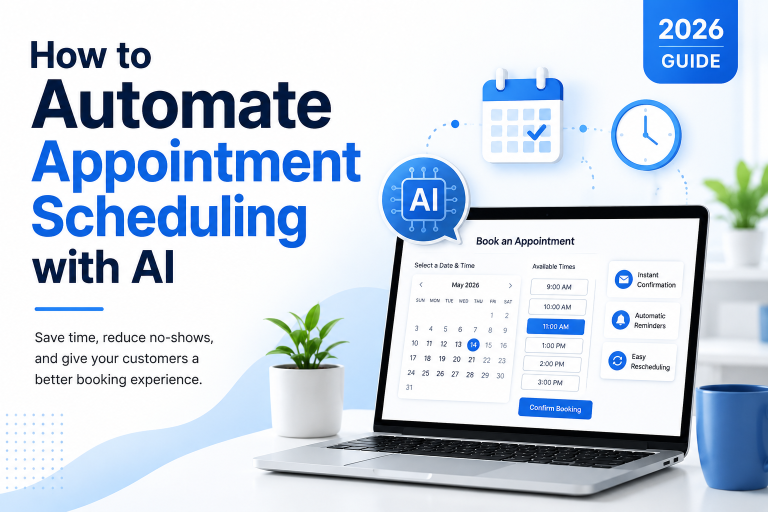
Instead of emailing back and forth trying to find a time that works, AI-powered scheduling tools can automatically show your availability, book appointments, and send confirmation and reminder messages.
That means less time managing your calendar and more time doing the work you actually enjoy.
How This Workflow Works
Once your scheduling system is set up, the process is simple.
- A customer visits your website.
- They click Book an Appointment.
- AI checks your calendar and displays your available times.
- The customer chooses a date and time that works for them.
- A confirmation email and calendar invitation are sent automatically.
- Reminder emails or text messages are sent before the appointment.
- After the meeting, a thank-you email—and even a request for a review—can be sent automatically.
The result is fewer scheduling mistakes, fewer missed appointments, and a smoother experience for both you and your customers. It all happens behind the scenes while you focus on your business.
Real-World Example
Let’s say you’re a real estate agent.
A potential buyer visits your website at 9:00 on a Sunday night and wants to schedule a consultation.
Instead of waiting until Monday morning for you to return their call, they book an appointment online in just a few minutes.
They immediately receive a confirmation email, a calendar invitation, and a reminder before the meeting.
While you’re spending time with your family or relaxing for the evening, your business is still working for you.
Recommended Tools
- Calendly – Let customers book appointments based on your availability.
- Google Calendar – Keep your schedule organized and up to date.
- Microsoft Bookings – A great option if you use Microsoft 365.
- Acuity Scheduling – Ideal for service-based businesses with multiple appointment types.
- Make.com or Zapier – Connect your scheduling system with your CRM, email, and other business tools.
Why You’ll Love This Workflow
✔️ Stop wasting time going back and forth trying to schedule appointments.
✔️ Let customers book whenever it’s convenient for them—even after business hours.
✔️ Reduce no-shows with automatic reminders.
✔️ Create a more professional customer experience.
✔️ Spend less time managing your calendar and more time growing your business.
Estimated Time Saved
2–4 hours every week
If you schedule several appointments each day, you’ll probably save even more time while reducing missed appointments.
Difficulty Level
🟢 Beginner
Most scheduling tools connect directly with Google Calendar or Microsoft Outlook and can be up and running in less than an hour.
Pro Tip
Add a few simple questions to your booking form.
Ask customers what they need help with before the appointment.
Not only will you be better prepared, but AI can also summarize their answers so you can walk into the meeting already knowing what they want to discuss.
Why This Workflow Is Worth It
Whether you’re a consultant, Realtor, attorney, accountant, photographer, landscaper, healthcare provider, or any other service-based business, appointment scheduling is one of the easiest things to automate.
Every appointment your customers schedule on their own is one less interruption to your day.
That’s time you can spend serving your customers, growing your business, or simply enjoying a little more balance in your life. When scheduling happens automatically, you spend less time managing your calendar and more time doing the work that actually grows your business.
Workflow #8: Let AI Do the Reading for You
Why This Matters
Have you ever opened a long contract, report, or meeting transcript and thought, “When am I going to have time to read all of this?”
You’re not alone.
As a business owner, information comes at you from every direction. Contracts, proposals, reports, customer emails, meeting notes—it adds up fast.
AI can do the first review for you.
Instead of reading every page from start to finish, AI can identify the key points, summarize the main ideas, and even highlight action items or important deadlines.
How This Workflow Works
Here’s a simple example.
- Upload your document.
- AI reads the entire file.
- It creates a summary of the key points.
- It identifies deadlines, action items, and important details.
- Save the summary or share it with your team.
Instead of wondering where to start, you already know what matters most.
Real-World Example
Let’s say a vendor sends you a 25-page contract.
Rather than reading every page first, AI gives you:
- A one-page summary.
- Payment terms.
- Renewal dates.
- Cancellation clauses.
- Important deadlines.
- Items that deserve a closer review.
Now you can read the original document knowing exactly what to look for.
Recommended Tools
- ChatGPT
- Claude
- Microsoft Copilot
- Google Gemini
- Adobe Acrobat AI Assistant
Why You’ll Love This Workflow
✔️ Read documents in a fraction of the time.
✔️ Find important information faster.
✔️ Stay organized.
✔️ Make decisions with more confidence.
✔️ Spend less time reading and more time running your business.
This allows you to review important information in minutes instead of hours, while still deciding when a full document deserves a closer look.
Estimated Time Saved
2–4 hours each week
Difficulty Level
🟢 Beginner
Most AI document tools allow you to upload PDFs and Word documents with just a few clicks.
Pro Tip
AI is a great assistant, but it’s not your attorney or your accountant.
For legal agreements, contracts, or financial documents, always review the original document before making an important decision. The goal isn’t to skip important information—it’s to spend less time sorting through documents and more time acting on the information that matters most.
Workflow #9: Keep Your Projects Organized Automatically
Why This Matters
If you’ve ever had a sticky note disappear, forgotten to follow up with a customer, or realized you missed a deadline, you’re not alone.
As your business grows, keeping track of everything becomes harder.
AI can help organize tasks, prioritize deadlines, assign action items, and even send reminders so projects keep moving without constant manual tracking. Instead of trying to remember everything yourself, let your systems do some of the work.
How This Workflow Works
Here’s one example.
- A customer approves a new project.
- AI identifies the tasks that need to be completed.
- Your project management system creates those tasks automatically.
- Deadlines and reminders are assigned.
- Your team is notified so everyone knows what comes next.
Nothing gets forgotten, and everyone stays on the same page. Instead of wondering what needs attention next, you’ll have a clear view of your priorities and the progress of every project.
Real-World Example
Let’s say your company lands a new website project.
Instead of creating a checklist from scratch, AI automatically creates tasks like:
- Schedule the kickoff meeting.
- Collect branding materials.
- Write website copy.
- Design the homepage.
- Begin development.
- Schedule the final review.
Your team can get to work immediately instead of waiting for someone to organize everything.
Recommended Tools
- ClickUp
- Asana
- Trello
- Monday.com
- Notion AI
Why You’ll Love This Workflow
✔️ Keep projects organized.
✔️ Stop worrying about forgotten tasks.
✔️ Help your team stay on schedule.
✔️ Reduce administrative work.
✔️ Spend more time moving projects forward.
Estimated Time Saved
2–5 hours each week
Difficulty Level
🟡 Beginner to Intermediate
Most project management platforms include automation templates that are easy to customize.
Pro Tip
If you do the same type of project over and over, create one master template.
Then let AI fill in the customer information and build the project for you in seconds.
Good project management isn’t about working harder—it’s about making sure the right work gets done at the right time. AI helps you stay organized so your business can keep moving forward.
Workflow #10: Start Every Week Knowing Exactly Where Your Business Stands
Why This Matters
Running a business means keeping an eye on a lot of moving parts.
Sales.
Marketing.
Customer inquiries.
Outstanding invoices.
Website traffic.
The problem is that the information usually lives in several different places.
Instead of logging into five different systems every Monday morning, let AI pull everything together into one simple report.
How This Workflow Works
Once your workflow is set up, here’s what happens.
- AI gathers information from your accounting software, CRM, website, and marketing platforms.
- It summarizes your most important numbers.
- It highlights trends and opportunities.
- Every Monday morning, your report is waiting in your inbox.
Instead of hunting for information, you can spend your time making decisions. AI can collect information from your sales, marketing, website analytics, and customer data, then organize it into a simple report that highlights trends, key metrics, and areas that may need your attention.
Real-World Example
Imagine starting your Monday morning with one report that shows:
- Website visitors.
- New leads.
- Sales.
- Outstanding invoices.
- Marketing results.
- Your best-performing content.
- Suggested priorities for the week.
Everything you need is in one place.
Recommended Tools
- Google Looker Studio
- Google Analytics
- Microsoft Power BI
- Zapier
- Make.com
Why You’ll Love This Workflow
✔️ Save time every week.
✔️ See what’s working at a glance.
✔️ Spot problems before they become bigger issues.
✔️ Make better business decisions.
✔️ Spend less time gathering data and more time acting on it.
Estimated Time Saved
2–4 hours each week
Difficulty Level
🟡 Intermediate
This workflow takes a little more setup because you’re connecting multiple systems, but once it’s running, it saves hours every week.
Pro Tip
Don’t try to measure everything.
Focus on the five or six numbers that tell you whether your business is moving in the right direction.
The goal isn’t to collect more data—it’s to make better decisions. When you understand what’s working and what isn’t, you can spend less time guessing and more time growing your business.
If there’s one thing I hope you take away from this article, it’s this:
Final Thoughts
You don’t have to automate everything at once.
In fact, I wouldn’t recommend it.
Pick one workflow that solves a problem you’re dealing with right now. Get comfortable with it. See how much time it saves. Then move on to the next one.
Before long, you’ll have a business that’s running more efficiently without feeling like you have to do everything yourself.
AI isn’t here to replace your experience, your creativity, or the relationships you’ve built with your customers.
It’s here to take care of the repetitive work so you can spend more time doing what you do best—serving your customers, growing your business, and building the future you want.
Work smarter. Stress less. And let AI handle more of the busywork. The best time to start was yesterday. The second-best time is today. Choose one workflow, put it into action this week, and let your results build from there.
Related Articles (Coming Soon)
Continue Learning
This guide is just the beginning. In future articles, we’ll take a deeper dive into each workflow and show you exactly how to build these automations step by step.
- Beginner’s Guide to ChatGPT for Small Business
- How to Automate Customer Emails with AI
- Zapier vs Make.com
- Best AI Tools for Small Businesses
- How to Create a Week of Content with AI
- AI Meeting Assistants Compared